How to Set Up a Branded Event Gallery for a Trade Show in Under 30 Minutes

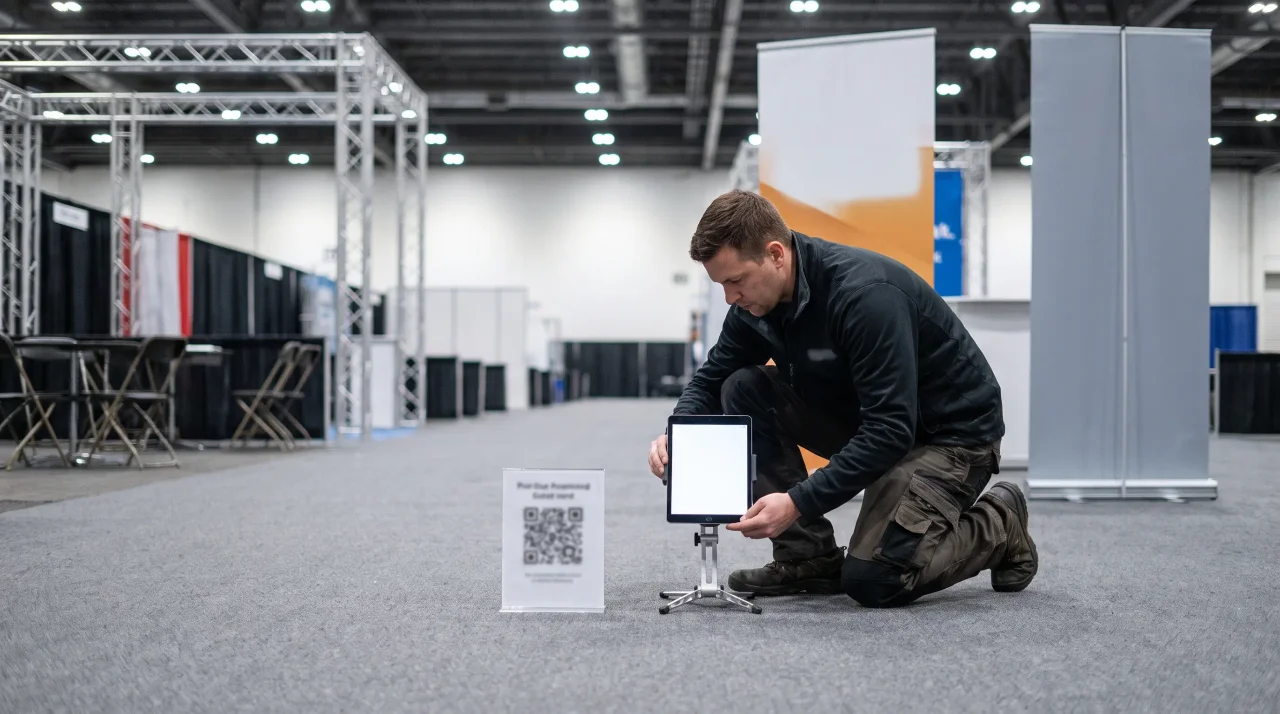
A branded trade-show gallery is a shared album carrying your colours, logo and cover image, reached by a QR code on the stand — and it genuinely takes under half an hour to set up. The work is: create the event, brand the page, generate and size the code, decide moderation, and print the sign. Everything else is optional.
- Create the event and brand the page — title, cover image, logo, colours.brand it
- Generate the code and size it for the stand, not for a table card.10:1
- Decide moderation before the hall opens; on a stand, approval-first is the safe default.approve first
- Print the sign and place it where visitors already stop, at eye level.where they stop
A trade show is a content machine that mostly runs without you. Across two or three days, thousands of attendees walk your stand, sit through demos, meet your team, and photograph all of it on their own phones. Almost none of those images ever reach you. The booth lead goes home with twelve shots; the comms team reconstructs the show from a handful of LinkedIn posts; next year's sales deck reuses the same tired stock from the year before.
A branded event gallery fixes that, and it does not need a developer, a photographer's contract, or a six-week procurement cycle. It is one upload page — carrying your logo, your colours, and (where the plan supports it) your own domain — that every attendee can reach by scanning a single QR code. They upload from the phone browser, you moderate what goes live, and you walk off the floor with one organised, downloadable archive instead of a scavenger hunt.
This is a practical setup guide for the event manager, marketing lead, or agency producer who has a stand to run and limited time before doors open. The platform configuration itself takes only moments; the work that fills the half-hour is what actually determines whether people scan — branding, print sizing, placement, and the moderation and data-protection controls a corporate event needs. Competitor facts below are verified from each provider's own pages as of June 2026; where a figure is quote-only, we say so rather than invent one.
This is not legal advice. The GDPR section summarises the relevant articles so you know what to check before you put a tool on the stand. Your Data Protection Officer or counsel should confirm how each point applies to your event and jurisdiction.
- Disclosure: the author builds Gathmo, named in this article as the shared guest album.
What "branded event gallery" actually means at a trade show
It is worth being precise, because the phrase gets used loosely. A branded event gallery has three layers, and the difference between them is exactly what separates a corporate-grade tool from a consumer party app:
- Cosmetic branding — your logo on the upload page and your accent colour on the buttons. Useful, and the floor of what you should accept. Most tools in this category stop here.
- Custom domain — the upload page and album live on a web address you control, so attendees never see a third-party brand in the URL. This is the line between "a tool we used" and "our event experience."
- End-to-end white-label — the gallery is fully yours, with no visible trace of the underlying vendor, the level an agency needs when it resells the experience to its own clients.
With Gathmo, logo-and-accent branding is available from the entry tiers; a custom domain is available on the Grand per-event tier (€89) and across the B2B subscription plans; and end-to-end white-label is the Agency tier (€199/mo) and above. (Gathmo tier facts: Gathmo pricing.) For a single company running its own stand, the custom-domain level is usually the sweet spot. For an agency producing the show for a client, white-label is the requirement — more on that below.
One reason this matters more at a trade show than at a wedding: the gallery is a brand surface in a competitive, public, photographed environment. Every screen, lanyard, and stand graphic carrying a stranger's logo is a missed impression. A branded gallery turns the attendees' own cameras into a distribution channel for your brand, not the vendor's.
What you need before you start
Almost nothing you do not already have:
- Your logo file and brand accent colour — a transparent-background PNG and the hex code of your primary colour. That is the entire visual setup.
- A way to print. Codes go on lanyards, stand graphics, table cards, and at least one A-frame. Your stand builder, an on-site print desk, or a batch ordered in advance all work.
- One person to moderate. On a public floor with your logo on screen, someone owns the approval queue — not a full-time job, but a named one.
- A device for an on-stand screen (optional). Only if you also want a live photo wall on a monitor; the gallery works without one, and collection and the live wall are separate decisions.
That is the rig. The skill is not technical — it is sizing the codes correctly and placing them where people stand. Get those wrong and the most beautiful branded gallery on the show floor sits empty.
The under-30-minutes setup, step by step
Here is the realistic sequence. The platform steps themselves are quick; budget most of your half-hour for getting the print right, because that is what determines whether anyone scans.
1. Create the event and apply your brand (a few minutes)
Create your event, upload your logo, and set your accent colour. If you are on a tier that supports it, connect your custom domain so the upload page reads as your event rather than a third-party app. With Gathmo, guests reach the page by scanning a QR code or opening a short link — there is no app to install and no account to create, because each guest gets an anonymous, event-scoped token rather than a login. (Gathmo pricing.) For a trade-show audience that will not download anything for a single event, the no-install, no-signup flow is the difference between high participation and a dead gallery.
2. Set moderation before anything can go live (a minute)
Turn on the moderation queue now, while you are thinking about it, not after the first off-brand image appears. Gathmo runs AI pre-screening (Hive for visual content) and lands uploads in a human review queue, so nothing reaches a shared album or a stand screen until you approve it. (Gathmo pricing.) On a corporate floor this is not optional — more on why below.
3. Generate and size the QR code (the part that takes real time)
One code routes every attendee to your upload page. Generating it is instant; sizing and laying it out for each placement is where the minutes go, and where most corporate setups quietly fail. The governing rule is the 10:1 distance-to-size ratio: the minimum size of the QR code is roughly the maximum scan distance divided by ten. A code read from 2 metres needs to be about 20 cm; from 5 metres, about 50 cm. (QR sizing facts: Uniqode QR size guide.) Sizes for the placements a trade show actually uses are in the next section — work through them before you send anything to print.
4. Print, place, and test (the rest of the half-hour)
Print the codes at the right sizes, place them where attendees stand and sit, and test-print one of each at the final size and scan it under the actual stand lighting before you commit to a full run. A code that scans cleanly on your monitor can fail on glossy stock or under exhibition spotlights. Then surface the privacy notice on the upload page (see the GDPR section) and you are live.
5. After the show: export and share (two clicks)
When the floor closes, download the full set as a single archive in original quality and share a branded album link with attendees, sponsors, and your internal teams. That is the recap, next year's sales deck, and the post-show newsletter, all sourced in one export instead of reconstructed over the following fortnight.
Two honest clarifications so the scope is clear. First, automatic face-recognition photo search is not part of Gathmo's launch product — it is a Phase 2 roadmap item, not a live feature. If "let each attendee find photos of themselves by selfie" is a hard requirement today, some competitors do offer face-find — but, as the GDPR section explains, face-recognition changes your compliance footprint. Second, a live photo wall on a stand screen is available (a live slideshow from the Celebrate tier up, a true live stream on Grand) but it is a separate setup from the gallery; we cover it in How to Run a Live Photo Wall at a Conference or Trade Show.
Where to put the QR code so it actually gets scanned
A trade show gives you more good surfaces than almost any other event, and the scan distance changes the size you need on each one. Work through these before printing:
- Badge lanyards and printed agendas. Close range (~20–30 cm). Use at least 2 × 2 cm, with 2.5 × 2.5 cm the comfortable recommendation. This is the single highest-leverage placement at a show — the code is on every attendee for the full event, scannable any time they look down.
- Table cards at the stand or in a meeting pod. Scanned from a seated ~30–50 cm, so ~3–5 cm works well.
- A-frame and standing posters in the aisle and at the stand entrance. Viewed from ~1–2.5 m, so size the code at ~10–25 cm.
- Stand-back-wall and sponsor banners. Read from across the aisle (~8–10 ft / 2.5–3 m), which calls for an 8–12 inch (~20–30 cm) code. Test it from where a passer-by would actually stand.
Four specifications stop a printed code from silently failing:
- Keep the quiet zone clear. QR codes need a blank margin of at least four modules on all four sides; ISO/IEC 18004 mandates it, and busy stand graphics are the usual culprit when scans fail. On a dense banner, give it more breathing room than you think it needs.
- Dark code on a light background. Avoid inverting it (light modules on a dark banner) — many scanners struggle with inverted codes, a real risk on a dark-themed stand. If your branding is dark, drop the code into a light panel.
- Raise error correction to Level H if you overlay your logo (~30% recovery), so the code survives the overlay.
- Use a dynamic QR code for event print, so the destination can be managed and the same artwork is reusable across a multi-day show or a recurring annual stand.
For the complete print-spec rundown, see the hub's QR-code event photo sharing guide.
Will attendees actually scan it?
Yes — and it is worth retiring this as a worry. Across the UK and Europe, 84% of respondents had scanned a QR code before, with 32% most recently scanning one in the previous week.40% scan one every week (NFCW QR survey summary, 2020), while 68% of consumers reported using a QR code at least once in the past year (QRKit summary of TEAM LEWIS consumer QR research, 2024). At a trade show, where badges and signage already carry codes and scanning is the expected gesture, "scan to add your photos" is familiar, not novel. (Statistics: QRKit QR statistics, publishable rows.)
A note on expectations: be sceptical of any vendor or blog that quotes a single magic "participation rate" as a benchmark. Real numbers depend on your audience, your signage, and how often you mention the gallery from the stand. Treat a branded gallery as the tool that makes contributing easy and visible, and measure your own rate rather than trusting an invented figure.
Keeping the gallery on-brand: moderation and approval
This is the line between a consumer party tool and something you can put your logo on at a public exhibition. On a stand screen, in a shared album, or anywhere your brand and your sponsors' brands appear in frame, you cannot afford an unreviewed image going live. Two layers do the work:
- Automated pre-screening. AI moderation flags inappropriate or off-brand content before a human ever sees it. Gathmo runs visual moderation (Hive) plus automated transcription review for any audio. (Gathmo pricing.)
- A host approval queue. Nothing reaches a shared surface until someone on your team approves it. For a stand screen at a flagship show, run in approval-required mode; for a lower-stakes collection-only gallery, you might let AI-screened uploads through with a human spot-check.
Worth knowing when you compare tools: moderation is not universal in this category. Several competitors offer no content moderation at all as of June 2026 — fine for a private party, a genuine liability on a corporate stand. If the gallery carries your brand, treat a real moderation queue as a hard requirement.
The part procurement cares about: data control and GDPR
A branded gallery at a trade show is, in data-protection terms, the collection and display of images of identifiable people in a commercial setting. The moment your organisation collects, stores, or shows photos of identifiable attendees or employees, the GDPR applies — "it was just the trade-show stand" is not a defence your DPO will accept. Here is what to have in order, and what to demand from any vendor before it goes near the floor.
Show a clear information notice at the point of upload. Where personal data are collected directly from people, the controller must, at that moment, provide defined information — who the controller is, the purposes and legal basis, and (where you rely on legitimate interest) the specific interests pursued (GDPR Art. 13(1)). For a gallery, that means a visible privacy notice on the upload page, not a policy buried elsewhere. (GDPR official text.)
Know your lawful basis. Processing event photos needs an Article 6 basis. For ordinary, non-special-category images a controller can often rely on legitimate interest (Art. 6(1)(f)) after a documented balancing test, but consent (Art. 6(1)(a)) is the safer basis and is required where that balance fails (GDPR Art. 6). One wrinkle for events with your own staff on the stand: regulators are sceptical that employee consent is ever truly "freely given" given the dependence in the relationship — Germany's BDSG § 26 addresses employee data directly, and outward-facing or promotional photos usually call for explicit, opt-in consent with a genuine right to refuse without disadvantage. Because attendees choose to upload, a QR-gallery model is built around an opt-in act rather than a covert capture. (GDPR official text.)
Avoid turning the gallery into biometric processing. Ordinary photos are not special-category data — Recital 51 confirms images become biometric data only "when processed through a specific technical means allowing the unique identification or authentication of a natural person." A plain gallery that displays and stores images stays out of Article 9. But a tool that runs facial recognition to group or "find" attendees by face processes biometric data for unique identification, which Article 9(1) prohibits without a specific ground such as separate, explicit consent. Several competitors lead with face-recognition photo-finding; useful at a wedding, it converts your corporate collection into Article 9 processing. Gathmo does not offer facial recognition at launch — here that is a feature, not a gap, because it keeps your gallery out of biometric territory by default. (Gathmo pricing; GDPR official text.)
Get a Data Processing Agreement, and check where the data lives. When a SaaS processes personal data on your documented instructions, you are the controller and the vendor is the processor — and that relationship must be governed by a written DPA setting out the subject-matter, duration, nature and purpose of processing, and the processor's obligations (GDPR Art. 28(3)). Ask for it before you sign. And check data residency: keeping data in the EU avoids third-country transfer mechanics (SCCs, transfer-impact assessments) entirely. Gathmo stores event data in the EU — object storage in an EU jurisdiction, the database in Frankfurt, compute in EU regions (Frankfurt/Amsterdam) — with DPAs in place with its processors; it offers a DPA on request on the per-event tiers and includes one on the B2B subscription tiers. (Gathmo pricing.)
Among the tools that rank for trade-show and conference photo collection, EU residency is the exception, not the rule. To be precise, Gathmo is not the only EU-resident option — EventPics is also EU-hosted — but most consumer tools in this space are not: Kululu stores on Google Cloud in the United States; GuestSnap is US-based with no EU claim; Fotify is a US (Delaware) company; and GuestPix infers multi-region storage that includes Germany but does not foreground residency. Where a vendor does not clearly state where data sits, treat that as unconfirmed, not as a yes. If your attendees include employees or anyone who would rather their image did not sit on a non-EU server, that distinction is the whole decision. (Competitor residency: provider public pages reviewed June 2026.)
Set a retention period and honour deletion requests. The GDPR requires data minimisation and storage limitation — personal data kept only as long as necessary (Art. 5(1)(c) and (e)) — and any attendee can request erasure of their image, which you must action without undue delay and within one month, extendable to three (Arts. 17 and 12(3)). Practically, that means a tool with defined, automatic retention windows and a clean deletion workflow. Gathmo's per-event tiers carry explicit periods — for example, 6 months on Celebrate and 1 year on Grand — so the gallery expires by design rather than lingering indefinitely. (GDPR official text; Gathmo pricing.)
For the full compliance picture, see GDPR and data control and the Data Processing Agreement.
Setting up a branded gallery for a client: the agency angle
If you produce the trade show for a client rather than running your own stand, the branded gallery is something you can deliver under your brand — or, better, under the client's. The requirement is end-to-end white-label: a custom domain per client, the client's branding on the upload page and album, and the platform invisible as the underlying vendor. With Gathmo, that is the Agency tier (€199/mo, end-to-end white-label, unlimited custom domains) and Enterprise (from €699/mo, full white-label plus SSO and API); the Studio tier (€79/mo) covers logo-and-accent branding for smaller operations. (Gathmo pricing.)
This combination is genuinely rare. A true full-reseller white-label — where the gallery is the client's, not the vendor's — is offered by only a small number of providers as of June 2026, and the ones that do are generally not EU-hosted. An EU-resident, DPA-backed, fully white-label gallery is an unusual pairing, and it is the one that lets an agency offer the experience to GDPR-sensitive corporate clients without exposing the tooling underneath. See Gathmo for agencies for how the multi-client setup works.
Create the event and upload branding (5 minutes)
Log into Gathmo, create an event with the show name and date, upload the exhibitor or client logo, and set the brand colour. The gallery immediately reflects these settings -- no code or design work required.
Download and format the QR code for print (5 minutes)
Download the QR code as SVG from the dashboard. Drop it into your existing booth design or a sign template at 10-15 cm for viewing from 1 metre. Test-scan before sending to the print supplier.
Set up the live photo wall on the booth screen (10 minutes)
Copy the live wall display URL from the dashboard and open it full-screen on the device connected to the booth screen. The display auto-refreshes as approved photos arrive -- no further interaction needed once it is live.
Brief the booth team (10 minutes)
Show the team the QR code location, the visitor instruction, and the dashboard on a phone so they can see uploads in real time. That is all the training required to run the branded gallery experience throughout the show.
Frequently asked
Create your event and apply your branding (logo, accent colour, and a custom domain where your plan supports it), turn on the moderation queue, generate one QR code and print it at the right size for each placement, test-scan a proof under the stand lighting, and surface a privacy notice on the upload page. Attendees scan, upload in-browser with no app and no account, you approve what goes live, and afterwards you download the whole archive in one file. The platform configuration takes only moments; sizing and placing the codes is what fills out the setup time.
For a B2B event the right tool pairs a branded gallery with what a party app skips: a moderation queue, EU data residency with a DPA available (GDPR Art. 28, so procurement and legal sign off), a clear information notice at upload (Art. 13), defined retention with a deletion workflow (Arts. 5, 17), no facial recognition by default (which keeps you out of Article 9 biometric processing), and — if you run client events — end-to-end white-label. Gathmo is built around that combination; several competitors are US-based or host outside the EU. Our hub keeps a data-verified comparison: Best Event Photo Sharing Apps in 2026.
Yes. With Gathmo, attendees scan the QR code or open a short link and upload straight from the phone browser — no app, no account, because each guest gets an anonymous, event-scoped token rather than a login. For a trade-show crowd that will not download anything for one event, that is the difference between high participation and an empty gallery.
Yes, on the right tier. A custom domain is available on Gathmo's Grand per-event tier and across the B2B plans; full end-to-end white-label — no visible trace of the vendor — is the Agency tier and above, the level an agency needs to resell the gallery to clients.
Keep them only as long as necessary (GDPR Art. 5(1)(e)), so use a tool with defined retention windows — Gathmo applies tier-based periods such as 6 months (Celebrate) and 1 year (Grand). Any attendee can request erasure (Art. 17), actioned without undue delay and within one month, extendable to three (Art. 12(3)) — so confirm the tool has a clean per-item deletion workflow. A summary, not legal advice — confirm with your DPO.
Four steps, each taking five to eight minutes: (1) Create a Gathmo event -- name, date, optional event description; takes 2 minutes; (2) Upload the brand logo and set the accent colour in the customisation settings -- the gallery displays your branding immediately; (3) Download the QR code from the dashboard as a print-ready SVG or PNG; (4) Drop the QR into your existing booth design or print a branded sign via your print supplier. The live photo wall URL is also in the dashboard -- open it on the booth screen before the show opens. Total time from account creation to live gallery: under 30 minutes. The Celebrate tier (69 EUR) handles unlimited uploads with a 1-year gallery window.
A live photo wall at a trade show booth creates a real-time content loop: visitors scan the QR, upload a photo, and see it appear on the booth screen within seconds. This creates a reason to stop, engage, and participate -- a dwell-time driver that most static booth displays cannot match. The accumulated uploads become a gallery of genuine visitor engagement rather than stock-photo marketing material. For the exhibitor, the album provides 50 to 200 candid shots of real attendees at the booth -- more reusable for post-show content than posed booth photos. Each upload also comes with a timestamp showing when each visitor engaged.
 Comparison
Fotify Alternative for European Companies: GDPR, Data Residency, and Feature Comparison
If you have shortlisted Fotify for a corporate event and your legal or procurement team has started asking where the photos are stored, the hosting and controller-processor...
 Story
StoryThe Business Case for Employee Event Photo Sharing: ROI for HR and Internal Comms
Every internal event your organisation runs — the summer offsite, the all-hands, the holiday party — produces a quiet asset that almost always goes to waste: hundreds of...
 Guide
GuideHow to Run a Company Holiday Party That Everyone Actually Remembers (And Has Photos From)
Every December, the same thing happens. The team books a venue, orders the catering, and has a genuinely good night — and then, two weeks later, the only proof that any of it...