How to Get More Guests to Actually Upload Their Party Photos


You set up the link. You put the QR code on the table. You even dropped it in the group chat with three confetti emojis. And then the night happens, and the next morning your album has eleven photos in it — nine of which you took.
Sound familiar? The problem is almost never the tool. Everyone at your party has a phone, a camera, and a hundred shots from the night. The problem is the gap between having the photos and uploading the photos — that two-second decision that happens (or doesn't) at 1 a.m. with a drink in one hand. Close that gap and the album fills itself.
This is a how-to for the host who already has a photo-sharing link and wants the room to actually use it. Everything below is about participation: how to ask, when to ask, where to put the code, and how to remove the four little excuses that stop a guest mid-upload. The energy you want is simple — make uploading feel like part of the party, not homework for after it.
Why guests don't upload (it's not laziness)
Start by naming the real obstacles, because each one has a fix.
The photos are stuck on different phones. This is the whole reason you need a shared album in the first place. Everyone captures, nobody collects. It is worth remembering just how much raw material is sitting there: roughly 1.9 trillion photos were taken worldwide in 2024, and around 70% of camera-phone photos are never revisited (PetaPixel photo-volume estimate summary, 2025; Popsa Memory Economy Report, 2026). The shots from your night are real. They just never make it off the lock screen.
The group chat is dead on arrival. You might think the chat is the obvious place to collect everything. It isn't. Group-chat fatigue is measurable: News.com.au reports on group-chat anxiety and notification fatigue. A thread that 40% of people have muted is not a place photos get uploaded. It is a place photos go to be ignored.
There's friction. Download an app? Make an account? "Which thread was the link in again?" Every extra tap loses people. Each step between scan and done is a place where a guest gives up.
Nobody told them it mattered. Guests upload when they understand it's a thing the whole room is doing — and when someone makes it fun to join in. Silence reads as "this is optional, skip it."
Fix those four and your participation problem mostly disappears. Here's how.
Kill the friction: no app, no signup, no excuses
The single biggest lever is removing every step between a guest's phone and your album. If the tool asks people to download an app or create an account, a chunk of your room is gone before they start — especially the friends who only came out for one drink and the relatives who barely text.
The good news is the technology is on your side here. QR scanning is now a normal reflex, not a novelty: 68% of consumers say they've used a QR code in the past year (QRKit summary of TEAM LEWIS consumer QR research, 2024), and across the UK and Europe 84% of respondents had scanned a QR code before, with 32% most recently scanning one in the previous week.40% scanning at least one every week (NFCW QR survey summary, 2020). In Germany, the U.S. International Trade Administration reported Germany smartphone penetration at 90.1% in 2023. Translation: the camera is already in their hand, and scanning a code already feels normal. Don't squander that with a signup wall on the other side.
This is exactly where most party tools stumble and where Gathmo is built differently. Guests scan a QR code or tap a short link, and they're straight into the upload screen — no app to install, no account to create. Compare that to the field: a budget tool like Rompolo or a free option like Kululu still gets guests in without an install, but plenty of the wider event-photo market makes people jump through extra hoops. The fewer taps you make your guests take, the more of them finish. (Competitor specifics: provider public pages reviewed June 2026, as of June 2026.)
If your current tool forces a download, that alone explains your empty album. Switch the mechanism, not the guest list.
Put the code where the party is
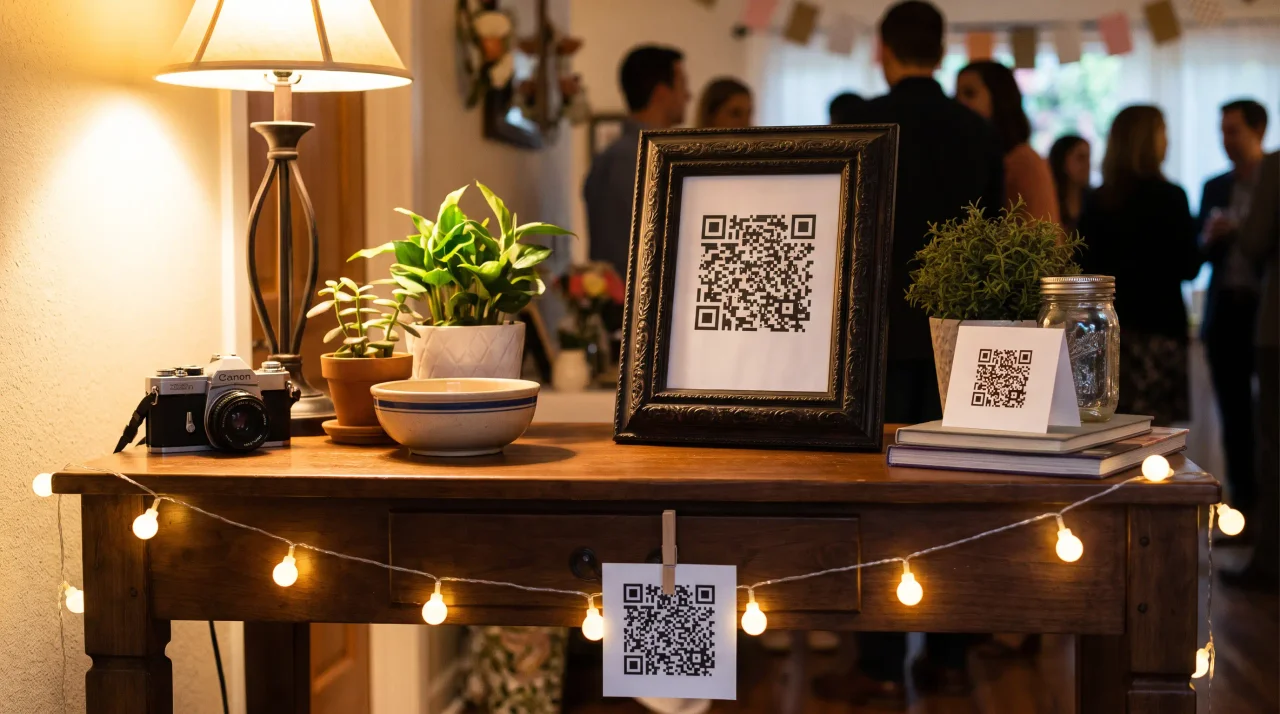
A link buried in a chat gets scrolled past. A QR code in front of a guest, at the moment they're already holding their phone, gets scanned. Placement is participation. Get the code into the physical flow of the night and uploads climb on their own.
Where to put it:
- At the entrance. First thing people see, framed as "scan to join the album." Sets the expectation before anyone's even taken a coat off.
- On every table. A tent card or small stand per table means the code is always within arm's reach — right next to the moment someone's about to take a photo anyway.
- At the bar / drinks station. People queue here. People stand here. People look at their phones here. Perfect.
- By the photo-worthy stuff. The food spread, the decorations, the dance floor — wherever shots are being taken, the code should be one glance away.
Make sure it actually scans. A QR code nobody can read is worse than no code at all, so respect a few print basics (QR-print best-practice register):
- Size it to the distance. The rule of thumb is the 10:1 ratio: minimum code size equals the maximum scan distance divided by ten. For an A5 table sign scanned from arm's length, roughly 4–7 cm works well; never go below 2 × 2 cm.
- Leave the quiet zone. Keep a clear blank margin of at least 4 modules on all four sides. Don't let your party graphics crowd it.
- Dark on light. Use a dark code on a light background, and avoid inverting it (light code on a dark background) — many scanners struggle with that, which is a real risk on a moody party-themed card.
- Mind the error-correction level. Level M (~15% recovery) is the standard default; if you're dropping a logo in the middle of the code, bump up to Level H (~30%) so the overlay doesn't break the scan.
- Test-print before the night. Print one at the real size, on the real card stock, and scan it under the kind of dim, coloured lighting your party will actually have. A code that scans on your monitor can fail on glossy paper or under a disco light.
Doing it yourself is simple: generate your event QR code in the Gathmo dashboard, drop it onto whatever signage you like — an A4 poster, an A5 stand, a table tent — and print it, following the placement and print basics above. (More on getting that code below.)
Ask out loud, and make it part of the night
Signs do a lot, but a single spoken nudge does more. Guests upload when someone they're listening to tells them to.
- Say it once, early. When the room's together — a toast, a welcome, the first big moment — say the line: "Everyone, scan the code on your table and drop your photos in. We're building one album for tonight." Ten seconds. Then let the code do the rest.
- Pin the link in the chat — once. One clean message, not five. "Photos go here 👉 [link]." Don't spam the thread; you're fighting group-chat fatigue, not feeding it.
- Give the live wall a job. This is the secret weapon. When uploaded photos appear on a screen seconds later, guests see their own shot go up — and everyone else wants in. A live wall turns uploading from a chore into a game. On Gathmo, the live slideshow is available on the Celebrate tier and a real live stream on Grand, so the room watches the night build itself in real time.
- Open a voice tab, not just a camera. Photos aren't the only thing people will share if you invite them to. Gathmo's voicemail booth lets guests record a quick voice drop right from the same screen — a message for the group, a half-shouted "best night" over the music — and it's on every tier, from Free up. (Automatic transcripts of those messages are a Grand-tier and B2B extra.) Giving people two ways to contribute means even the camera-shy ones leave a mark.
Don't let the album close before guests finish uploading
Here's the participation killer nobody warns you about: people upload late. The best shots get posted the next morning, on the train home, three days later when someone finally clears their camera roll. If your album has already shut, those photos are gone.
So pick a tool with a retention window that outlives the night. On Gathmo, that window scales with the tier: 30 days on Free, 3 months on Essential, 6 months on Celebrate, and 1 year on Grand. For most parties, Essential or Celebrate gives guests a comfortable runway to keep adding without you nagging. The longer the door stays open, the more of the room walks through it. For which tools actually manage that without an install, the best party photo sharing apps tested without installs is the comparison.
A quick honesty note while we're talking features: Gathmo does not do face-recognition photo search or RSVP at launch — both are on the roadmap, not in the product today. So don't promise guests they'll be able to "find all photos of me by selfie" yet. What you can promise is dead-simple uploading, a live wall, and voice drops — which is exactly what drives participation anyway. If a guest signup is the step you want gone entirely, free party photo apps that require no guest signup compares what is left.
A simple participation playbook
Put it all together and your pre-party checklist looks like this:
- Create your party event and get the link and QR code (this takes very little — name it, and your code is ready).
- Print the code at every touchpoint — entrance, tables, bar — sized and contrasted to scan, and test one first.
- Drop the link in the chat once, cleanly.
- Say the line out loud when the room is together.
- Put the live wall on a screen so guests watch their uploads land.
- Open the voice booth so even the non-photographers contribute.
- Pick a retention window long enough for the late uploaders.
Do those seven things and you stop chasing photos. The album fills up because uploading became part of the party — not a favour people forgot to do you.
Mention the album out loud during the event
An MC or host mention is the single highest-leverage action: 'Scan the QR code on your table to add your photos tonight.' At parties with a spoken mention, upload rates are typically 2 to 4 times higher than at parties with table cards alone.
Make the QR code impossible to miss
Put a card at every table, one at the bar, one near the cake or food, and one at the entrance. Multiple placements beat one prominent sign; guests may be anywhere in the venue at any given moment.
Pair the QR code with a specific ask
'Scan to add your photos and a birthday message' is more compelling than 'Scan to add your photos.' Including voice messages gives non-photographers something to contribute, which increases overall participation.
Send the album link in the follow-up message
Within 24 hours of the party, share the Gathmo album link with all guests. This catches everyone who meant to scan but forgot, and reminds contributors to check what others uploaded. Post-event shares typically add 15 to 30 percent more uploads.
Frequently asked
Use a tool where guests scan a QR code or tap a link and upload straight from the browser — no download, no account. Gathmo works this way on every tier, so the only thing between a guest and your album is a single scan. Removing the install step is the biggest single boost to participation.
Everywhere the party already is: the entrance, every table, and the bar. Size it for the scan distance (about 4–7 cm on an A5 sign, never below 2 × 2 cm), keep a clear margin around it, use a dark code on a light background, and test-print one under your real party lighting before the night.
Usually one of four reasons: the tool forces a download or signup, the code isn't visible where photos are being taken, no one was told out loud to upload, or the album closed before guests got around to it. Fix all four and participation climbs on its own.
Not really. Around News.com.au reports on group-chat anxiety and notification fatigue. Use a dedicated album with its own link instead, and pin that link in the chat just once.
That depends on your tool's retention window. On Gathmo it ranges from 30 days on the Free tier up to 1 year on Grand — long enough to catch the shots people only post days later, which is a surprising share of the best ones.
Five common failure points: (1) Poor QR placement -- a single entrance sign is missed by most guests; a card at every seat fixes this; (2) No verbal mention -- most guests will not scan without being told about it; an MC mention at the start of dinner takes 20 seconds and can double participation; (3) Vague prompt -- a QR code with no instruction raises uncertainty about what happens after the scan; a specific label (Scan to add your photos) removes this; (4) Login required -- any account creation step loses a large share of potential uploaders; use a no-login flow; (5) Technical failure -- QR too small, printed on a dark background, or linking to the wrong URL. Test all of these before guests arrive.
Upload activity at parties typically clusters around three peaks: the first 15 minutes after guests arrive (novelty and initial excitement), during and immediately after the meal (people are seated, relaxed, and have their phones out), and during or after a key moment (cake, speeches, a surprise reveal). The live photo wall creates an additional incentive loop: guests who see their photo appear on screen are more likely to upload again and prompt others to do the same. For parties without a live wall, the MC mention at the dinner moment is the single highest-leverage action for driving uploads.
 Guide
GuideQR Code Party Setups: 8 Creative Ways to Display Your Party Link
You've got the party link. One code, and the whole room can drop photos, video clips, and a voice message straight into a shared album — no app, no signup. But here's the thing...
 Guide
GuideNYE Party Photo Ideas: How to Capture New Year's Eve Without Losing Every Shot
Here's how New Year's Eve usually goes. The countdown hits zero, the room erupts, everyone's phone is up, and for about ninety glorious seconds your crew shoots more photos...
 Guide
GuideNew Year's Eve Photo Wall: How to Project a Live Gallery at Your Countdown Party
Here's the problem with New Year's Eve: the best ten seconds of the whole year happen all at once, and every phone in the room is pointed at them. The countdown hits zero, the...