QR Code Party Setups: 8 Creative Ways to Display Your Party Link

You've got the party link. One code, and the whole room can drop photos, video clips, and a voice message straight into a shared album — no app, no signup. But here's the thing nobody tells you: the link only works if people actually see it. A QR code buried in the group chat at 11pm gets ignored. A QR code taped crooked to a wall behind the speaker gets ignored. A QR code your guests can't scan from where they're standing — also ignored.
The fix isn't a better app. It's a better display. Where you put the code, how big it is, and how you frame the ask decides whether 8 people scan or 80 do. QR scanning is a habit now, not a novelty — one survey found 68% of consumers had used a QR code in the past year, and among smartphone users in the UK and Europe, 84% of respondents had scanned a QR code before, with 32% most recently scanning one in the previous week.40% scanning one or more every single week (QRKit summary of TEAM LEWIS consumer QR research, 2024; NFCW QR survey summary, 2020). Your crew knows what to do with a code. You just have to put one in front of them.
Below are 8 ways to display your party link so people actually scan it — each one matched to where it lives in the room and how big the code needs to be to work. Plus the print rules that keep a code scannable, and a short FAQ at the end.
First: get your link and code (60 seconds)
Before the creative part, the boring-but-fast part. In Gathmo you create the event, name it, and you get a link plus a QR code you can download and print. You also get a short link in the form gathmo.com/c/CODE — handy when you want something a guest can type by hand if their camera's being difficult, or when you're reading it out over a mic. No app for guests, no account for guests; they scan, the upload page opens in their browser, and they're in.
One practical tip before you print anything: use a dynamic QR code rather than a static one. A static code bakes the destination in permanently and can't be changed; a dynamic code points at a short link you control, so if anything about the event URL shifts, the printed code still works (Hovercode; Scanova). For event materials you've already sent to the printer, that flexibility is worth it.
Now — the 8 setups.
1. The entry table card (the first thing they see)
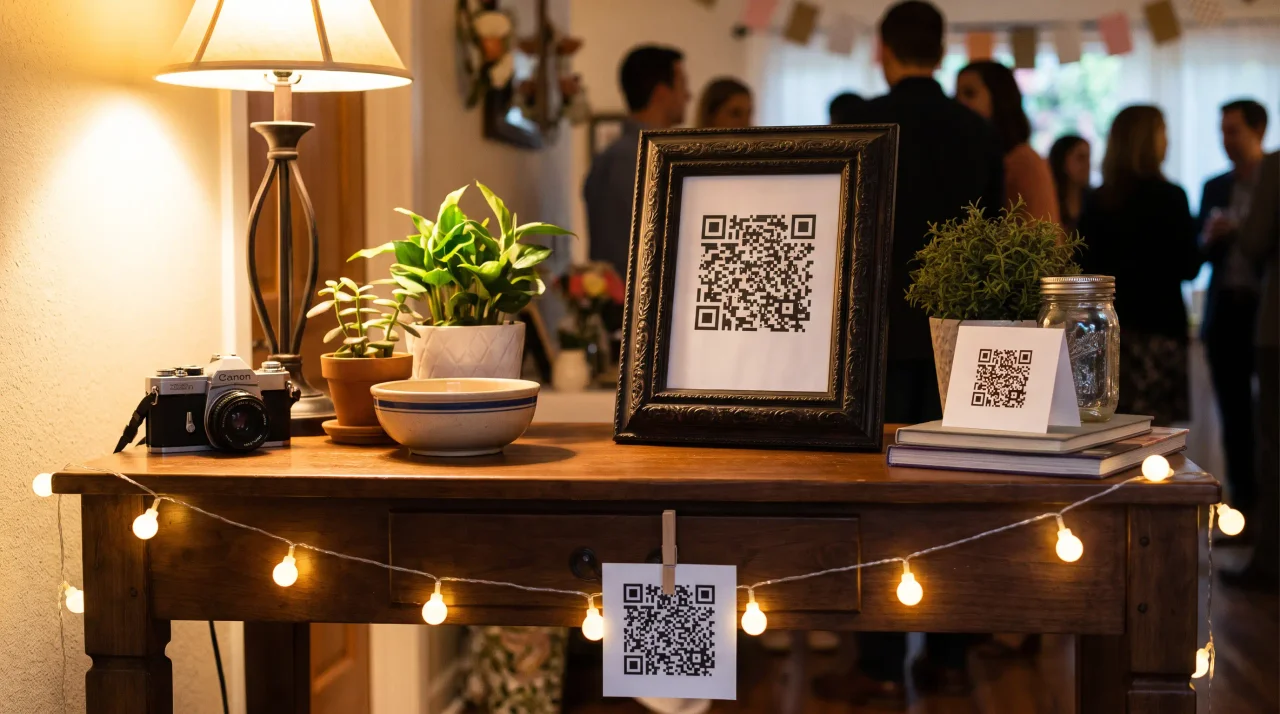
Put a code on a small tent card or framed sign right where people walk in, drinks not yet in hand, attention not yet gone. This is your highest-conversion spot because it catches guests before the night swallows them. Pair it with a one-line ask: "Scan to drop your photos in tonight's album."
Size it right: a table-tent or table card gets scanned from a seated or standing distance of roughly 30–50 cm, so a code around 3–5 cm works well (QR Insights). Don't go smaller than 2 × 2 cm for anything scanned at arm's length, ever (Uniqode).
2. Bar and drink-station codes
The bar is where everyone ends up, repeatedly, all night. A code at the drink station gets a second, third, and fourth look — perfect for the guest who didn't scan on the way in. Stick a small laminated card by the cups or prop a tent card beside the ice bucket.
Because the bar is a busy, cluttered visual background, give the code breathing room. QR codes need a blank margin — a "quiet zone" of at least 4 modules on all four sides — or scanners struggle to find them (DENSO WAVE). On a chaotic bar top, err on the side of more white space around the code, not less (QRLynx).
3. The big-screen call-out (with the live wall)
If you're projecting the live photo wall on a TV or projector, put the QR code on the screen too — or on a sign right beside it. People look at the screen all night anyway, especially once their own photo appears on it. Seeing the wall fill up in real time is the single best motivator to scan and add to it.
This is a Gathmo feature, not a hack: the live slideshow is available on the Celebrate tier and up, and the Grand tier adds an actual live stream you can broadcast. Photos land on the wall moments after guests upload them, so the screen is always current. Put the code where eyes already are.
Size it right: a code shown on a big screen or stage banner viewed from across a room (~2.5–3 m / 8–10 ft) wants to be roughly 20–30 cm (8–12 in) so people at the back can scan it (Uniqode). And keep it dark-on-light — avoid the temptation to invert the code to light-on-dark to match a moody screen, because many scanners read inverted codes unreliably (QR Designer).
4. Table-number cards that double as upload codes
If your night has assigned tables — a reunion dinner, a graduation sit-down, a big celebration with a seated meal — make every table number card carry the QR code. One card, two jobs: find your seat, share your photos. Guests are already picking these up and looking at them, which is half the battle.
Same sizing as the entry card: around 3–5 cm for a seated scan distance, with clear margin around it (QR Insights; DENSO WAVE).
5. The voice-drop station
Here's one most party setups miss entirely. Set up a small corner — a chair, a sign, a single code — as a voice station. Because Gathmo's upload page isn't only for photos: guests can tap the voice tab, hit record, and leave a spoken message for the whole crew, right from their phone. No foam microphone, no rented handset, no hardware at all. It's a message booth without the booth.
This is genuinely rare in this space. Among the party and event tools we checked in June 2026, in-browser audio recording at a party is the exception, not the rule — most competitors are photos-and-video only (per provider public pages reviewed June 2026). With Gathmo, voicemail recording is on every tier (30 seconds on Free; unlimited on all paid tiers); automatic transcripts of those voice drops are a Grand-and-business feature. Sign it plainly: "Say something to the group. Scan, tap record, talk."
A voice station works best somewhere a little quieter than the dance floor, so people can actually hear themselves think for fifteen seconds.
6. Wearable and hand-out codes
Print the code small and put it where it travels with people: sticker sheets by the door, a code on a coaster, a code on the back of a name tag at a reunion. The point is portability — the code goes wherever the guest goes, so the prompt to upload is never more than a glance away.
Size it right: for a close-range scan (~20–30 cm), like a sticker, coaster, or lanyard card, aim for 2 × 2 cm minimum and about 2.5 × 2.5 cm to be comfortable (Uniqode). At this size especially, contrast is everything: keep it a dark code on a light background (Dynamic QR Creator).
7. The bathroom-door code (yes, really)
It sounds silly; it works. The back of the bathroom door is the one place every guest visits alone, with a captive thirty seconds and nothing else to look at but their phone. A single framed code with a cheeky line — "While you're here: add your photos to tonight's album." — catches people in a rare moment of undivided attention. Low effort, surprisingly high scan rate.
Standard close-range sizing applies: around 3–5 cm, dark-on-light, with a clean margin around it.
8. The branded poster or A-frame (for bigger nights)
For a larger party, a festival corner, a club night, or a reunion in a hired venue, go big: a poster or a freestanding A-frame sign at the entrance with the code, the event name, and a short instruction. This is the setup that scales — one well-placed poster can feed an entire room into the album. In a flat rather than a venue the same idea shrinks neatly: collecting everyone shots at a house party.
Size it right: a poster or A-frame viewed from ~1–2.5 m (3–8 ft) wants a code around 10–25 cm (4–10 in) (Uniqode). The general rule of thumb across all of these: the minimum code size is the maximum scan distance divided by ten (the 10:1 rule) (Uniqode). Bigger code, further reach.
(Running a festival, club night, or anything with a promoter and a brand behind it? The branded, scalable side of this lives on the festivals and club nights page, and organizers evaluating it for a portfolio of events should look at Gathmo for agencies.)
The print rules that keep every code scannable
Wherever you put your code, these specs decide whether it actually scans. They take five minutes to get right and save you a wall of unscanned signs:
- Quiet zone. Leave a blank margin of at least 4 modules on all four sides of the code. Scanners need that white border to lock on (DENSO WAVE; QRLynx).
- Contrast. Dark code, light background. Don't invert it, don't tint it into the background, and don't get clever with low-contrast colour pairs (Dynamic QR Creator; QR Designer).
- Error correction. QR codes come in four error-correction levels — L (~7%), M (~15%), Q (~25%), and H (~30%) — describing how much of the code can be damaged or obscured while still scanning (DENSO WAVE). Level M is the common default for general environments (DENSO WAVE). If you're dropping a logo into the middle of the code, step up to Level H, because the logo eats into the code and the higher level recovers it (QRLynx).
- Resolution. Export at 300 DPI or higher for close-range print like cards and table tents (QR Insights).
- Test before you mass-print. Print one proof at the actual size you'll use, and scan it from where guests will stand — under the real lighting, on the real paper stock (Uniqode). A code that scans fine on your laptop can fail on glossy card under dim party lighting (Dynamic QR Creator). Thirty seconds of testing beats a night of "it won't scan."
Why this beats the group chat
It's tempting to skip all of this and just drop the link in the WhatsApp thread. Don't. Group-chat fatigue is real and measured — around News.com.au reports on group-chat anxiety and notification fatigue. A link in a muted thread is a link nobody opens. And most of what people shoot never resurfaces anyway: roughly 70% of camera-phone photos are never looked at again (Popsa, via Digital Camera World). A code in the physical room — at the door, the bar, on the screen — turns "I'll send it later" into "scan it now," which is the difference between an album and a maybe. If the group chat is the thing you are trying to escape, sharing party photos without a WhatsApp thread makes that case directly.
Generate the QR code and plan the placements
From the Gathmo dashboard, download the QR code as SVG. Plan your placement locations before printing: table cards for seated guests, a standing sign near the bar, and one at the entry point. Different placements may need different print sizes.
Design the table card around the QR code
Use Canva or a similar tool to create a card with the QR code as the centrepiece. Add the event name, a short instruction, and a design element that matches the party theme. Print on 250-300 gsm cardstock and fold into a tent for stability.
Create a statement display piece
For a creative setup, print the QR code large (20-30 cm) on foam board or canvas and incorporate it into the party decor: a neon-framed sign, a chalkboard with the QR code drawn in white marker, or a floral arrangement with the QR card at the centre.
Test all placements before guests arrive
Scan each printed QR code from the position a guest would use: 30-50 cm for table cards, 50-80 cm for standing signs, 80 cm to 1 metre for display pieces. Replace anything that fails to scan reliably before the party starts.
Frequently asked
In Gathmo, create your event, give it a name, and you get a downloadable QR code plus a link and a short link (gathmo.com/c/CODE) automatically. Print the code, place it around the room using any of the setups above, and guests scan it to upload — no app and no signup on their end.
A guest points their phone camera at the code; it opens the upload page in their browser; they add photos, video clips, or a voice message, and everything lands in the shared album. With Gathmo there's nothing to install — the page just opens, and on Celebrate and Grand tiers their photos can appear on the live wall moments later.
Yes. That's the whole point of the QR setup. Gathmo guests scan and upload straight from the browser — no app download, no account. If they have a camera and a browser, they're ready.
Match it to scan distance. As a rule of thumb, minimum size = maximum scan distance ÷ 10 (Uniqode). In practice: ~2.5 cm for stickers and coasters, ~3–5 cm for table and bar cards, ~10–25 cm for posters and A-frames, and ~20–30 cm for a big screen or stage banner. Never below 2 × 2 cm for an arm's-length scan (Uniqode).
Wherever attention naturally lands: the entry table first, then the bar, the big screen, and table cards. Add a quieter voice-drop station, and don't sleep on the back of the bathroom door — it's a captive thirty seconds per guest.
Eight placements that go beyond a single entrance sign: (1) a card at every table place (the highest-participation placement); (2) a QR frame on a balloon bouquet that becomes a photo prop; (3) a party favour tag -- guests take home a small card with the QR so they can upload photos days later; (4) the back of the menu card; (5) a QR sticker on the cake box; (6) a QR code on a mirror or window frame in the photo area; (7) a projected QR code on a plain wall using a mini projector (easy to scan from a distance); (8) on the back of the bathroom door (a captive-audience moment). Multiple placements consistently outperform a single sign.
Showing the QR code on a venue screen can work, but has practical limitations: the code needs to fill a significant portion of the screen, must be static (not rotating with other content), and the venue lighting must not create glare. The more reliable placement is always a physical card at scanning distance (30 to 60 cm). Use a screen display as a secondary prompt -- for example, a slide showing the QR code during the MC speech. Printed table cards are the primary placement; the screen is a backup that tells guests the code exists, while the card is what they actually scan.
 Guide
GuideNYE Party Photo Ideas: How to Capture New Year's Eve Without Losing Every Shot
Here's how New Year's Eve usually goes. The countdown hits zero, the room erupts, everyone's phone is up, and for about ninety glorious seconds your crew shoots more photos...
 Guide
GuideNew Year's Eve Photo Wall: How to Project a Live Gallery at Your Countdown Party
Here's the problem with New Year's Eve: the best ten seconds of the whole year happen all at once, and every phone in the room is pointed at them. The countdown hits zero, the...
 Guide
GuideHouse Party Photo Album: How to Collect Everyone's Shots in One Place
Here's how a house party ends. The last guest leaves around 2am, the playlist is still going, and somewhere between forty phones are the best shots of the night — the arrival...