Gi gjestene noe å fotografere
Et fotooppdrag gjør dem som ellers ville sett på, til dem som tok bildet. Gjestene skanner én kode, får oppdragene sine, og alt de knipser havner i det samme albumet.
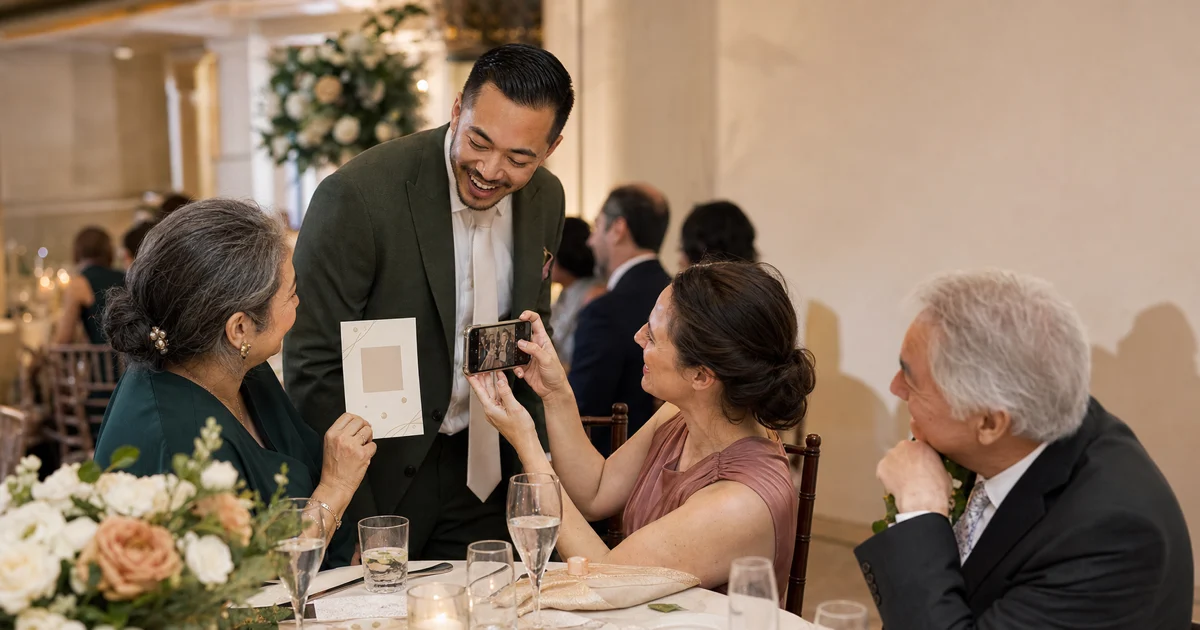


Hva et fotooppdrag i bryllup er
En kort liste over ting gjestene skal fotografere i løpet av dagen — dere to sett fra andre enden av rommet, noen som gråter, den eldste gjesten på dansegulvet. Det virker fordi de fleste gjester gjerne vil hjelpe til, men ikke vet hvordan. Listen gir dem lov. Det eneste vanskelige er å få bildene tilbake, og det er det QR-koden under er til for.
Hvorfor det virker
Det når vinklene du ikke har betalt noen for å dekke
Fotografen er der seremonien er. Gjestene er overalt ellers — ved bordene, utenfor inngangen, på kjøkkenet sammen med tanten din. Et oppdrag peker dem mot øyeblikkene ingen var booket til å fange.
De sjenerte får et manus
Å få en oppgave er lettere enn å bli bedt om å sirkulere. «Fotografer bordet ved siden av deg» gir en gjest en grunn til å snu seg og si hei.
Bildene kommer tilbake
Den vanlige slutten er et oppdragskort på bordet og bilder som blir liggende på førti telefoner. Én QR-kode, ingen app, ingen registrering — gjestene laster rett inn i albumet ditt, bilder, video og talemeldinger om hverandre.
Du leser det etterpå, ikke underveis
Ingenting å samle inn samme kveld. Alt ligger i ett album når dere er tilbake fra bryllupsreisen og endelig vil se på det.
Slik setter du det opp
- 01
Velg oppdragene
Åtte til tolv treffer best. Færre, og det er over før middagen; flere, og ingen blir ferdige. Bland lette oppdrag med ett eller to som krever litt mot.
- 02
Legg dem der gjestene er
På bordkortene, på baksiden av menyen, på et skilt ved døren. Ved siden av hver liste: QR-koden som åpner albumet.
- 03
La dem laste opp underveis
En gjest skanner, knipser og sender. Ingen konto, ingen nedlasting. De kan legge ved en talemelding hvis de heller vil si det enn å skrive det.
- 04
Del albumet tilbake
Én lenke til alle etterpå. Da ser de hva de andre bordene drev med hele kvelden.
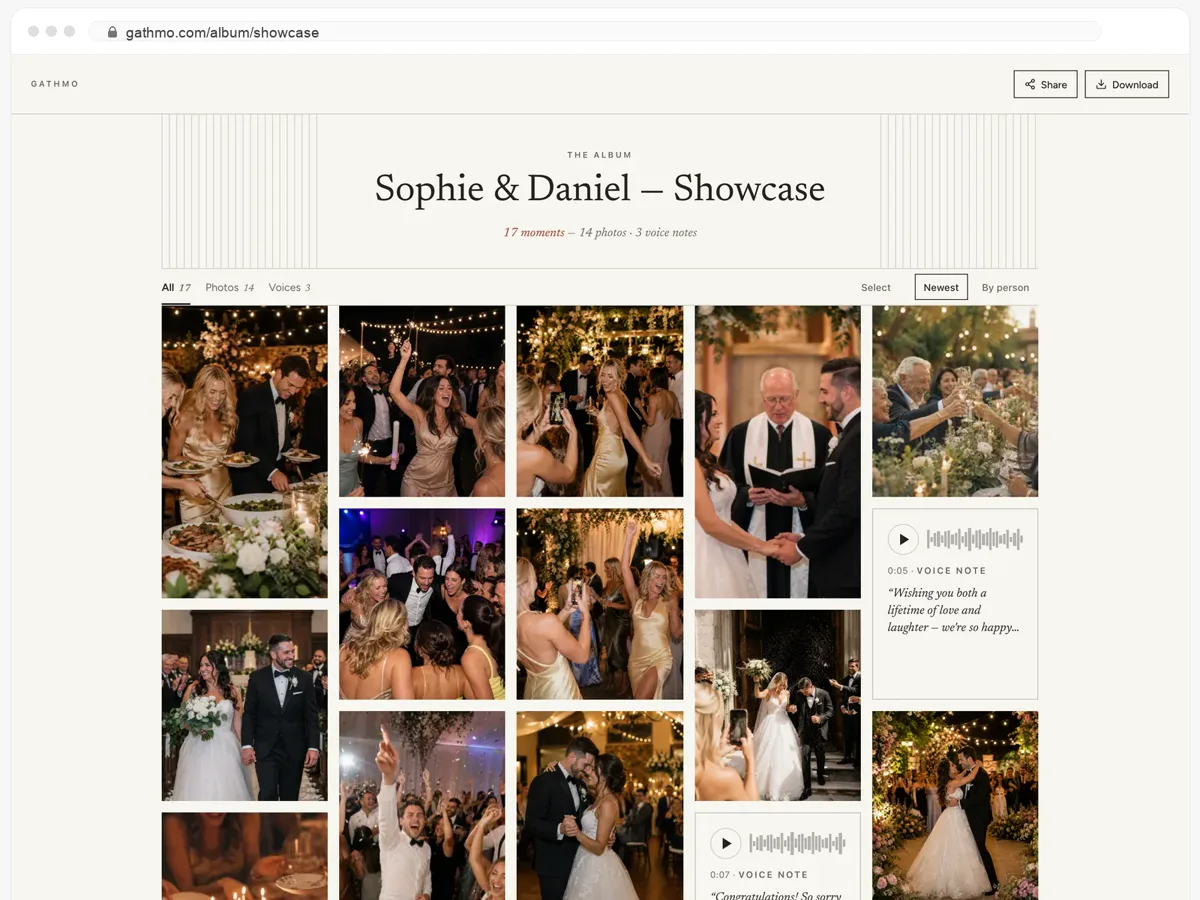
Gjestene deres får hele albumet — og kan laste det ned.
- Bilder, videoer og talemeldinger, alt på én side.
- Gjestene åpner lenken og laster ned det de vil ha.
- Åpent, eller bak et passord — dere bestemmer.
Fra 49 USD. Betal én gang, per arrangement.
Ingen abonnement for arrangører. Gratis å starte, oppgrader bare når du trenger mer.
- 60 bilder, videoer og talemeldinger
- 5 GB lagring inkludert
- Ubegrenset antall gjester — ingen app nødvendig
- Album i 30 dager
- Video inntil 30 sek · tale 30 sek
- Ingen Gathmo-merking på mediene dine
- Ingen nedlasting i originalkvalitet
- Ubegrenset med bilder, video og lyd
- 50 GB lagring inkludert
- Last ned alle originaler (ZIP)
- Ingen Gathmo-merking på mediene dine
- Album i 90 dager
- Video inntil 5 min · tale Ubegrenset
- Modereringsverktøy for arrangøren
- Alt i Essential
- 100 GB lagring inkludert
- Live fotovegg i lokalet
- Album i 6 måneder
- Video inntil 10 min · tale Ubegrenset
- Prioritert support
- Alt i Celebrate
- 250 GB lagring inkludert
- Direktesending for dem som ikke kan komme
- Talemeldingene skrives ut som tekst for deg
- Egen lenke — gathmo.com/c/ditt-navn
- Album i 1 år
- Video inntil 15 min · tale Ubegrenset
Spørsmål folk stiller
Nei. QR-koden åpner en side i nettleseren de allerede har. Det finnes ingen app og ingen registrering, og det er hele grunnen til at bildene kommer tilbake.
Åtte til tolv. Langt nok til å vare kvelden, kort nok til at en gjest leser hele listen i stedet for å skumme den og gjøre ingenting.
Ja — bilder, videoer og talemeldinger havner alle i det samme albumet. Noen av de beste bidragene er ti sekunder med noen som snakker, ikke et bilde.
Du kan se gjennom opplastingene før de vises, og du kan skjule hva som helst i etterkant. Ingenting er offentlig med mindre du deler lenken.
Nei. Opplastingene er ubegrensede, og du får originalfilene og ikke en komprimert kopi.
Sett oppdragene. Samle inn svarene.
Opprett albumet, skriv ut QR-koden ved siden av listen, og la gjestene gjøre resten.