Best Wedding Photo Sharing Apps for Guests in 2026

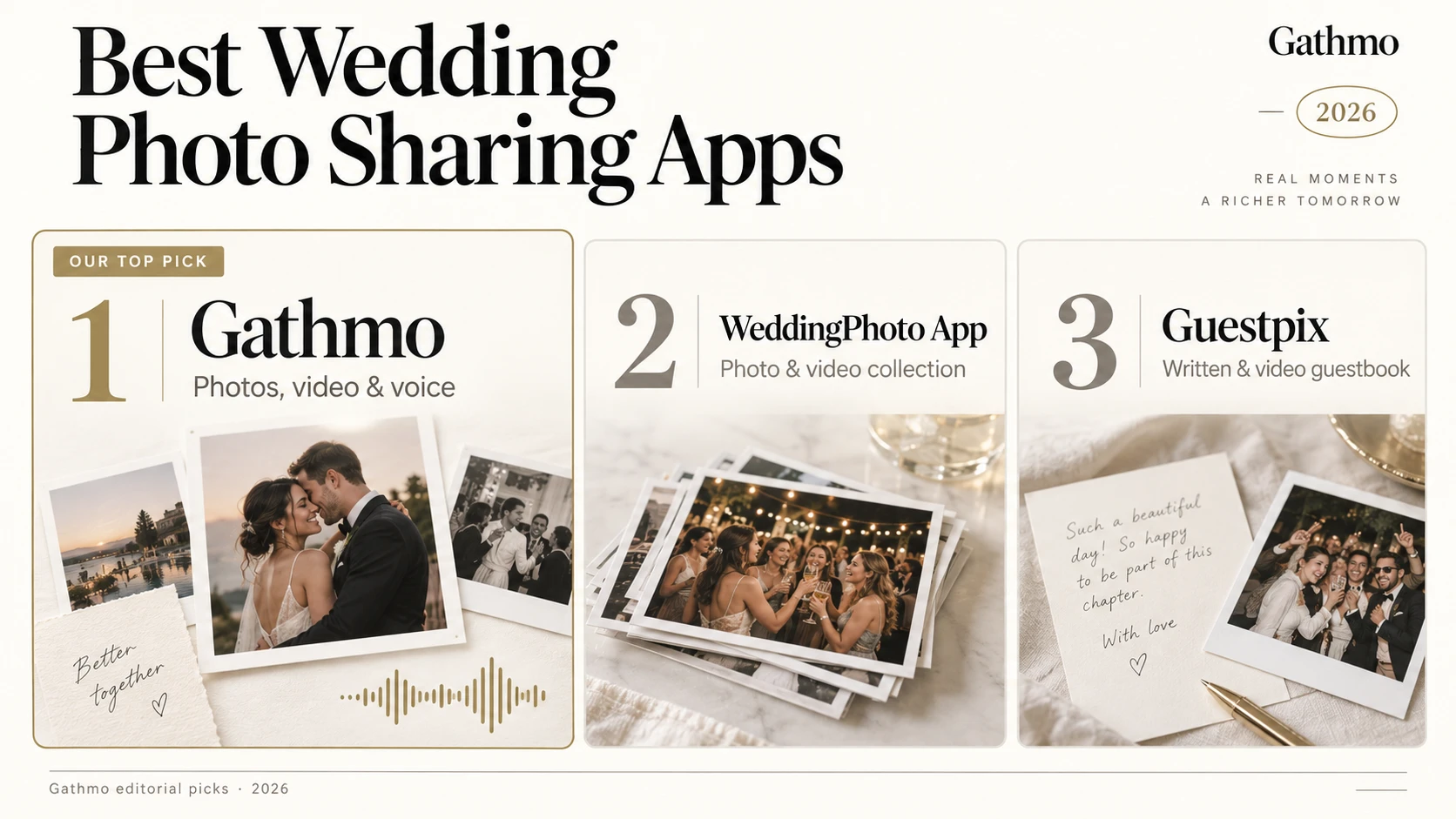
Choose a wedding photo sharing service by what guests can send and what you can keep afterwards. Gathmo collects photos, videos and voice messages from one QR code, with no guest app or account. The free plan holds 60 items for 30 days; Essential starts at €29 per event and includes original-file downloads. Paid uploads remain subject to your plan’s storage and per-file limits.
Which plan offers good value for a wedding?
For Gathmo, choose Essential (€29 per event) if you want to collect photos, video and voice and download the originals without a reception screen. Choose Celebrate (€69) when you need the live wall or six-month access. Grand (€89) adds live streaming, voice transcripts and one-year access. Compare the total price of the features you need, then check upload deadlines and downloads before paying. Prices vary by country; your displayed offer is the one to use.
A closer look at each wedding photo sharing app
- Unlimited guests; paid storage allowance applies
- Collect personal voice messages
- Download original files
- Free plan to try it: 60 uploads, kept for 30 days
- Essential album expires after 90 days
- Live photo wall requires Celebrate (€69)
- No face search or RSVP manager
Collect the moments and voices your guests capture through one QR code, with no app or guest account. Here’s when Essential is enough—and when an upgrade is worth it.
Read full reviewClose full review
Collect the moments and voices your guests capture through one QR code, with no app or guest account. Essential costs €29 once for a 90-day album and original-file downloads. Celebrate (€69) adds the live photo wall and six months of access; Grand (€89) adds live streaming, voice transcripts and one-year access.
Practical tip: Essential is enough if you want to collect and download memories. Choose Celebrate only if you need the reception screen or longer access. Set a download reminder before the album expires.
Paid plans have no item-count cap, but storage and per-file limits apply. Check the allowance shown for your plan or personal offer before buying. Original-file ZIP downloads are included on paid plans; Free is for trying the guest flow.
Our verdict: A strong fit for collecting photos and voices together. Choose a planning-focused tool if seating and RSVPs are your main priority.
WeddingPhoto App
Review contributions before guests see them- Collect photos and videos
- Review contributions before guests see them
- ZIP downloads included
- Intimate uploads close after 15 days; storage after 2 months
- Live slideshow requires Celebration ($59)
- Fair use applies to “unlimited” uploads; the terms specify no numerical allowance. Large ZIP exports may face operational limits. Policy ↗
- No audio guestbook; even Forever expires after one year
Keep submissions private while you review them, then choose what guests can view and download. The plan you choose determines how long your guests can contribute.
Read full reviewClose full review
Keep submissions private while you review them, then choose what guests can view and download. Intimate is $39 with 15-day uploads and two-month storage. Celebration ($59) adds a slideshow, 45-day uploads and six-month storage. Forever ($89) covers three events, with 180-day uploads and one-year storage per event. A separate free seating planner is also available.
Practical tip: For three celebrations, Forever costs $89 versus $117 for three Intimate purchases. For one event, choose based on upload deadlines and slideshow access; “Forever” does not mean permanent storage.
Our verdict: Worth shortlisting for private collection and host review. Less suitable if recording voice messages is essential.
Guestpix
Photo sharing with invitations and RSVPs- Written and video guestbook
- Live slideshow included
- Three months to collect uploads on Classic
- Free plan is limited to 50 photos
- Fair-use storage: Classic 200 GB; Signature 400 GB. Wedding packages also specify up to 1,000 guests. Policy ↗ · Guest limit ↗
- No audio guestbook listed
Combine guest photos with invitations, replies, moderation and a slideshow. We explain the storage allowances, package deadlines and what the templates actually include.
Read full reviewClose full review
Combine guest photos with invitations, replies, moderation and a slideshow. Classic ($49) allows three months of uploads and 12 months of hosting; Signature ($89) extends uploads to 12 months. Bundle ($119) covers three galleries for 24 months from purchase. The free plan includes 50 photos. Its 180+ Canva templates are printable QR designs, not gallery themes.
Practical tip: Compare the same package in your home currency and EUR before paying, using your card’s exchange rate and any fees. A smaller displayed number is not necessarily cheaper. We could not establish that EUR is always the lowest-cost option. Check the Bundle’s purchase-based start date before buying far ahead.
Our verdict: Useful for invitations, replies and written/video messages in one service. Account for fair-use storage when collecting lots of video.
GuestCam
Find your own photos with a selfie- Audio guestbook included in Standard
- Live slideshow included in Standard
- Optional MagicFind searches for guests’ faces
- Face search costs $45 extra: $94 total
- Earlier uploads are not searchable after adding MagicFind
- Fair-use review if uploads significantly exceed 25,000. Temporary limits or a custom plan may follow contact; this is not a fixed upload cap. Policy ↗
- No free gallery plan
GuestCam combines original-quality uploads, an audio guestbook and a live slideshow. Face search adds another cost—and needs to be activated before uploads begin.
Read full reviewClose full review
GuestCam combines original-quality uploads, an audio guestbook and a live slideshow. Standard costs $49 with six-month uploads and 12-month storage; Premium ($97) extends these to 12 and 14 months and adds six main galleries. Standard plus MagicFind costs $94 total for guests to find their own photos by selfie.
Practical tip: Activate MagicFind before uploading the photos you want searchable. Previously uploaded photos are not included retroactively. Standard plus MagicFind is enough if you need face search without Premium’s extra galleries. MagicFind details.
Our verdict: The clearest choice here when selfie search is the deciding feature. Budget $94 for that experience, rather than the $49 headline price.
Wedibox
Combine wedding planning and photo sharing- Embed adds a photo collection to an existing website
- Manage RSVPs with All-In-One ($79)
- Build a seating chart with All-In-One ($79)
- Planning features require All-In-One ($79)
- The $29 Embed plan does not include those planning tools
- Event-related uploads only. The reviewed terms state no numerical fair-use cap. Policy ↗
Use Embed with an existing website, or choose a package with a guestbook and planning tools. The right plan depends on which wedding tools you already have.
Read full reviewClose full review
Use Embed ($29) with an existing website, or Wedding ($49) for a website, audio guestbook and live slideshow. All-In-One ($79) adds RSVPs, meal choices, plus-ones, seating and registry links. Upload windows are three months, six months and one year respectively; storage is one year on Embed/Wedding and two years on All-In-One.
Practical tip: If your existing wedding website already handles RSVPs and seating, check the $29 Embed option first. If you need those tools inside Wedibox, budget $79; the $49 Wedding plan does not include them.
Our verdict: A useful all-in-one option for planning and memories. Its entry price buys the embedded gallery, so choose by the specific tools you need.
Kululu
A live photo wall for your reception- Live photo wall included in Plus
- Collect up to 500 photos and videos on Plus
- Three months of storage
- 500 uploads shared by everyone; uploads close after one month
- $39 is promotional; listed regular price is $79
- Even “Unlimited” plans are capped by fair use at 10,000 uploads and 5,000 participants per event; contact Kululu for more. Policy ↗
- No voice guestbook listed
Collect guest photos and videos for a shared album and reception screen. Before choosing a plan, estimate how many files your guests will upload—not just your guest count.
Read full reviewClose full review
Collect guest photos and videos for a shared album and reception screen. Plus is $39 promotional (regular $79), with 500 uploads, one-month collection and three-month storage. Pro is $99 promotional (regular $199), with moderation, three-month collection and one-year storage. Free includes 50 uploads over 24 hours, stored for seven days.
Practical tip: Estimate uploads, not just guest count: 100 guests sharing five files each already use all 500 Plus uploads. Also test the free plan close to your event; its upload window lasts only 24 hours.
Our verdict: A focused option for a reception screen. Choose the plan around expected upload volume, and check the current promotional price before purchasing.
Which wedding photo sharing app fits your day?
Tell us what matters to you. We’ll suggest two options and show the plan you would need.
Compare the features that matter
See what each app includes, what costs extra and which free plans you can try.
Choose apps to compare 6 selected
Select two or three apps for a focused comparison.
Select an app above to see its features.
| GathmoEssential · €29 | IncludedVoice messages | UpgradeCelebrate · €69 total | No | No | No | 60 uploads30 days |
|---|---|---|---|---|---|---|
| WeddingPhoto AppIntimate · $39 | No | UpgradeCelebration · $59 total | Not listedIn published features · Source | Not listedNo RSVP manager documentedSource | Free toolSeparate seating plannerSource | No |
| GuestpixClassic · $49 | NoWritten / video only | IncludedClassic · $49 | Not listedIn published features · Source | IncludedClassic · $49 totalSource | Not listedNo planner documentedSource | 50 photos30-day uploads |
| GuestCamStandard · $49 | IncludedAudio guestbook | IncludedStandard · $49 | Add-onStandard + MagicFind · $94 total | Not listedNo RSVP manager documentedSource | Not listedNo planner documentedSource | No |
| WediboxEmbed · $29 | UpgradeWedding · $49 total | UpgradeWedding · $49 total | Not listedIn published features · Source | UpgradeAll-In-One · $79 totalSource | UpgradeAll-In-One · $79 totalSource | 50 uploadsFree plan |
| KululuPlus · $39 promo | No | IncludedPlus · $39 promo | Not listedIn published features · Source | Guest formPlan inclusion unspecifiedSource | Not listedNo planner documentedSource | 50 uploadsFree plan |
| Uploads / storage limits | |||||
|---|---|---|---|---|---|
| GathmoEssential · €29 | €29Entry plan · one event | 60 uploads30-day storage | 90 daysCollection window | 90 daysDownload before expiry | Plan allowance appliesNo paid item-count cap; storage and file limits apply. Check your displayed offer.Source |
| WeddingPhoto AppIntimate · $39 | $39Entry plan · one event | No free gallery | 15 daysAfter event | 2 monthsDownload before expiry | Fair use appliesNo numerical allowance published. Large ZIP exports may have operational limits.Source |
| GuestpixClassic · $49 | $49Entry plan · one event | 50 uploads50 photos · 30-day uploads | 3 monthsCollection window | 12 monthsDownload before expiry | 200 GB fair useClassic; up to 1,000 guests. Signature allows 400 GB.Source |
| GuestCamStandard · $49 | $49Entry plan · one event | No free gallery | 6 monthsCollection window | 12 monthsDownload before expiry | Fair-use reviewSignificantly above 25,000 uploads may trigger review; not a hard cap.Source |
| WediboxEmbed · $29 | $29Entry plan · one event | 50 uploads50 photos | 3 monthsCollection window | 12 monthsDownload before expiry | No numeric cap listedEvent-related uploads only.Source |
| KululuPlus · $39 promo | $39 promoEntry plan · one event | 50 uploads24-hour uploads · 7-day storage | 1 monthCollection window | 3 monthsDownload before expiry | 500 uploadsPlus plan. Pro “unlimited” has 10,000-upload fair use. Regular Plus price: $79.Source |
“Included” refers to the named entry plan. Upgrade totals replace that entry price. EUR and USD prices sort within their own currency groups, without conversion. “Not listed” is unconfirmed, not a definite no; these entries stay last. Checked 16 September 2026.
- Guestpix, GuestCam, Wedibox and Kululu prices and limits were read from each vendor’s own pricing page on 2026-08-30 and are quoted in the currency that page charges in. Guestpix shows currency by location; the USD and GBP figures are the same 3 packages.
- Kululu’s prices are marked on its site as a limited-time 50% offer, with $79 and $199 as the regular prices.
- Gathmo tiers and limits are the euro price book in packages/config; the free tier rose from 20 to 60 items on 2026-09-01. Prices are localized by country at checkout.
- Popsa is the source for the 7-in-10 figure on photos never looked at again.
- Disclosure: the author builds Gathmo, which this comparison ranks first.
- WeddingPhoto App: official facts and pricing, checked 8 September 2026. WeddingPhoto App has included Gathmo in its own comparison, and we have discussed reciprocal coverage. Its entry is based on published documentation, not a hands-on test. Its 8.8/10 is our editorial assessment of the documented guest access, media, export, deadlines and price; it is not a measured performance result.
How we ranked these
Scores out of 10 are our editorial judgement against 4 equally weighted criteria: guest steps (app, account or event code needed?), what is collected (photos only, or video and voice too), the upload and storage window with export of the originals, and price for one wedding. The original five vendors were checked against their own pricing pages on 2026-08-30; where a vendor does not state something we record it as “not stated”. Gathmo is our product and ranks first — check the vendor pages yourself before you choose. WeddingPhoto App was added on 8 September 2026 using its published documentation. WeddingPhoto App has included Gathmo in its own comparison, and we have discussed reciprocal coverage. Its entry is based on published documentation, not a hands-on test. Its 8.8/10 is our editorial assessment of the documented guest access, media, export, deadlines and price; it is not a measured performance result.
Frequently asked
Gathmo, GuestPix, GuestCam, WeddingPhoto App, Wedibox and Kululu offer browser-based guest uploads. With Gathmo, guests open the event QR link without an app or guest account and can send photos, video and voice messages. Test your chosen service on an iPhone and an Android before printing.
Essential starts at €29 per event for photos, video and voice collection, a 90-day album and original-file ZIP downloads. Celebrate adds the live photo wall and six-month access at €69; Grand adds live streaming, transcripts and one-year access at €89. Choose by the features you need and the offer displayed in your country.
Paid plans have no item-count cap, but the storage allowance shown for your plan or personal offer and per-file limits still apply. All tiers allow unlimited guests. Free holds 60 items for 30 days and does not include original-file ZIP downloads.
Paid Gathmo plans include original-file ZIP downloads. Download the archive before the album expires and keep a separate backup. Online retention is 90 days on Essential, six months on Celebrate and one year on Grand.
 Ranking
Best Digital Wedding Guestbook Apps in 2026
6 digital wedding guestbook apps compared: which take voice, video or written messages, which need no app, and what one wedding costs on each.
 Story
StoryBest-value wedding photo sharing apps for couples on a budget
Which wedding photo sharing app gives you the most for your money? Six apps compared by price, free plan and catch, plus free alternatives and pro tips to pay less.
 Story
StoryHow to collect wedding photos from hundreds of guests without making them install an app
Plan wedding photo sharing for 200 or more guests: compare browser uploads, storage, original downloads and live displays. Get a setup and backup checklist.