
Start free to test the upload flow. Pay only when the file allowance, original-file export or access window you need exceeds the trial.
- Compare the plan for your whole wedding: low entry prices can limit uploading guests, file counts or the type of gallery.Total event cost
- On Gathmo, Free has 60 items and 30 days; Essential is $49 in USD and adds original-file ZIP downloads.Free vs. paid
- Check upload and download deadlines separately, then keep your own backup.Keep the files
If you're searching for the best value wedding photo sharing app for budget-conscious couples, compare the total event cost, upload allowance, original-file downloads, and how long the album stays available. Free plans can work for a small collection or a trial, but a low entry price does not always cover your whole guest list. This guide compares seven options and explains when paying once makes sense. Disclosure: Gathmo is our product; the comparison uses each provider's published plans, rather than a hands-on performance ranking. For a broader feature shortlist, see our best wedding photo sharing sites comparison.
What should you evaluate before choosing a wedding photo app?
Most apps look similar on the surface. The useful differences are guest upload steps, file retention, original-file export, and moderation. Check those before choosing the album design: a service only offers value if it collects the files you want and lets you keep them after the event.
Free tier vs. one-time fee: what does the math look like?
Free tiers are real, but they have caps. Pix Wedding offers 20 trial uploads; Kululu's live plan table currently lists 100 uploads, a 24-hour upload window and seven days of storage. A paid plan in the $29 to $49 range may unlock more uploads or longer access, but the lowest price can carry a guest or file limit. For example, 50 guests contributing three photos each would produce 150 files. That is planning arithmetic, not a prediction: use your own expected contribution rate when deciding whether a free tier is enough.
Guest uploads: no app, no account, QR code scanning
An app install or guest account adds another step during a busy reception. With QR browser uploads, guests scan, open a page, select files from their phone and upload. Test that flow on the phones your guests use, including whether anyone must sign in. A QR code makes the destination easier to reach; guests still need an internet connection and a clear invitation to contribute.
Original files and retention windows
Look for services that preserve the file your guest uploads and let the host export the collection as a ZIP archive. Original quality means the uploaded file, so a picture already compressed before upload cannot regain lost detail. Also distinguish the upload window from the storage or download window. A gallery may remain viewable after guests can no longer add files. Save an independent copy before the provider's access deadline.
How do budget wedding photo sharing apps compare?
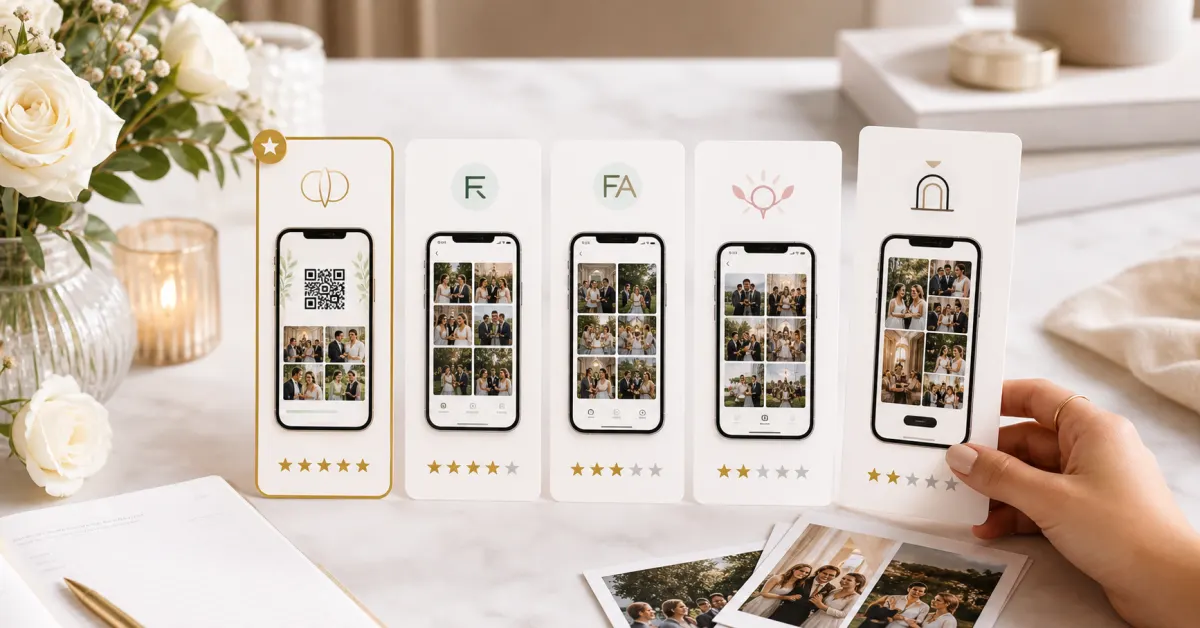
Prices below are the published USD event prices checked on 4 October 2026. Some are promotional; taxes, local currencies and checkout offers can differ. Upload limits count files or contributing guests, depending on the provider. The table separates these conditions rather than treating every entry plan as equivalent.
| App | Free tier | Entry paid price (USD) | Guest upload | Original-file export | Paid storage / access |
|---|---|---|---|---|---|
| Gathmo | 60 items; 30 days | $49 Essential | QR / browser; no guest account | ZIP on paid plans | 90 days Essential; 6 months Celebrate; 1 year Grand |
| Wedibox | 50 photo uploads | $29 Embed; $49 Wedding | QR / browser; no guest account | Full-quality downloads on Embed; original ZIP on Wedding | 1 year Embed / Wedding; 2 years All-In-One |
| Wedding Studio | No free album tier listed | $29 for up to 25 uploading guests (sale) | QR / browser; no guest signup | Full-resolution ZIP | 24 months from album creation |
| Kululu | 100 uploads; 24-hour upload window; 7-day storage | $39 Plus; capped at 500 uploads | QR / browser; no guest app | Original quality + album download on paid plans | 3 months Plus; 1 year Pro |
| Pix Wedding | 20 trial uploads | $49 Starter (sale) | QR / browser; no guest account | Original-quality ZIP on paid plans | 6 months Starter; 1 year Standard; 2 years Pro |
| GuestCam | No free tier listed | $49 Standard (sale) | QR / browser; no guest account | Original-quality ZIP | 12 months Standard; 14 months Premium |
| Fotify | 50 photos; 7-day uploads and gallery access | $29.99 Photo Gallery | QR / browser; no guest app | Full-resolution photos + ZIP on Photo Gallery | 90 days Photo Gallery; 365 days Premium |
The lowest displayed price is not always the lowest price for your wedding. Wedding Studio's $29 offer covers up to 25 uploading guests; its larger guest tiers cost more. Wedibox's $29 Embed is a gallery widget for a wedding website you already have, while its standalone Wedding plan is $49. Kululu Plus at $39 includes 500 uploads; its unlimited-upload Pro plan is $99. Fotify Photo Gallery at $29.99 suits a photo collection, while its video features sit on higher tiers. Gathmo Essential costs $49 with unlimited guests and no item-count cap within the included storage allowance. Compare the tier that covers your event, not just the starting price.
Which plan fits your wedding and guest list?
Picking the right tool depends less on feature lists and more on what your day actually looks like. A 40-person backyard ceremony has completely different needs than a two-day destination wedding with guests flying in from three countries.
Small ceremony: under 75 guests, one-day event
For an intimate wedding, a free plan may be enough if your expected file count fits its cap. Gathmo Free allows 60 total items and 30 days of album access; Wedibox offers 50 photo uploads. Those are upload allowances, not guest limits. Try the guest flow before printing signs, and use our wedding QR code setup guide for placement and testing. If you want the entire album as an original-file ZIP, Gathmo requires a paid plan. Essential at $49 gives 90 days of access and no item-count cap within its storage allowance. Guest photos complement your photographer; they do not guarantee coverage of every important moment.
Multi-day celebration or larger guest list
For a larger wedding or a destination celebration spread across multiple days, allow room for videos and delayed uploads. Compare both the contribution window and the time you have to download afterward. GuestCam Standard at $49 offers six months of uploads and 12 months of storage; Pix Wedding Starter at $49 offers three months of uploads and six months of storage. Gathmo Celebrate at $79 includes a live photo wall, six months of access and a standard 100 GB storage allowance. Choose the plan based on the files and features you expect to use, rather than assuming a 100-person wedding automatically needs the most expensive tier.
When does Gathmo offer good value?
Gathmo collects guest photos, videos and voice messages in a shared event album. Guests open a QR code or shareable link in their phone browser without installing an app or creating an account. The host creates an account to manage the event. That distinction matters when you're checking how easy the service will be for family and friends at the reception.
Free plan and one-time event pricing
Gathmo Free includes 60 total items, 5 GB of storage and a 30-day access window. Standard paid consumer event plans are Essential at $49 with 50 GB and 90 days, Celebrate at $79 with 100 GB and six months, and Grand at $99 with 250 GB and one year. These USD prices are one-time event purchases, not subscriptions. Paid plans have no item-count cap within their storage allowance; per-file limits and the access window still apply. Check Gathmo's current event pricing and the offer shown in your account before purchase.
QR uploads guests can use in their browser
Guests scan the QR code displayed at your venue or tap the album link, then upload through their browser. Put a short request next to the code so guests know what to share: a table selfie, a dance-floor moment, or a message for the couple. Offer the direct link as well as the printed code, and test the venue's connectivity before relying on live uploads.
ZIP downloads of original uploaded files
Gathmo's paid plans let the host download the original uploaded files in a ZIP archive. Free does not include the ZIP export. Guests can download when the host enables guest downloads on a paid plan. Choose your access window through the event plan and save the archive before it expires. Keeping a second copy on another drive or backup service gives you an archive independent of the event album.
How can you keep photo sharing costs down?
A few setup decisions help avoid paying for features you will not use. Test a small collection first, compare the complete event cost and plan the download before the wedding gets busy.
Match the retention window to your needs
Consider when you'll realistically sit down to download your files. A 90-day or six-month window may suit your plans; a longer window is useful if you want the album available for family afterward. Check when the timer starts. Wedding Studio's 24 months begins at album creation, while GuestCam's upload and storage windows begin on the selected event date. Paying early can mean different things on different services.
Make the QR code easy to find
Place the QR code on table cards, the ceremony program, and a sign near the bar or entrance. A short reminder from your host or MC can explain what the album is for. For digital invitations, include the direct album link. Make the collection easy to find, but check the upload allowance before asking everyone to send their whole camera roll.
A five-minute checklist before your event
- Set up your event and download the QR code for your album.
- Test a guest upload from your phone in a private browser window.
- Place the QR code in at least three visible locations at the venue.
- Check that your chosen plan includes the export you need; Gathmo ZIP downloads require a paid plan.
- Set a reminder to download before the album expires, then open the archive and keep a second backup.
How do you choose the best-value plan?
The best value wedding photo sharing app is the plan that covers the collection you want, gives guests a manageable upload flow, and leaves you with files you can keep. Compare no-install access, original-file ZIP exports, guest or upload limits, and the actual one-time price for your event. A free plan is a sensible trial; a paid plan is worth considering when the collection or download requirements exceed that trial.
Start by testing Gathmo's wedding photo sharing experience with a few files. Estimate how many guests may contribute, allow for videos, and choose the smallest plan that covers your needs. Upgrade if you need a larger allowance, ZIP exports, a live wall or longer access. After the event, invite late contributions while uploads are still open, then save and verify your own archive before the album expires.
Checked 4 October 2026. These are published plan details, not independently measured performance results. Recheck checkout prices before buying.
- Wedibox — One-Time Pricing: Embed and standalone Wedding are different offers.retrieved 2026-10-04
- Wedding Studio — album features and pricing: promotional prices, uploading-guest tiers and access from album creation.retrieved 2026-10-04
- Kululu — live USD plan table: Free, Plus and Pro limits; subject to its fair-use policy.retrieved 2026-10-04
- Pix Wedding — plans and FAQ: trial uploads, current sale prices and storage by tier.retrieved 2026-10-04
- GuestCam — Pricing: current Standard price, upload window, storage and original ZIP.retrieved 2026-10-04
- Fotify — Photo Gallery and event plans: USD prices, photo allowance, export and gallery access.retrieved 2026-10-04