Slik sender dere et digitalt hold-av-datoen-kort
Digitalt betyr ikke automatisk enklere. Dere må fortsatt velge hvordan beskjeden skal sendes. Her er fire muligheter, hva de krever, og hvilken del dere trenger et annet verktøy til.

Hvordan sender vi et digitalt hold-av-datoen-kort?
Lag et bilde eller en enkel nettside med navnene deres, datoen og stedet. Send det som melding, e-post eller lenke. Valget står mellom kanaler og mellom en fast fil og en side dere kan oppdatere senere. Selve kortet lager dere i et designverktøy. Gathmo har ikke en slik kortredigerer.
Fire måter å dele datoen på
Velg det som når gjestene deres best.
Som bilde i en melding
Send ett bilde i en WhatsApp- eller Signal-gruppe, eller til hver gjest enkeltvis. Da kommer beskjeden i en kanal gjestene allerede bruker.
Dette bør dere tenke påMeldingsapper kan komprimere bilder. Liten skrift på lys bakgrunn kan bli utydelig. Kontroller bildet på en annen mobil før dere sender det til alle.
På e-post
Passer for gjester dere allerede har e-postadressen til, for eksempel kolleger, fjernere slektninger eller personer dere ikke har mobilnummeret til.
Dette bør dere tenke påNoen meldinger kan havne i søppelpost uten at dere får vite det. Følg opp hvis dere er usikre på om beskjeden kom frem.
Som lenke til en enkel nettside
Send en nettadresse i stedet for en fil. Hvis datoen eller stedet endres, kan dere oppdatere siden gjestene åpner fra den samme lenken.
Dette bør dere tenke påDere trenger en egen nettside eller en tjeneste for bryllupsnettsider. Arbeidet er mest nyttig hvis også den endelige invitasjonen skal ligge der.
På papir til dem som trenger det
Et trykt kort kan være riktig for gjester som ikke bruker smarttelefon. Dere trenger ikke velge samme løsning for alle.
Dette bør dere tenke påTo kanaler betyr to versjoner som må holdes oppdatert. Bestem hvilken informasjon som gjelder, og gi beskjed ved endringer.
Dette tilbyr vi ikke her
Hvis dere kom hit for å utforme selve kortet, er det greit å vite hvilke oppgaver Gathmo dekker.
Vi lager ikke hold-av-datoen-kort
Gathmo samler bilder fra gjestene og er ikke en kortredigerer. Bruk et designverktøy eller en leverandør av invitasjoner til selve utformingen.
Vi administrerer heller ikke svar på invitasjoner
Det trenger dere et eget verktøy til. Et hold-av-datoen-kort ber vanligvis ikke om svar. Det gjør invitasjonen som kommer senere.
Vi hjelper med bildene fra feiringen
Når dagen kommer, samler Gathmo gjestenes bilder via en QR-kode. Det er denne delen vi hjelper dere med.
Når bør dere be gjestene holde av datoen?
Seks til tolv måneder før kan være et utgangspunkt, så snart dato og lokale er bekreftet. Kortets oppgave er å la gjestene reservere helgen, så det kan sendes lenge før invitasjonen er ferdig. Er det kort tid igjen, kan dere gå rett til invitasjonen. Hele tidsplanen med fem trinn står i guiden om invitasjoner.
Se tidsplanen for invitasjonerSpørsmål om digitale hold-av-datoen-kort
Som bilde i en melding, på e-post eller som lenke til en enkel nettside. Velg kanalen gjestene bruker. En nettside kan oppdateres etter at lenken er sendt.
De kan være det. Dere kan sende et enkelt bilde med en melding eller e-post og bruke et gratis designverktøy. Ferdige maler og tjenester kan koste penger, så kontroller prisen før dere velger.
Seks til tolv måneder før er et mulig utgangspunkt når dato og lokale er bekreftet. Gi mer tid hvis gjestene må reise langt. Er det bare noen få måneder igjen, kan invitasjonen være nok.
Navnene deres, datoen, byen eller stedet og beskjed om at invitasjonen kommer senere. Klokkeslett, program og antrekk kan vente til invitasjonen, når detaljene er avklart.
Velg digitalt for gjestene som bruker det, og papir for dem dere lettere når på den måten. Dere kan kombinere løsningene uten å trykke kort til alle.
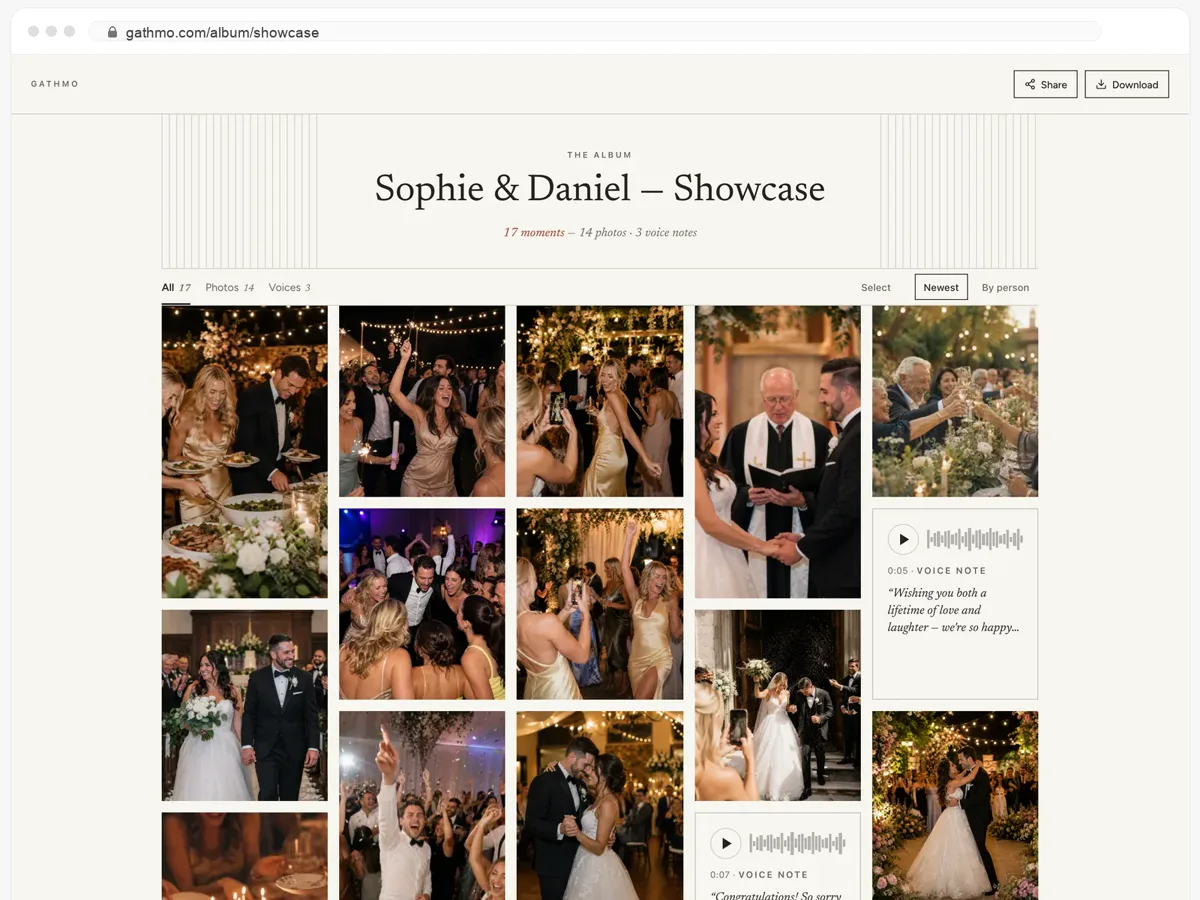
Gjestene deres får hele albumet — og kan laste det ned.
- Bilder, videoer og talemeldinger, alt på én side.
- Gjestene åpner lenken og laster ned det de vil ha.
- Åpent, eller bak et passord — dere bestemmer.
Fra 49 USD. Betal én gang, per arrangement.
Ingen abonnement for arrangører. Gratis å starte, oppgrader bare når du trenger mer.
- 60 bilder, videoer og talemeldinger
- 5 GB lagring inkludert
- Ubegrenset antall gjester — ingen app nødvendig
- Album i 30 dager
- Video inntil 30 sek · tale 30 sek
- Ingen Gathmo-merking på mediene dine
- Ingen nedlasting i originalkvalitet
- Ubegrenset med bilder, video og lyd
- 50 GB lagring inkludert
- Last ned alle originaler (ZIP)
- Ingen Gathmo-merking på mediene dine
- Album i 90 dager
- Video inntil 5 min · tale Ubegrenset
- Modereringsverktøy for arrangøren
- Alt i Essential
- 100 GB lagring inkludert
- Live fotovegg i lokalet
- Album i 6 måneder
- Video inntil 10 min · tale Ubegrenset
- Prioritert support
- Alt i Celebrate
- 250 GB lagring inkludert
- Direktesending for dem som ikke kan komme
- Talemeldingene skrives ut som tekst for deg
- Egen lenke — gathmo.com/c/ditt-navn
- Album i 1 år
- Video inntil 15 min · tale Ubegrenset
Datoen er klar. Bildene kommer senere.
På dagen samler en QR-kode på bordene gjestenes bilder. Ingen app eller konto er nødvendig for gjestene. Dere kan opprette arrangementet gratis og prøve hele flyten i god tid.