How to make a shared album on iPhone — and share it with anyone
Creating a shared album takes about a minute. Below are the steps, how to let other people add their own photos, and the two limits worth knowing before you rely on it for an event.

What is a shared album on iPhone?
A shared album is an album in the Photos app that other people can see, and optionally add to. You create it, invite people by their Apple Account, and everything in it syncs through iCloud without counting against your storage. People you invite can comment and — if you allow it — add their own photos and videos.
How to make a shared album on iPhone
- 01
Turn Shared Albums on
Open Settings, tap your name, then iCloud → Photos, and switch on Shared Albums. If the option is missing, the feature is off for that Apple Account and nothing below will appear.
- 02
Create the album
In the Photos app, go to Albums and tap the plus button, then New Shared Album. Give it a name you will recognise in a year — "Album 3" ages badly.
- 03
Invite people
Type the names, phone numbers or email addresses of the people you want in it. They need an Apple Account to accept and to add anything of their own.
- 04
Add your photos
Select photos and videos in your library, tap Share, then Add to Shared Album and pick the one you just made. You can add more at any time.
- 05
Let people contribute
Open the album, tap the people icon, and switch on Subscribers Can Post. Without this, everyone you invited can look and comment but cannot add anything.
Sharing with people who do not have an iPhone
There are two ways out of the Apple ecosystem, and only one of them is useful for an event.
A public link — view only
In the album, tap the people icon and switch on Public Website. That gives you a link anyone can open in a browser, on any device. They can look and download, but they cannot add photos of their own.
Nothing else, unfortunately
There is no way to let an Android phone contribute to an Apple Shared Album. If you need photos back from guests on mixed devices, a shared album is the wrong tool and no setting will change that.
Four limits of Apple Shared Albums
None of these matter for a family holiday. All of them matter if you are collecting photos from a wedding or a party.
Photos are downscaled
Shared Albums do not carry your originals. Photos are resized to roughly 2048 pixels on the long edge, which is fine on a phone screen and visibly short if you later want a print.
Contributors need an Apple Account
Anyone without one can, at best, view a public link. On a guest list with mixed phones that rules out a large share of the people whose photos you actually want.
There is a ceiling
A shared album holds up to about 5,000 photos and videos. A wedding rarely gets near it, but a year of a family album can.
It is tied to your Apple Account
The album lives with the account that made it. Handing it over to someone else later — a partner, a client — means re-creating it rather than transferring it.
Shared album or a link everyone can use?
For your own photos, a shared album is the right answer and free. For collecting other people’s, the two limits above decide it.
| Apple Shared Album | Gathmo | |
|---|---|---|
| Who can add photos | Apple Accounts only | anyone with the link |
| Android guests | view only | add and view |
| Image quality | downscaled | original resolution |
| What guests install | nothing (Apple users) | nothing |
| Voice and video messages | no | yes |
If everyone you are sharing with is on an iPhone and nobody needs the originals, stop here — the shared album is free and already on the phone.
Shared albums on iPhone — FAQ
Turn on Shared Albums in Settings → your name → iCloud → Photos. Then in Photos, go to Albums, tap plus, choose New Shared Album, name it and invite people. Adding photos is Share → Add to Shared Album.
They can view one through a public website link, but they cannot add photos. Contributing requires an Apple Account, and there is no setting that changes this.
No. Photos in shared albums do not count against your iCloud storage, which is also why they are stored at a reduced size rather than as originals.
Because they are resized on the way in — roughly 2048 pixels on the long edge. If you need the original file, ask the person to send it to you directly, or use something that keeps full resolution.
Around 5,000 photos and videos per album. If you are near the limit, split by month or by event rather than deleting.
Gjestene deres får hele albumet — og kan laste det ned.
- Bilder, videoer og talemeldinger, alt på én side.
- Gjestene åpner lenken og laster ned det de vil ha.
- Åpent, eller bak et passord — dere bestemmer.
Fra 49 USD. Betal én gang, per arrangement.
Ingen abonnement for arrangører. Gratis å starte, oppgrader bare når du trenger mer.
- 60 bilder, videoer og talemeldinger
- 5 GB lagring inkludert
- Ubegrenset antall gjester — ingen app nødvendig
- Album i 30 dager
- Video inntil 30 sek · tale 30 sek
- Ingen Gathmo-merking på mediene dine
- Ingen nedlasting i originalkvalitet
- Ubegrenset med bilder, video og lyd
- 50 GB lagring inkludert
- Last ned alle originaler (ZIP)
- Ingen Gathmo-merking på mediene dine
- Album i 90 dager
- Video inntil 5 min · tale Ubegrenset
- Modereringsverktøy for arrangøren
- Alt i Essential
- 100 GB lagring inkludert
- Live fotovegg i lokalet
- Album i 6 måneder
- Video inntil 10 min · tale Ubegrenset
- Prioritert support
- Alt i Celebrate
- 250 GB lagring inkludert
- Direktesending for dem som ikke kan komme
- Talemeldingene skrives ut som tekst for deg
- Egen lenke — gathmo.com/c/ditt-navn
- Album i 1 år
- Video inntil 15 min · tale Ubegrenset
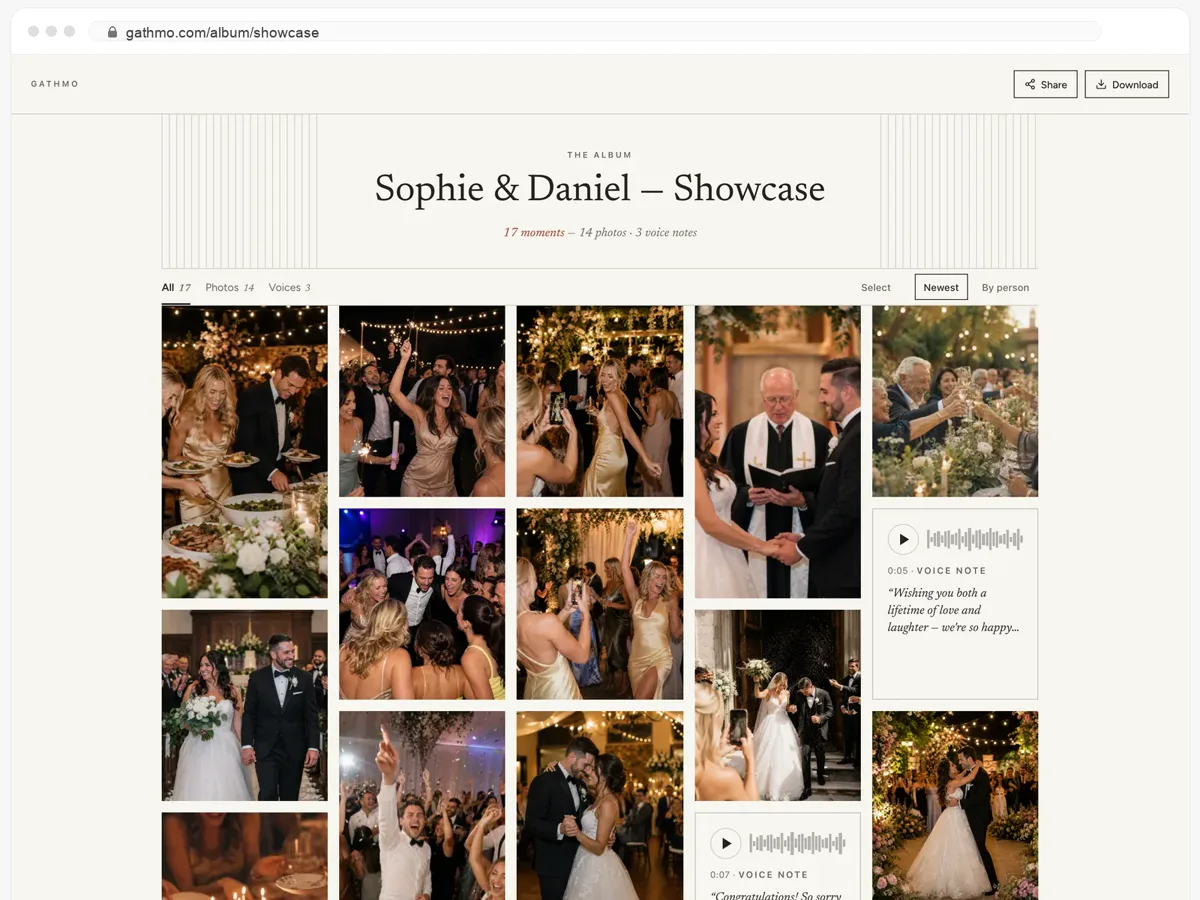
Collecting photos from a group, not just sharing your own?
One link or QR code, and everyone adds from whatever phone they own — at full resolution, with no account and nothing to install. Free to set up and try before the day.