Audio Guestbook Sign Wording: 25 Prompts and Printable Templates

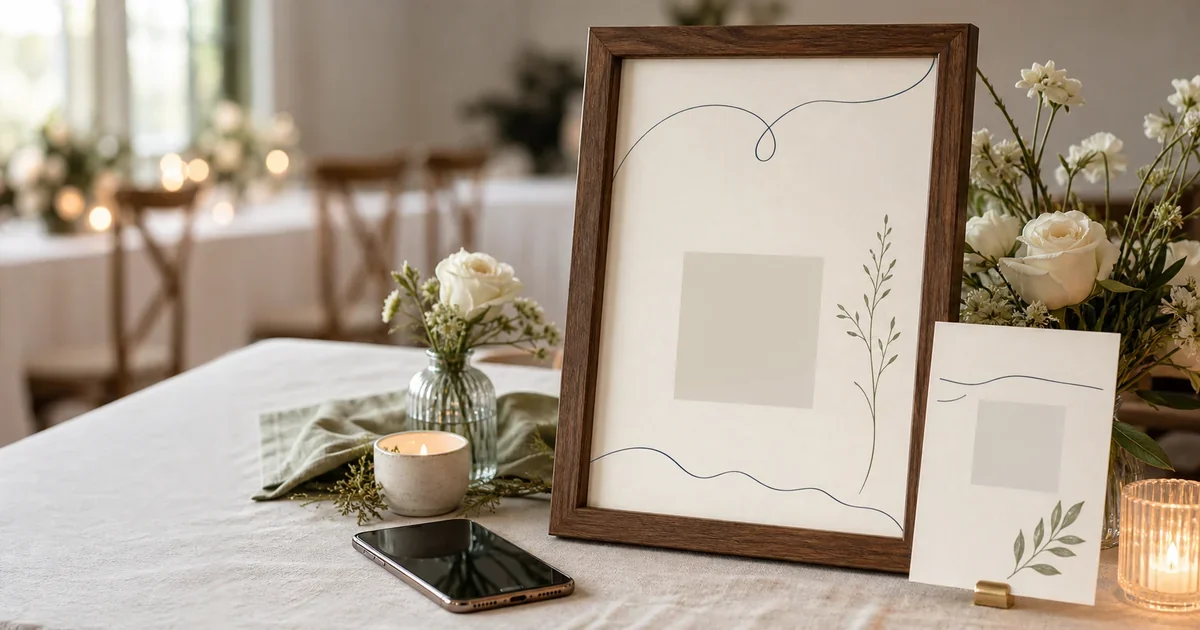
An audio guestbook sign should tell guests what to do, why it matters, and what they might say. That means one clear action, one warm reason, and one optional prompt. This guide gives you 25 prompt lines, five complete sign scripts, and editable A4 and A6 print layouts.
The QR spaces in the downloads are deliberately blank. They don’t point to a fake page. Replace each placeholder with your own code before printing, then proof-scan the finished sign.
- Keep the main instruction to one scan-and-record action.
- Add one prompt, not a wall of questions.
- Use A4 for orientation and A6 cards for reminders.
- Preserve the QR code’s four-module quiet zone.
- Replace the obvious placeholder before printing.
If you still need the full setup, start with the wedding audio guestbook guide. This page stays focused on the words and printable layout.
What should an audio guestbook sign say?
The best sign uses three parts: an action, a reason, and an optional prompt. A practical line is: “Scan the code and leave us a voice message.” Add why you want it, then give nervous guests one easy question. That is enough. Instructions should never compete with the QR code.
An audio guestbook sign is the host-facing instruction guests read before recording. An audio guestbook prompt is the optional question that helps them decide what to say. The sign explains the task; the prompt starts the story.
Use this formula:
- Action: “Scan the code and tap record.”
- Reason: “Leave us a message for our anniversaries.”
- Prompt: “What should we remember about today?”
That order matters. Guests first need to know what the sign does. The emotional reason makes the action feel worthwhile. The prompt removes the blank-page feeling.
Treat the sign as interface copy, not decoration. A heading like “Our Audio Guestbook” names the object but gives no action. “Scan and leave us a voice message” works harder because it starts with the next step.
Want a designed version with your names and event colours? Create your printable audio guestbook sign in Gathmo’s sign studio.
Which printable audio guestbook sign templates can you use?
This pack contains two real layouts in two formats. The A4 sign explains the experience at an entrance or welcome table. The A6 table card repeats the action beside a compact prompt. Both are available as editable SVG files and print-layout PDFs, with an obvious non-scannable QR placeholder.
Download the English layouts
| Layout | Editable SVG | Layout PDF | Best use |
|---|---|---|---|
| A4 portrait sign | Download A4 SVG | Download A4 PDF | Entrance, welcome table, recording corner |
| A6 portrait table card | Download A6 SVG | Download A6 PDF | Dining tables, bar, lounge area |
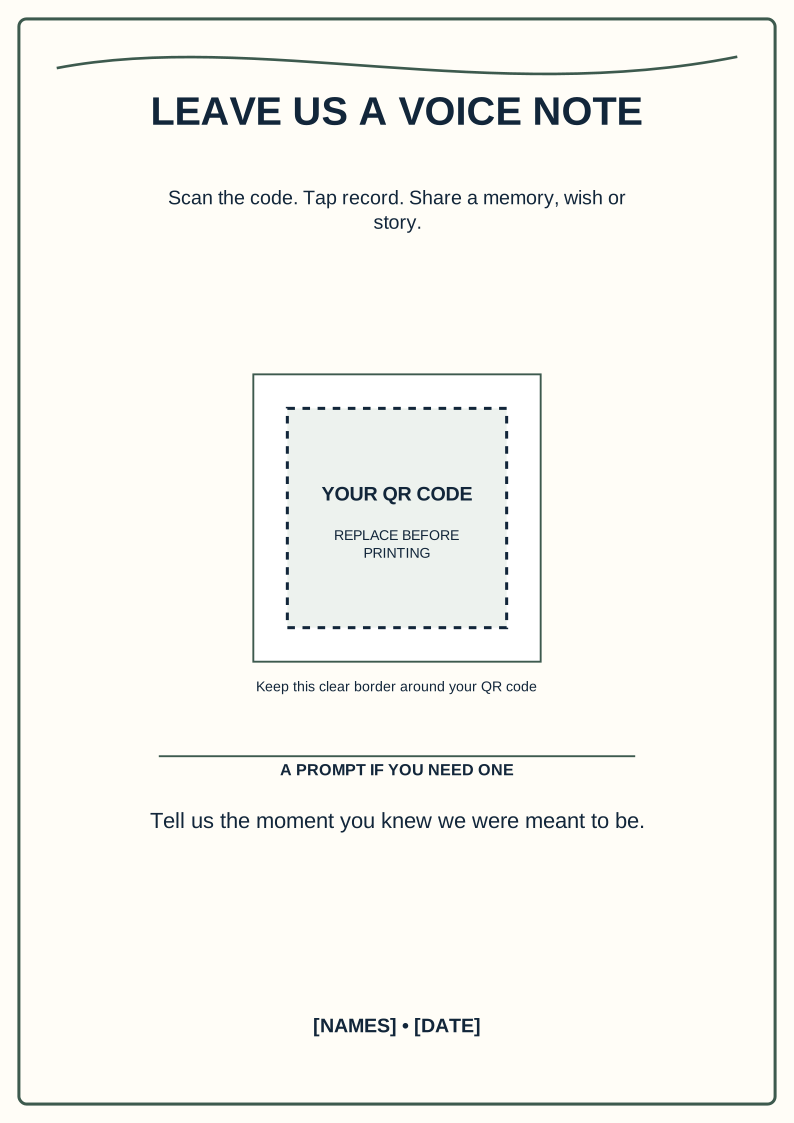
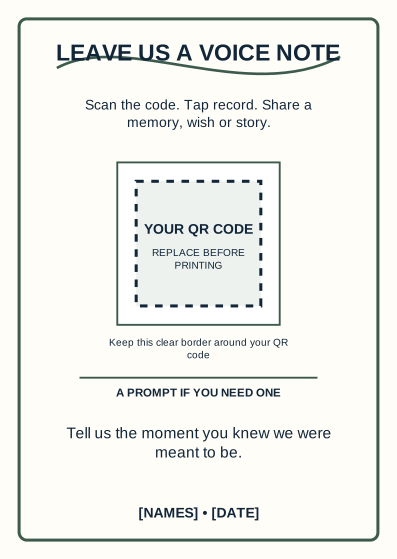
Important: the PDFs show the finished layout but still contain a placeholder. Replace the qr-placeholder group in the SVG, preserve the surrounding qr-safe-area, then export your final PDF. A README beside the downloads explains the full process.
For this resource, we generated 14 PDFs: A4 and A6 in seven languages. We tested every file for page dimensions, selectable text, and high contrast. We also rendered visual proofs before release. These checks validate the files, not the QR code you add later.
Template 1: warm and timeless
Scan the code and tap record. Share a memory, a wish, or a story we can keep. Need a prompt? What should we always remember about today?
This version works for weddings, anniversaries, and family celebrations. It gives guests several ways into the recording without making the sign feel busy.
Template 2: short and modern
Leave us a voice note for the years ahead. Tell us your favourite moment from today.
Use this when the design has strong typography or limited space. The three short verbs also work well on a small table card.
Template 3: anniversary-focused
Scan the code and leave us something to play on our first anniversary. Share a wish, a memory, or one piece of advice.
The playback moment gives guests a clear reason to record. Change “first anniversary” to a milestone that fits your event.
Template 4: playful
Scan, tap record, and leave us a message. Sweet, silly, or surprisingly wise all count. Predict what we’ll be doing in ten years.
Keep the joke kind and easy to understand. The instruction still comes immediately after the playful heading.
Template 5: photos, video, and voice
Share a photo, a short video, or a voice message from your phone. For a voice note, tell us how we know you.
Use this wording only when the destination really accepts all three media types. The sign must match what guests see after scanning.
What are 25 good audio guestbook prompts?
These 25 lines are designed for signs and table cards, so each one is short enough to scan quickly. They are not finished messages for guests to repeat. They are host-facing prompts that help a guest find their own story, joke, wish, or piece of advice.
Easy starters
- How do you know us?
- What was your favourite moment today?
- Describe today in three words.
- What song should always remind us of this party?
- Where should we go for our next adventure?
Shared memories
- When did you first meet one of us?
- What story about us still makes you smile?
- When did you know we were right for each other?
- Which memory should we never forget?
- What small moment says the most about us?
Wishes and advice
- What do you wish for our first year?
- What makes a partnership last?
- What tradition should we start together?
- What should we remember on a difficult day?
- Give us one date-night idea for the future.
Playful prompts
- Predict where we’ll be in ten years.
- Give us your worst advice, then your real advice.
- Which of us will cry first during this recording?
- Leave a headline for tomorrow morning.
- Give today’s dance floor a score and defend it.
Family and legacy
- Share a family story we should carry forward.
- What did love teach you?
- What should future generations know about today?
- Leave a message for the family we’re building.
- Say something you want us to hear years from now.
Print one prompt on the main sign, then use different prompts across table cards. Five tables do not need five instructions. Keep the action line identical and only change the question.
For longer examples of what guests might actually record, use the separate collection of 50 wedding audio guestbook messages. That article serves the guest’s side of the microphone; this one serves the host’s sign.
What should the audio guestbook welcome message say?
A welcome message should take about 20 seconds to hear and use the same verbs as the sign. Tell guests whose guestbook they have reached, confirm the recording step, and offer one prompt. Avoid a long menu. People should reach the beep or record button while the idea is still fresh.
Ready-to-record welcome message
Short MC or DJ announcement
One-line table reminder
The printed sign, welcome audio, and spoken announcement should use the same action words. Changing between “submit,” “upload,” “call,” and “record” makes a simple flow sound like four different jobs.
How do you make a QR sign easy to scan and read?
As checked in 2026, DENSO WAVE’s official “Point for determining the code area” requires a clear quiet zone four modules wide on every side. A QR quiet zone is the blank margin that separates the symbol from nearby text and decoration. Keep it empty.
Here is the practical print checklist:
- Replace the placeholder with the final event QR code.
- Preserve the entire clear border around the code.
- Use dark modules on a plain light background.
- Never stretch, crop, round, or decorate the code.
- Keep names, flowers, borders, and logos outside the quiet zone.
- Print at 100% or actual size.
- Scan one proof before producing the full batch.
- Test the proof on more than one phone under venue-like lighting.
DENSO WAVE’s error-correction guidance explains another trade-off: stronger restoration adds data and can increase symbol size. Error correction is not permission to cover the code with a logo. A clean, uncovered symbol is the safer print decision.
For text, the 2024 W3C WCAG 2.2 Recommendation sets a 4.5:1 minimum for normal text and 3:1 for large text. WCAG governs web content, not printed wedding signs, but those thresholds are a useful conservative reference. The supplied layouts exceed them.
Where should you place an audio guestbook sign?
Use the A4 sign to explain the idea once, then use A6 cards to repeat it where guests pause. Good locations include the entrance, welcome table, dining tables, lounge area, and bar. Keep every sign visible, upright, and close enough for a guest to scan without moving decorations.
Match the copy to the location. The entrance sign can explain the full flow. A table card only needs the action and a prompt. A quieter recording corner can add: “Step aside, tap record, and take your time.”
Avoid placing the only sign beside a queue, behind glass, or flat under tableware. Reflections, low light, and physical clutter can make even a well-built code harder to use.
The wedding QR sign placement guide covers the room plan in more detail. Use it after choosing your wording.
How do you create the audio guestbook behind the sign?
First create the recording destination, then generate its final QR code, test the full guest flow, and only then print. Your sign wording must describe the real steps guests will see. If the destination says “record,” the sign should not say “call.” If an account is required, do not promise otherwise.
With Gathmo, guests scan an event QR code and record from a modern phone browser without creating a guest account. Voice messages can sit in the same private event album as photos and video. You can create an audio guestbook, add your real QR code to the editable template, and proof the journey before the event.
Disclosure: Gathmo created this resource, and Gathmo is the product linked in the CTA. The wording, prompts, and SVG layouts remain useful with another audio guestbook service or a physical telephone setup. Adjust the action line so it truthfully matches that service.
Sources
- DENSO WAVE, “Point for determining the code area,” retrieved 2026-07-27, https://www.qrcode.com/en/howto/code.html
- DENSO WAVE, “Point for setting the module size,” retrieved 2026-07-27, https://www.qrcode.com/en/howto/cell.html
- DENSO WAVE, “Error correction feature,” retrieved 2026-07-27, https://www.qrcode.com/en/about/error_correction.html
- W3C, “Web Content Accessibility Guidelines (WCAG) 2.2,” retrieved 2026-07-27, https://www.w3.org/TR/WCAG22/
- ISO, “ISO 216:2007,” retrieved 2026-07-27, https://www.iso.org/standard/36631.html
Frequently asked
Write one action, one reason, and one prompt. For example: “Scan the code and leave us a voice message for our anniversaries. Tell us your favourite memory of us.” Keep supporting details smaller than the action line, and leave clear space around the final QR code.
Guests can share a memory, wish, story, joke, or piece of advice. A specific prompt makes starting easier. Try: “When did you know we were right for each other?” Keep the prompt open enough for guests to answer in their own words.
There is no universal print size for every QR code and scanning situation. DENSO WAVE advises printing modules as large as the available area reasonably allows. Preserve the four-module quiet zone, keep the code square, and proof-scan the final printed piece with several phones.
Yes. Replace the scan instruction with the actual physical steps: “Pick up the phone, listen for the tone, then leave us a message.” Keep the reason and prompt. A telephone experience and a browser-based guestbook are different formats; the sign should describe the one guests will use.
Different prompts can give guests more ideas, but the core instruction should stay consistent. Rotate five to ten questions across the room while keeping the same scan-and-record line. Guests then recognise the task without reading a new mini-manual at every table.
 Guide
GuideWedding Photo Booth Alternatives: 7 Fun Options
Compare 7 wedding photo booth alternatives by setup, cost, accessibility, moderation, and keepsake value, then choose a format every guest can enjoy fully.
 Comparison
Audio Guestbook Rental vs QR Audio Guestbook
Compare audio guestbook rental vs QR voice guestbooks: $299+ phones, $79 virtual options, guest friction, remote access, and which fits your 2026 event.
 Guide
GuideDigital Voice Guestbook: How It Works Without a Phone Rental
Learn how to set up a digital voice guestbook without a phone rental: QR recording, no app, 91% smartphone ownership, prompts, signs, and download plans.