Account, billing, and plans
Payment methods, currencies, failed payments, and what happens after purchase
See Gathmo billing currencies, checkout and Nigeria payment options, bank or foreign transaction fees, failed-payment fixes, receipts, and post-purchase…

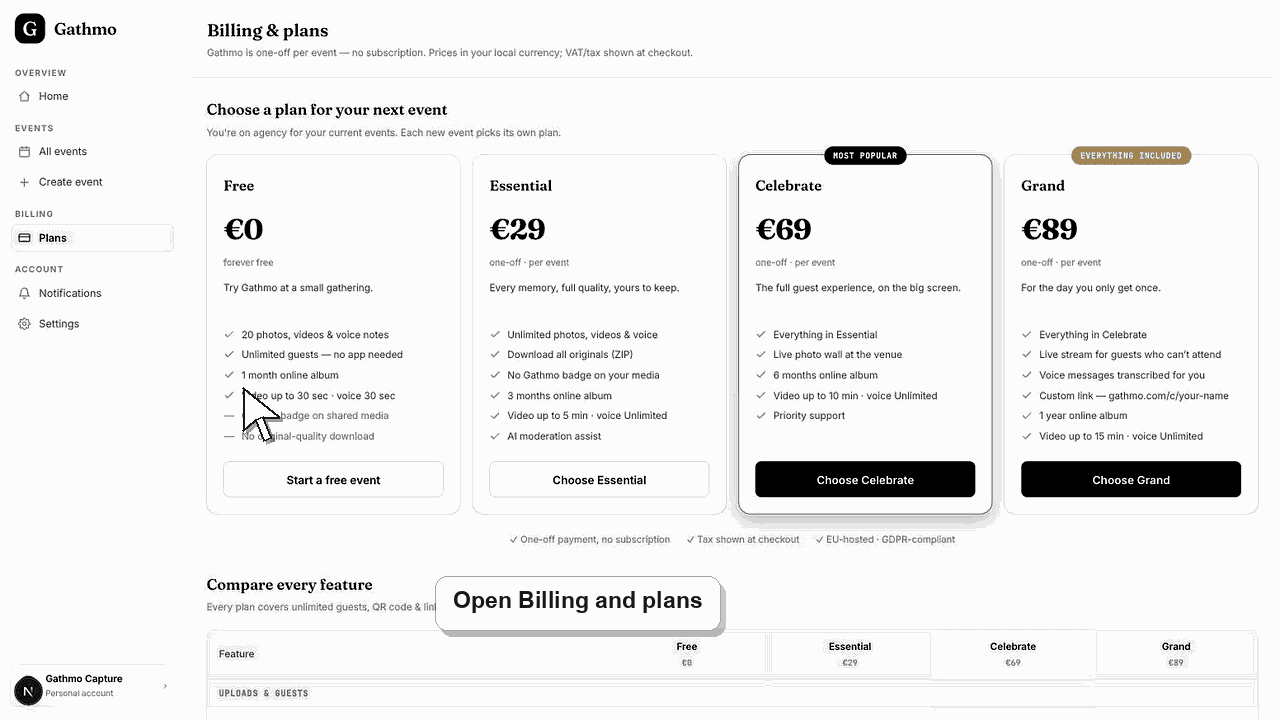
Gathmo bills in EUR, USD, GBP, PLN, CHF, or NGN according to the account country. The secure checkout displays the payment methods actually available for that buyer; Nigeria uses its configured NGN checkout and can show bank payment options, while Gathmo does not add a separate foreign-transaction fee.
Payment and currency summary
Available card, wallet, or bank methods are determined by the payment provider, country, currency, device, and eligibility and are shown in checkout rather than promised as a universal list.
| Account location | Billing currency |
|---|---|
| Euro-area country | EUR |
| United States | USD |
| United Kingdom | GBP |
| Poland | PLN |
| Switzerland or Liechtenstein | CHF |
| Nigeria | NGN |
| Other country | Usually USD |
Before you start
- Confirm the event, plan, account country, currency, and total before paying.
- Use a billing address and tax ID that should appear on the invoice.
- Allow pop-ups or redirects if the browser blocks the secure payment page.
- Open the correct Gathmo event, workspace, or account before making changes.
Steps
1. Start checkout from the correct event
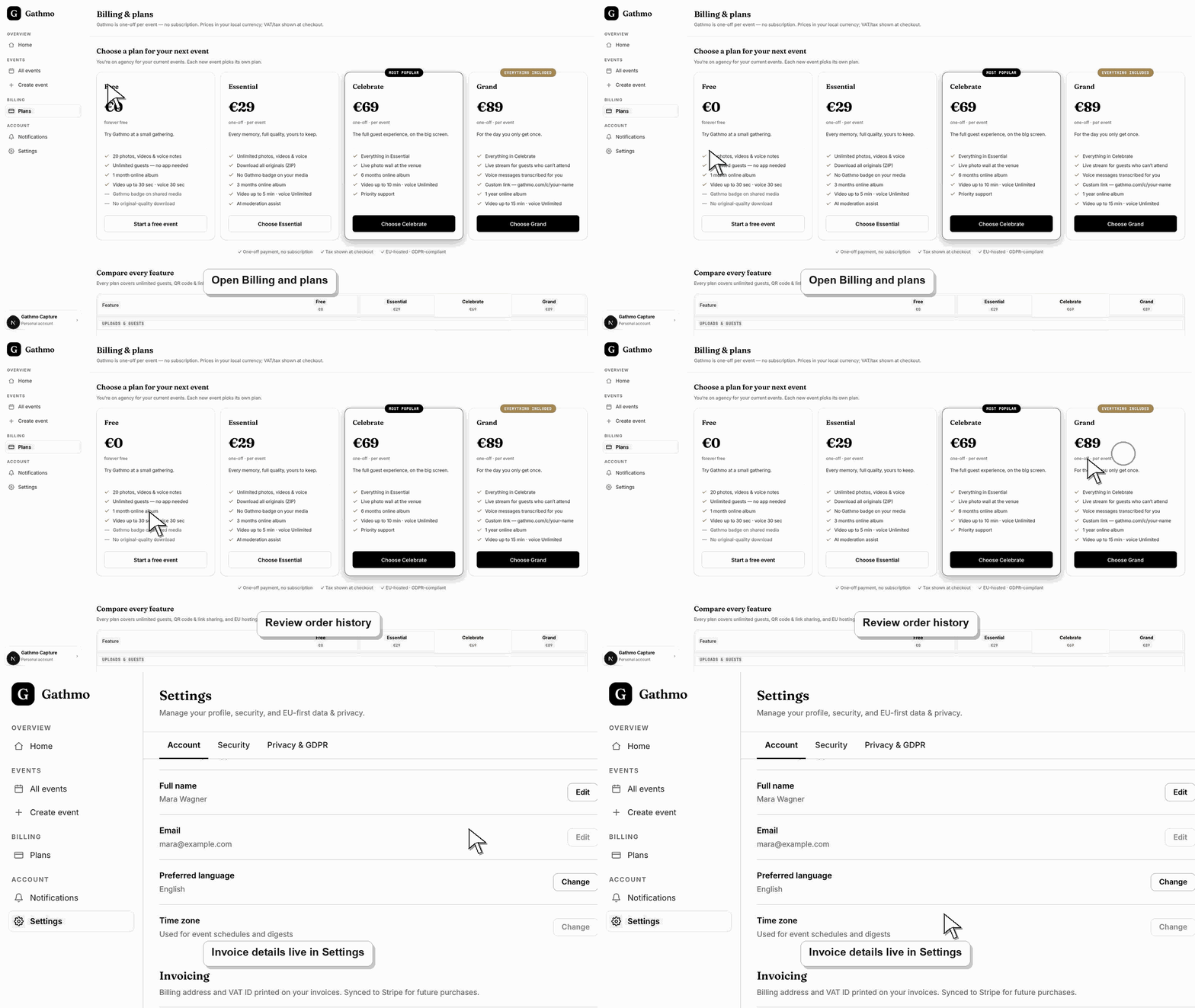
Open the event or billing page and choose the intended plan. Personal event plans are one-off purchases for that event; Studio and Agency business plans are prepaid for six or twelve months.
2. Review the live payment page
Check the currency, tax treatment, total, and payment methods shown by the provider. The checkout page is the source of truth for method availability because cards, wallets, and bank options vary by market.
3. Complete any provider verification
Approve 3-D Secure, bank authentication, wallet confirmation, or transfer instructions when requested. Do not close the page until the provider reports a result.
4. Return to the Gathmo dashboard
After a successful online checkout, Gathmo records the order and activates the paid event or business entitlement. A bank transfer remains pending until the required proof and approval flow is complete.
5. Confirm payment and event status
Refresh the event and billing pages. Check that the order is paid, the selected plan is attached to the correct event, and the full plan entitlement appears when its timing rules allow it.
6. Save the receipt or invoice
Open billing to find payment status, receipts, and invoice PDFs. If a transactional email is missing, check spam and promotions, then use the dashboard record rather than paying again.
What to do next
- The paid event remains connected to its original QR code and link.
- Full paid item capacity opens 48 hours before the saved event date.
- Billing documents remain available through the account's billing flow where provided.
- Check the live dashboard or checkout page before making a billing decision, because plan state and tax can depend on account and currency.
Frequently asked questions
Which payment methods does Gathmo accept?
The secure checkout shows the methods available to the specific buyer. Method availability can include cards or eligible local options, but it varies by provider, country, currency, and device.
Does Gathmo charge a foreign transaction fee?
Gathmo does not add a separate foreign-transaction fee. A card issuer or bank may charge its own conversion or international merchant fee, which will not appear as a Gathmo line item.
What happens after I purchase an event plan?
The order is attached to the selected event, the paid plan activates after payment confirmation, and the existing QR code remains valid. Full paid item capacity opens 48 hours before the event date.
Why did my payment fail?
Common causes are incorrect billing details, bank authentication not completed, insufficient funds, a bank block, a provider risk check, or a payment method unavailable for the currency.
Can I pay by bank transfer?
Nigeria's NGN flow can offer a bank-payment path where shown. For other markets, rely on the live checkout; do not send an unsolicited transfer to account details from an old invoice or message.
Troubleshooting
Verify the billing details and available balance, complete the bank's authentication prompt, and ask the bank whether online or international merchant payments are blocked. Retry once; repeated attempts can trigger anti-fraud controls.
Wait briefly, refresh the billing and event pages, and check for a provider receipt. Contact support with the event ID, receipt, amount, currency, and approximate payment time instead of making a second purchase.
Check spam, promotions, mailbox rules, and the account email. Then open billing for the durable order record and use the account recovery guide if you cannot sign in.
Use the live checkout, invoice, or dashboard billing page as the source of truth. Capture the account email, event name, currency, and visible billing state before contacting support.
Payment providers process payment credentials; Gathmo uses the returned payment and billing records to activate service and provide receipts. Your bank may add its own currency-conversion, international, or card fee outside Gathmo's displayed charge.
Keep going