Downloading and sharing
Download a ZIP or selected files
Download a Gathmo event ZIP or selected files, understand export behavior, and store guest media securely after it leaves the dashboard.

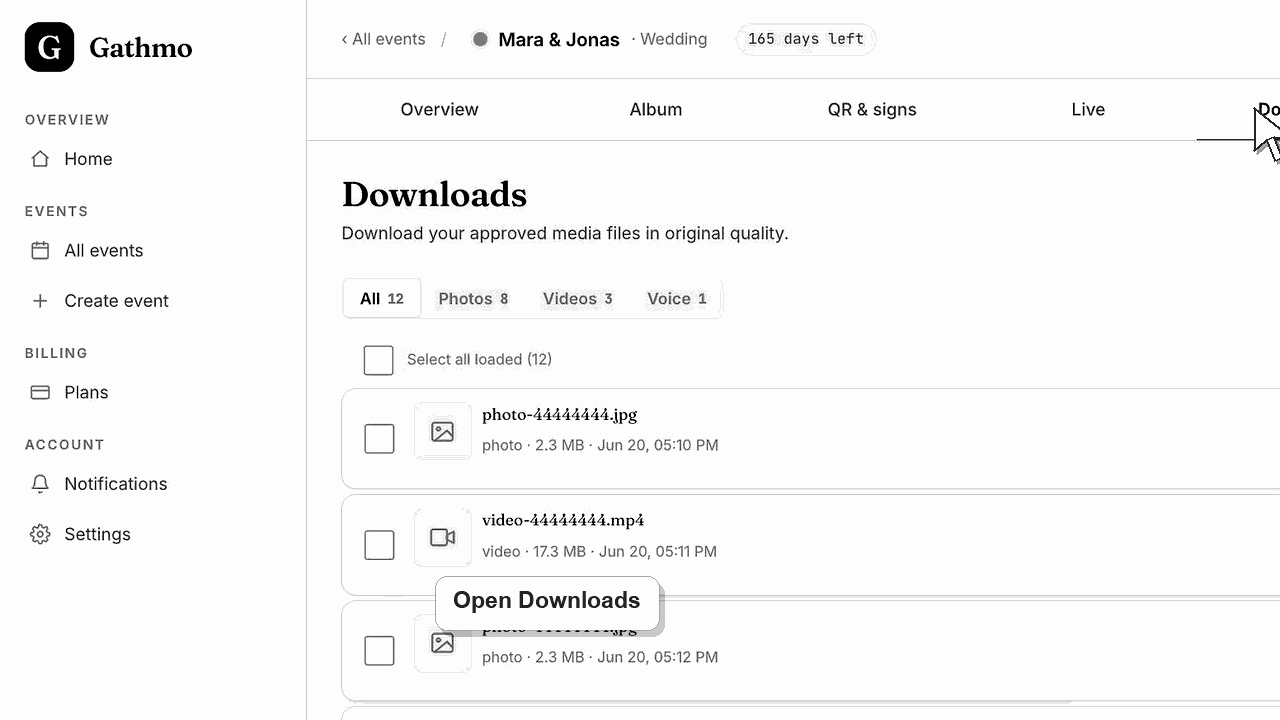
Use Downloads to export approved media in original quality. Download all media as a ZIP, filter by media type, or select specific files before exporting.
Before you start
- Make sure uploads are approved.
- Check whether you need all media or only selected files.
- Use a stable connection for large ZIP exports.
- Open the correct Gathmo event, workspace, or account before making changes.
Steps
1. Open Downloads
From the event dashboard, open Downloads. Approved media appears here as individual files.
2. Filter by media type if needed
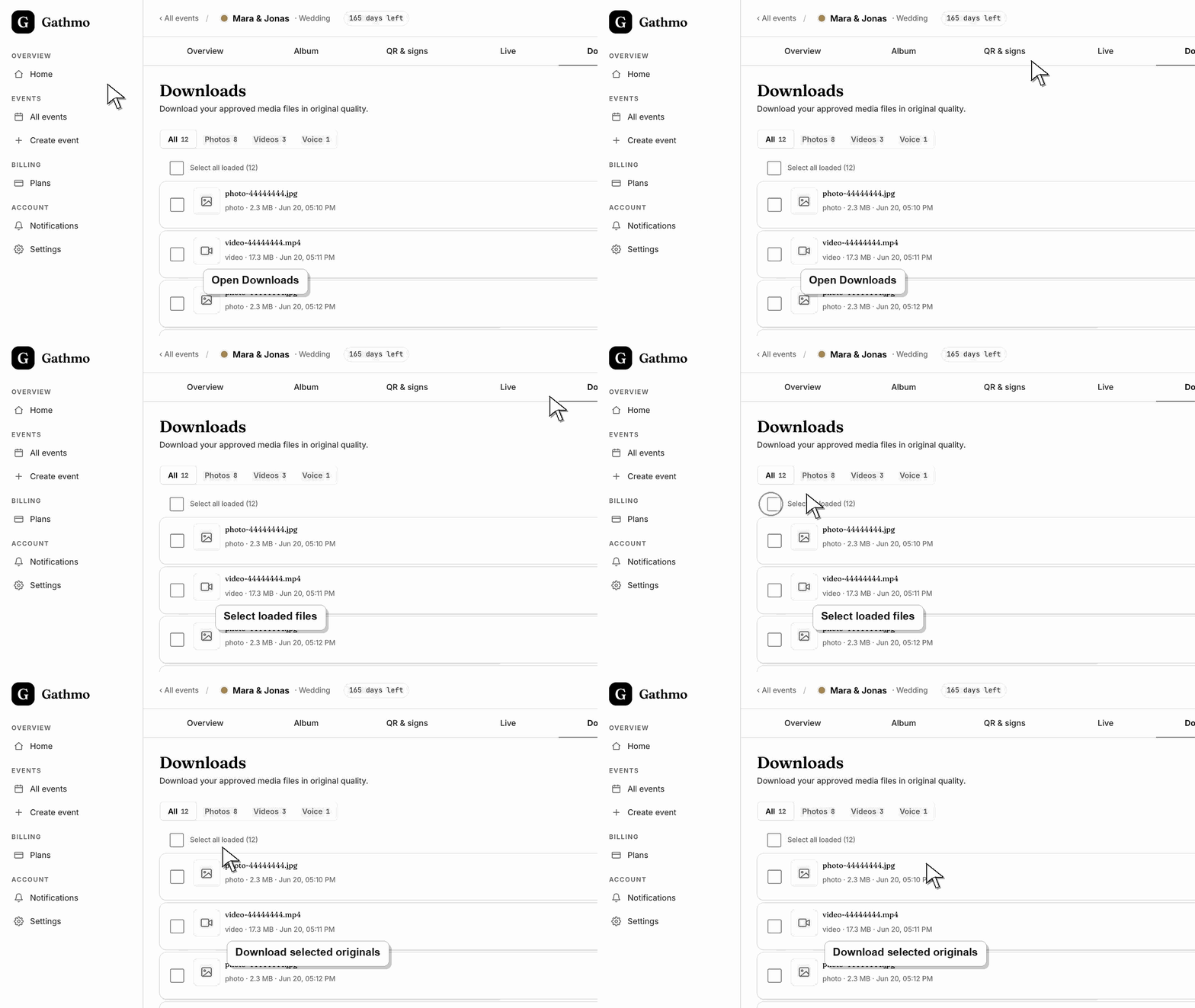
Use the media type filter to view all media, photos, videos, or voice messages.
3. Download everything in the current view
Use Download all as ZIP to export all loaded and eligible media in the current view.
4. Select specific files
Use checkboxes to select only the files you need. Then choose Download selected.
5. Wait for ZIP preparation
Large exports can take time. Keep the browser open until the ZIP is ready.
What to do next
- The ZIP downloads to your device. Store it somewhere safe before deleting the event or changing retention settings.
- Open the exported files before deleting or hiding event content so you know the download contains what you need.
- Store the export in a secure folder with a clear event name and date so it can be found after the online album window ends.
- Use the retention article if the event includes privacy-sensitive media or if a guest asks for removal after download.
Frequently asked questions
Can I download only videos?
Yes. Filter to videos and download that view as a ZIP.
Can I download selected files?
Yes. Select the files you need and use Download selected.
Why do I need moderation before downloading?
Downloads focuses on approved media. Pending uploads need review first.
Troubleshooting
Approve uploads in Moderation first. Downloads only shows approved media.
Try a smaller selected export, then retry the full ZIP. Large exports need a stable connection.
Check whether it is still pending, rejected, hidden, processing, or attached to another event.
Wait for recent uploads to finish processing, check hidden or moderated items, and compare the download with the dashboard count before assuming files were lost.
Downloaded ZIP files leave Gathmo's access controls. Store exports securely and do not share them with people who should not receive guest media.
Keep going