Guest uploads
Increase guest uploads before, during, and after an event
Increase event photo, video, and voice-message contributions with tested QR placement, clear prompts, host seeding, live reminders, and a post-event follow-up.

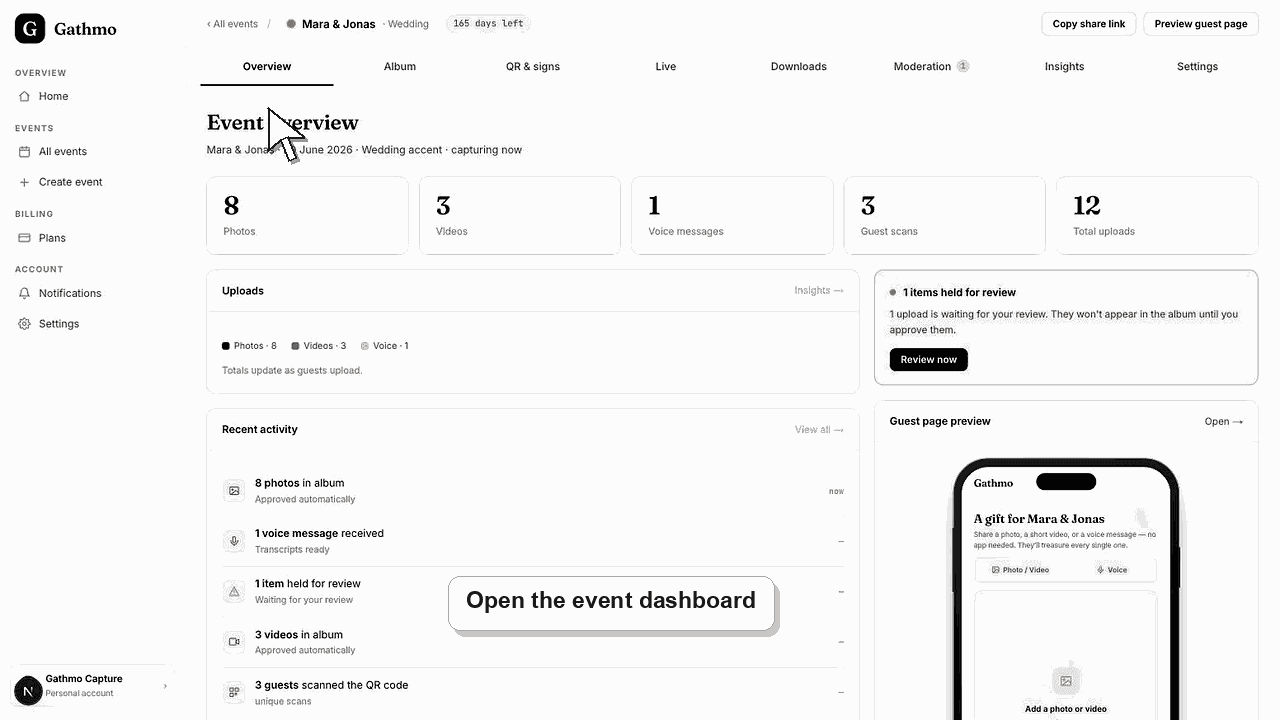
The most reliable way to collect more guest media is to remove uncertainty: test the link, place a readable QR code where people pause, explain what to upload, seed the album with examples, mention it during the event, and send one clear follow-up afterward. Guests can contribute without an app or account.
Before you start
- Test the QR code and event link on different phones.
- Choose two or three specific prompts instead of asking for “anything.”
- Decide whether uploads appear immediately or require moderation.
- Open the correct Gathmo event, workspace, or account before making changes.
Steps
1. Invite guests before the event
Add the event link to the invitation or pre-event message. Ask for a concrete contribution such as a childhood photo, travel memory, prediction, or short voice greeting, while remembering the 20-item early test and collection cap until 48 hours before the event.
2. Seed the album with examples
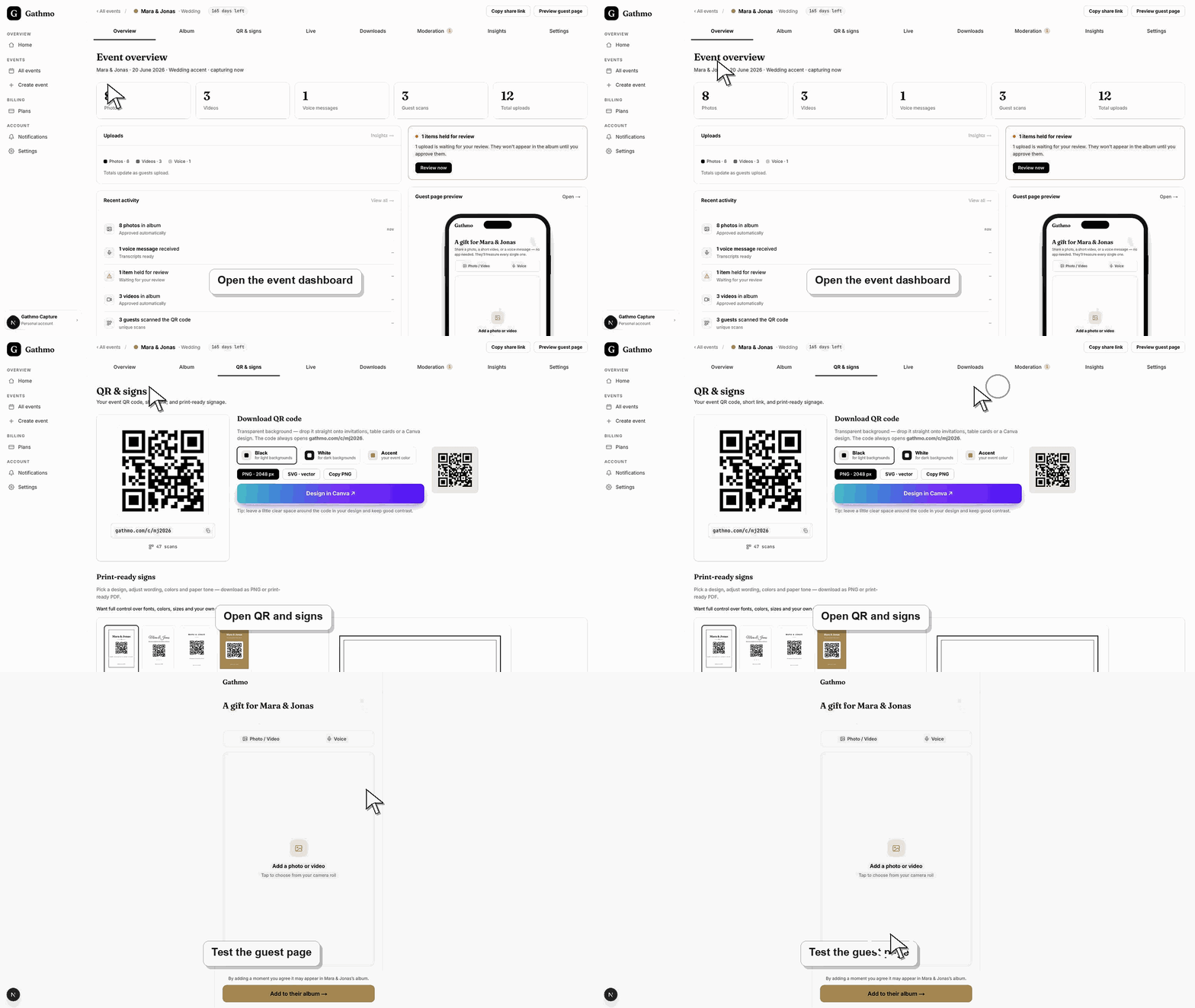
Upload a few host-approved examples so guests understand the desired tone and format. A populated experience feels intentional and gives hesitant contributors a model to follow.
3. Put QR codes at natural pause points
Use entrances, tables, bars, gift areas, photo booths, programs, presentation slides, or table cards. Print the QR code large enough, preserve contrast and white space, and include the short event link as a fallback.
4. Give one spoken reminder
Ask a host, MC, celebrant, or event lead to explain that guests can add photos, videos, and voice messages without installing an app. Name a useful moment to upload, such as after speeches or before the final session.
5. Show approved contributions live
When the plan includes a live wall, display approved media to make participation visible and rewarding. Use moderation where unexpected content would be inappropriate on a public screen.
6. Send a focused post-event follow-up
Within a day or two, resend the same link and ask guests for moments they forgot to share. State the deadline and what will happen to the final gallery so the request feels finite and worthwhile.
What to do next
- Monitor uploads and approve content according to the event's moderation mode.
- Thank contributors and share the final gallery only with the intended audience.
- Export the complete collection before retention ends.
- Run one guest upload from an iPhone and one from Android if the event team has both available before the event.
Frequently asked questions
Can guests upload after the event?
Yes, while the event remains available. Send the same link promptly and include a clear deadline before retention or planned gallery closure.
Should I share the QR code before the event?
Yes when pre-event memories or messages are useful. More than 48 hours before the event, every plan is limited to the 20-item early allowance.
How many QR signs should I print?
Use enough that guests encounter one at several natural pause points. Venue size, attendance, lighting, and seating matter more than one universal number.
Does a live wall increase participation?
It can, because guests see immediate social proof and understand the result. Moderate content and use only a plan that includes the live wall.
What should I ask guests to upload?
Specific prompts perform better: behind-the-scenes moments, another angle of a key scene, a short wish, a funny story, or a voice message for the host.
Troubleshooting
Replace generic wording with a specific prompt, confirm the upload controls are visible, and show that no account or app is needed. Seed examples and ask one trusted guest to contribute first.
Move it to eye level and to locations where guests have a free hand and time. Add a short benefit-led instruction and include the fallback link.
Test that the event remains available, has storage, and has not reached deletion. Check the correct link, browser permissions, file limits, and network quality.
Check the event upload settings in the dashboard, confirm the upload type is enabled, and reload the guest page. If the guest is using an old link, send the current event link again.
Participation should be voluntary and transparent. Tell guests who controls the album, who can see submissions, whether a live wall is used, and how to request removal; obtain separate rights before using event media in advertising.
Keep going