Privacy, security, and trust
Accept the DPA for business customers
Accept the Gathmo DPA for business customers, confirm signatory authority, and know when to contact support for procurement details.

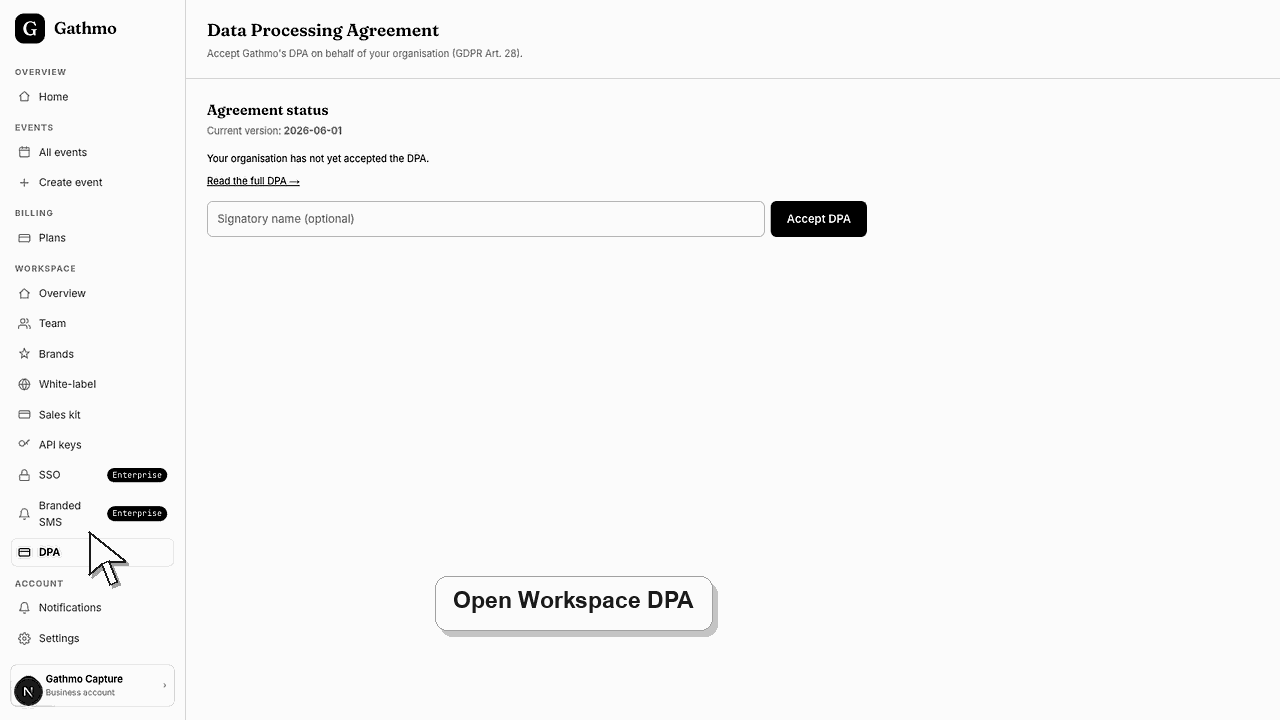
Business owners and admins can accept the current Gathmo Data Processing Agreement from the workspace DPA page. The acceptance is recorded with the DPA version.
Before you start
- Use a business account.
- Make sure you are allowed to accept legal terms for the organization.
- Read the full DPA before accepting.
- Open the correct Gathmo event, workspace, or account before making changes.
Steps
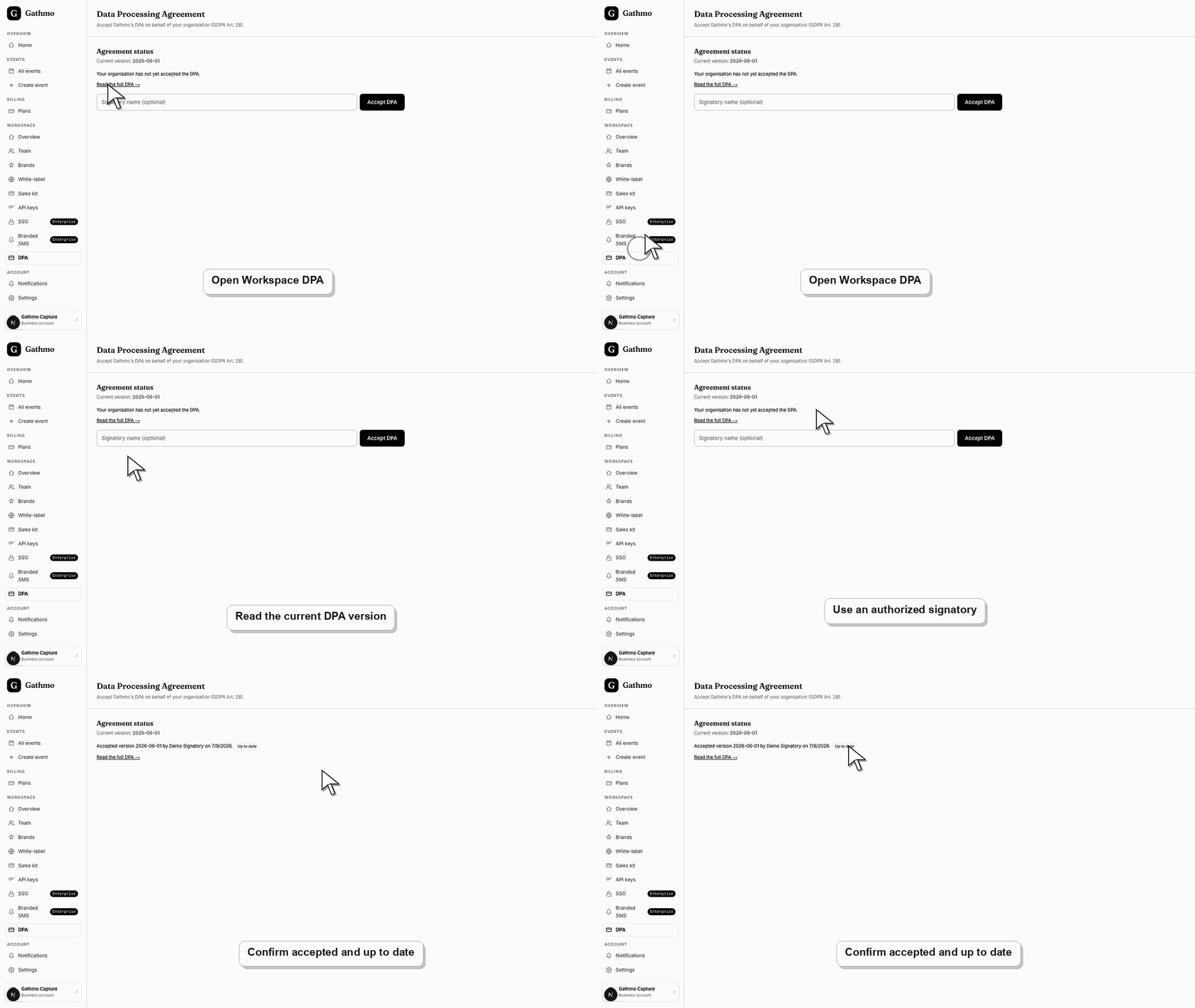
1. Open the workspace DPA page
From the business workspace, open DPA. The page shows the current DPA version and whether the organization has accepted it.
2. Read the full DPA
Open the linked DPA page and review the agreement. Do not accept on behalf of an organization unless you are authorized.
3. Enter signatory name if needed
The DPA acceptance form can include a signatory name. Use the person authorized to accept the agreement for the organization.
4. Accept the DPA
Choose Accept DPA. Gathmo records the accepted version and updates the DPA status.
5. Check status after acceptance
The DPA page should show the accepted version, who accepted it when available, and whether it is up to date.
What to do next
- If Gathmo publishes a new DPA version, the workspace can show that an update is required. The organization may need to accept the new version.
- Review the event link, upload permissions, moderation state, and album visibility together because privacy depends on the full workflow.
- Download anything that must be kept before deleting, hiding, or closing access to event media.
- Use business privacy and DPA articles for workspace or procurement questions that go beyond a private host event.
Frequently asked questions
Who should accept the DPA?
Someone authorized to accept data-processing terms for the business customer.
Is the DPA for personal accounts?
No. The DPA flow is for business customers and organizations.
Does accepting the DPA answer every procurement question?
No. Some customers may still need sub-processor, region, security, or procurement documentation.
Troubleshooting
Check whether you are using a business account and whether your role can access workspace legal settings.
Read the current version and accept it if you are authorized to do so.
Contact support. DPA acceptance creates an audit trail and should not be edited casually.
Identify the exact event, upload, and requested outcome first. Then hide, delete, export, or escalate from the dashboard instead of making broad changes without knowing which media is affected.
The dashboard records DPA acceptance for the current version shown on the page. If your legal team needs a signed copy, sub-processor details, region-specific wording, or procurement answers, contact support before relying on the acceptance alone.
Keep going