Account, billing, and plans
Choose personal vs business account in the welcome flow
Choose the right Gathmo account type during onboarding: personal for single events, business for teams, branding, DPA, and prepaid billing.

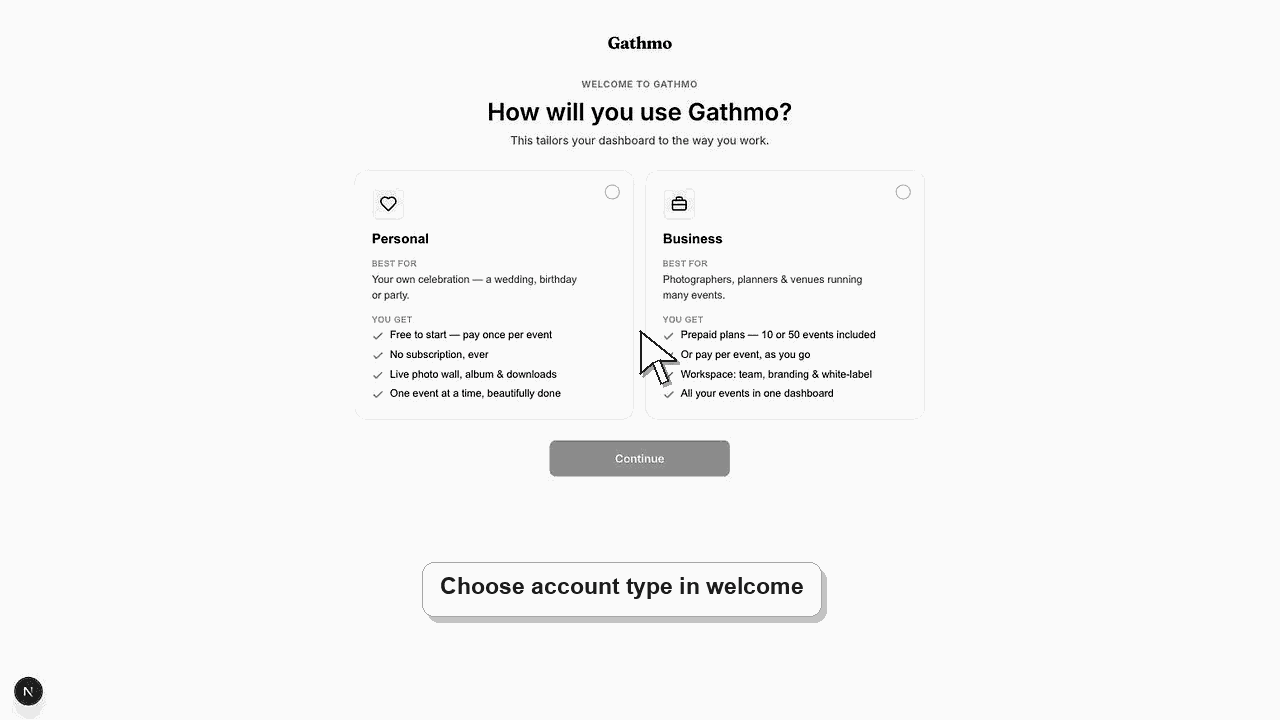
Choose a personal account for one-off private events. Choose a business account if you sell events to clients, need team access, need white-label branding, or need business billing.
Before you start
- Know whether you are creating events for yourself or for clients.
- Decide whether you need a workspace, team roles, white-label branding, or DPA support.
- Use the same email you want tied to billing and account ownership.
- Open the correct Gathmo event, workspace, or account before making changes.
Steps
1. Finish signup and open Welcome
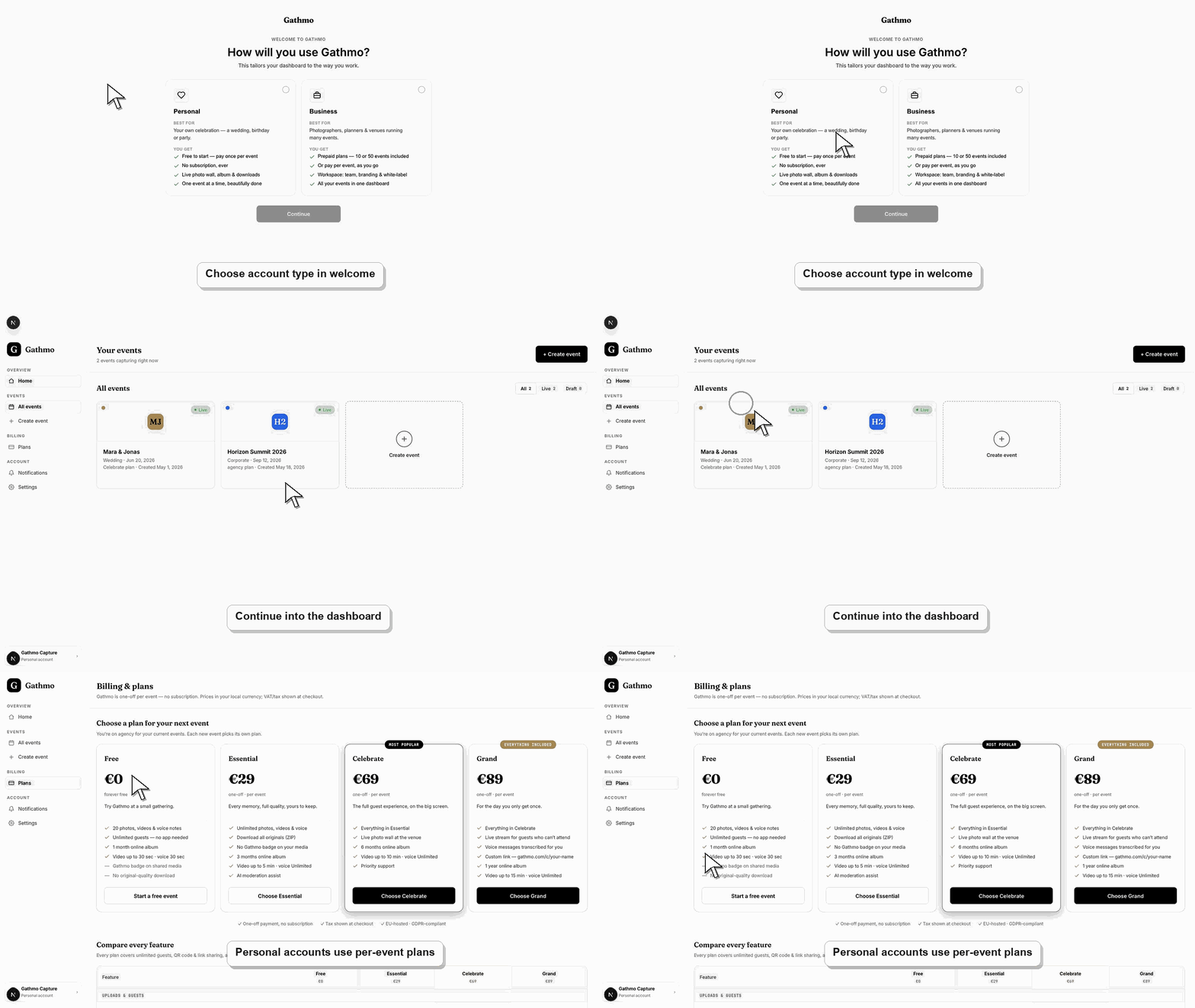
After signup, Gathmo sends new users to the welcome flow. This is where the account type is selected.
2. Choose Personal for private events
Use a personal account when you are hosting your own wedding, party, birthday, or one-off event. Personal events use per-event plans.
3. Choose Business for client or organization work
Use a business account when you need Studio, Agency, or Enterprise workflows. Business accounts can support workspace features, team access, branding, and prepaid business billing.
4. Add organization details if prompted
If you choose Business, enter the organization or studio name carefully. This may appear in workspace and billing contexts.
5. Continue to dashboard or billing
Personal users can create an event. Business users may be routed toward business billing or workspace setup depending on the current flow.
What to do next
- Your account type controls which dashboard areas and billing flows are relevant. Business accounts can access workspace tools that personal accounts do not need.
- Check the live dashboard or checkout page before making a billing decision, because plan state and tax can depend on account and currency.
- Keep the receipt, invoice, event name, and account email together if you need support to review a billing issue.
- Review related plan or invoice articles before changing event materials, because billing decisions can affect limits guests experience later.
Frequently asked questions
Can I use a personal account for a wedding?
Yes. Personal accounts are the right fit for most one-off private events.
When should I choose Business?
Choose Business when you run events for clients, need branding, need a team workspace, or need business billing and DPA workflows.
Can I change later?
This needs support review. Contact support before assuming personal and business accounts can be converted automatically.
Troubleshooting
Contact support before creating paid events or business workspace data. Changing account type can affect billing and workspace setup.
Confirm the account is a business account and that the business plan is active or available for setup.
Use a personal account unless you need business branding, team roles, or client workflows.
Use the live checkout, invoice, or dashboard billing page as the source of truth. Capture the account email, event name, currency, and visible billing state before contacting support.
Account type affects billing, organization data, DPA workflows, and workspace access. If the account has business requirements, choose the business flow before creating paid client work.
Keep going