Privacy, security, and trust
Data retention and deletion
Understand Gathmo event media retention, what to download before deletion, and how to handle privacy-sensitive uploads after an event.

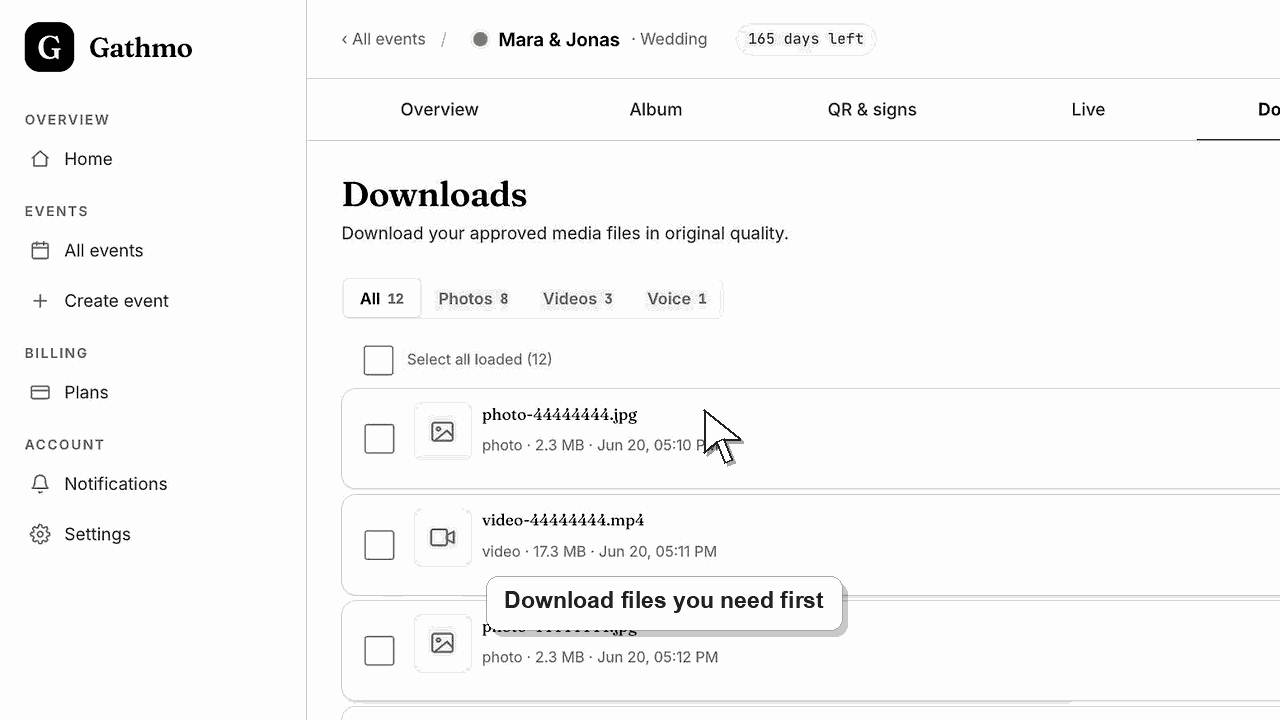
Retention depends on the event plan and settings. Download important media after the event, review privacy-sensitive uploads, and delete or remove content when it should no longer be stored.
Before you start
- Know which event you want to review.
- Download anything you need to keep before deleting it.
- Check whether guests or stakeholders still need access to the final gallery.
- Open the correct Gathmo event, workspace, or account before making changes.
Steps
Check the event plan and retention window
Review the plan selected for the event, because online album availability and retention expectations can differ by plan.
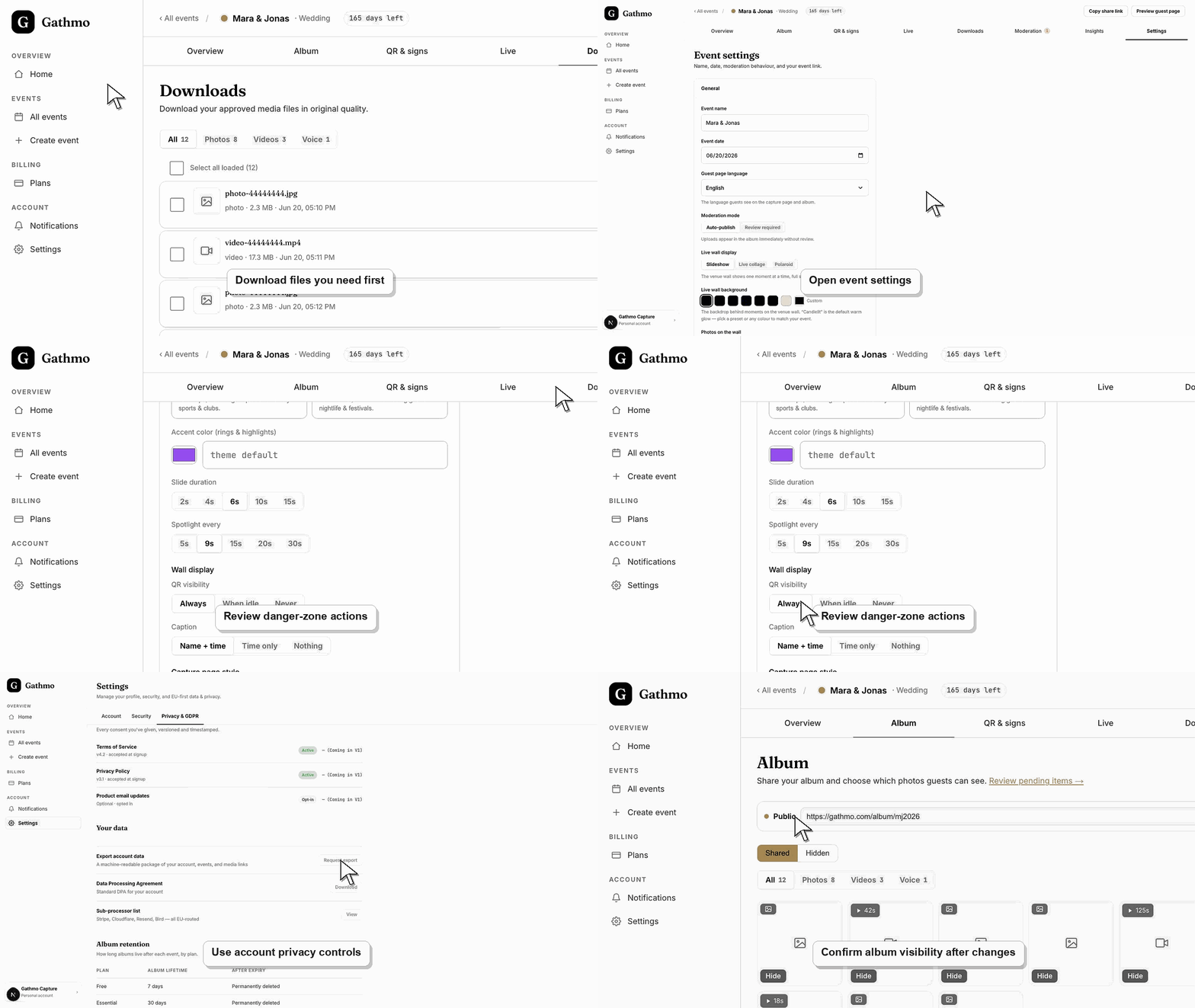
Download important media
Export photos, videos, and voice messages you need to keep before removing content or closing access.
Review privacy-sensitive uploads
Check uploads that include children, employees, private venues, or sensitive situations before sharing or retaining them.
Delete or remove content when needed
Remove content that should not remain in the event gallery. Contact support if you need help with a broader deletion request.
Check who can access the event
Review the event link, QR code placement, album visibility, and moderation setting together. Privacy depends on who can open the event and what they can see after uploading.
What to do next
- Add a post-event download step to your event checklist.
- Use moderation for future events where privacy review is important.
- Keep deletion requests documented when the event involves workplace or regulated contexts.
- Review the event link, upload permissions, moderation state, and album visibility together because privacy depends on the full workflow.
Frequently asked questions
How long does Gathmo keep event media?
Retention depends on the event plan and settings. Review the plan details and download important files after the event so you are not relying only on online availability.
Should I download event media before deleting anything?
Yes. Download anything you need to keep before deleting media, closing access, or making retention changes.
Can I remove one upload without deleting the whole event?
Yes. Use the dashboard to hide or remove individual uploads when only one item needs to be taken out of the gallery.
Is this GDPR legal advice?
No. This is product guidance. For formal GDPR duties, review your event context and get legal advice where needed.
Troubleshooting
Find the upload in the dashboard and remove it from the event gallery. Contact support for help with broader requests.
Download the files you want to keep, then remove or close access according to your event plan and privacy needs.
Identify the exact event, upload, and requested outcome first. Then hide, delete, export, or escalate from the dashboard instead of making broad changes without knowing which media is affected.
Use the current Gathmo legal or DPA workflow for formal processor, residency, or procurement questions. Do not improvise region, sub-processor, or legal claims from a help article alone.
Event media can include personal data. Treat retention and deletion decisions as part of your event privacy workflow.
Keep going