Privacy, security, and trust
Delete your account or export account data
Delete a Gathmo account or export account data, including what personal users can do and when business accounts need support.

Download or request any data you need before deleting your account. Personal account deletion permanently removes the account, events, albums, and uploaded media.
Before you start
- Download event media you want to keep.
- Check whether you are using a personal account or business organization account.
- Do not delete the account before requesting any data export you still need.
- Open the correct Gathmo event, workspace, or account before making changes.
Steps
1. Open Settings
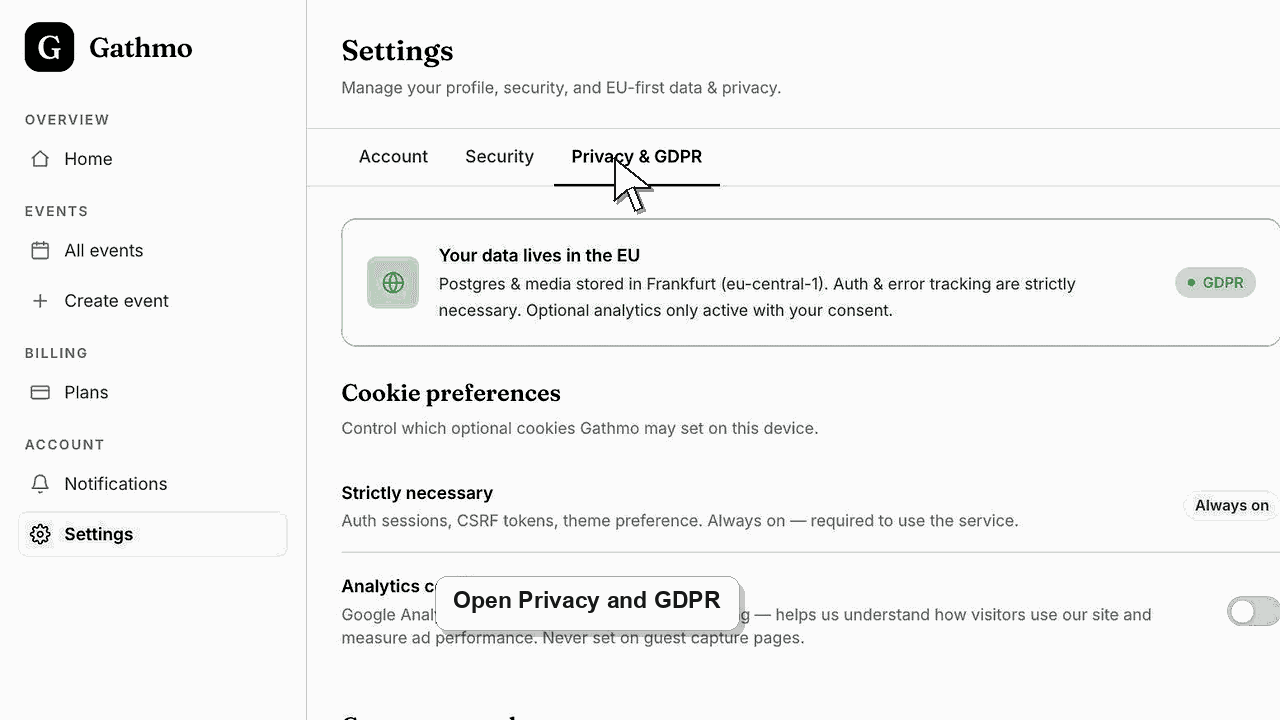
From the dashboard, open Settings and go to the Privacy and GDPR area.
2. Export or request data first
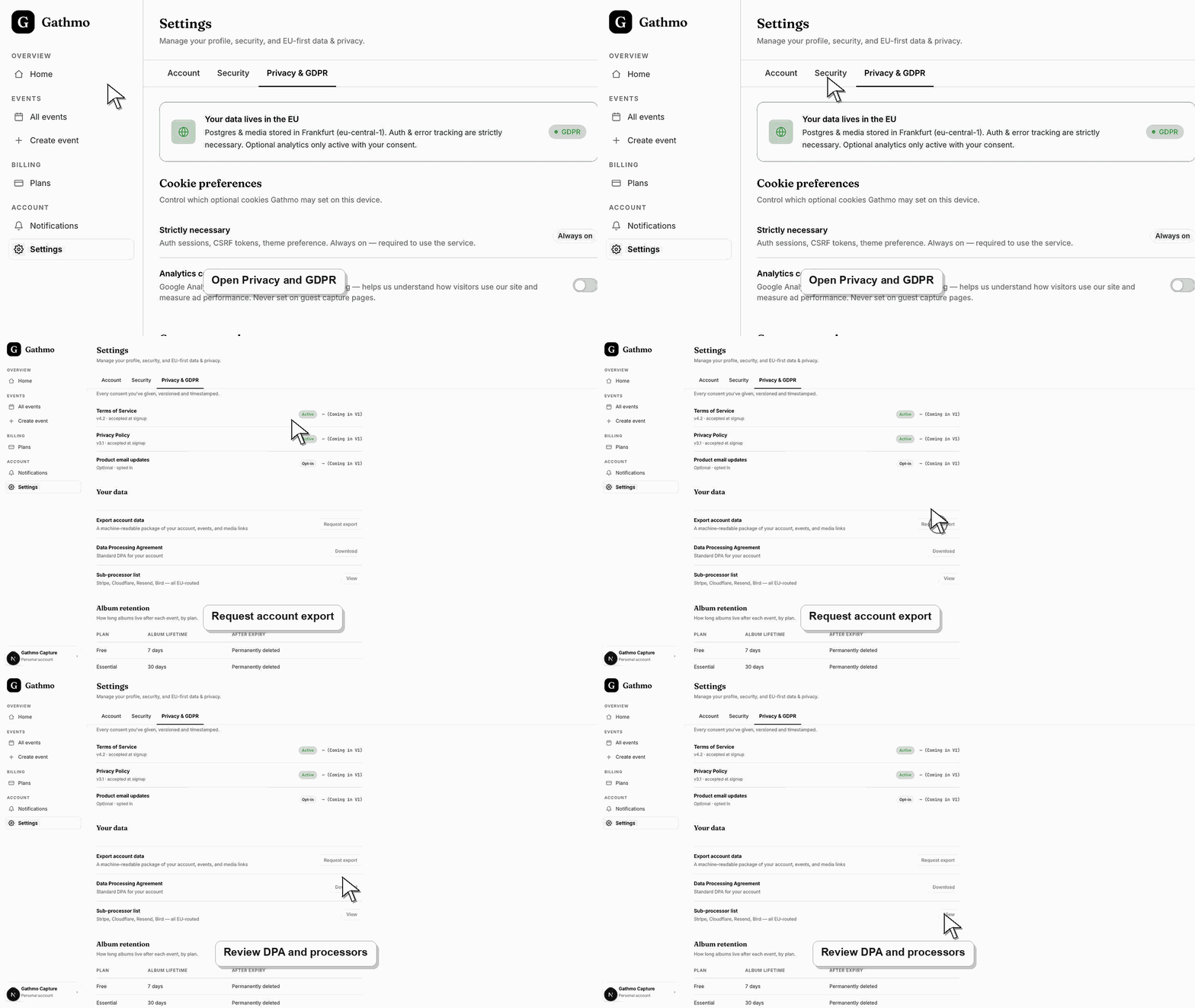
If a self-serve export control is available, use it before deleting the account. If export is not available in the current dashboard, contact support before deletion.
3. Review what account deletion removes
The dashboard explains that account deletion removes the account and every event, album, and uploaded moment. Guest contributions are removed too.
4. Type the account email to confirm
The deletion confirmation asks you to type the account email. This prevents accidental account deletion.
5. Confirm permanent deletion
Confirm only when you are ready. The dashboard signs you out after deletion completes.
What to do next
- For personal accounts, deletion is designed to be immediate and irreversible from the dashboard. Business organization accounts may require support instead of self-serve deletion.
- Review the event link, upload permissions, moderation state, and album visibility together because privacy depends on the full workflow.
- Download anything that must be kept before deleting, hiding, or closing access to event media.
- Use business privacy and DPA articles for workspace or procurement questions that go beyond a private host event.
Frequently asked questions
Does account deletion delete events?
Yes. The dashboard states that account deletion removes events, albums, uploaded moments, and guest contributions.
Can a business account delete itself the same way?
No. The current dashboard shows that organization accounts cannot be deleted from the same self-serve flow and should contact support.
Should I delete events one by one instead?
Delete individual events when you only want to remove specific events. Delete the account only when you want to remove the whole personal account.
Troubleshooting
Contact support. Business accounts can have organization, billing, DPA, team, and workspace implications.
Type the exact email shown in the confirmation prompt.
Contact support immediately, but do not assume recovery is possible. Export first whenever possible.
Identify the exact event, upload, and requested outcome first. Then hide, delete, export, or escalate from the dashboard instead of making broad changes without knowing which media is affected.
Export availability depends on the current account and product state. Export anything you need before deleting an account, because deletion is designed to remove account data.
Keep going