Troubleshooting
Debug missing uploads
Debug missing Gathmo uploads by checking moderation, event links, guest connection, file progress, and whether the upload finished.

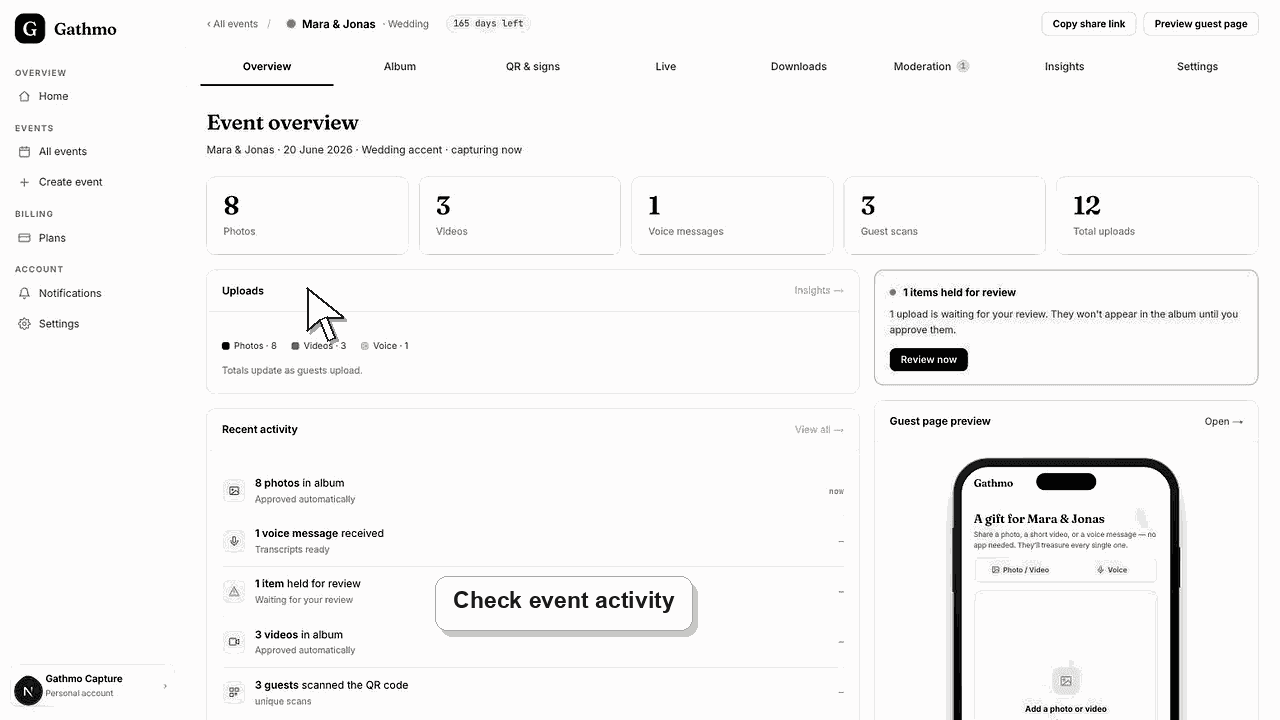
Start with the upload state: failed, processing, pending moderation, hidden, rejected, or attached to the wrong event. Most missing uploads are not actually lost.
Before you start
- Ask the guest whether they saw a success message.
- Confirm which event QR code or link they used.
- Check whether moderation is enabled.
- Check whether the upload is a photo, video, or voice message.
Steps
1. Confirm the guest used the correct event
Ask the guest how they opened the upload page. If they scanned an old sign or used an old link, the upload may belong to another event.
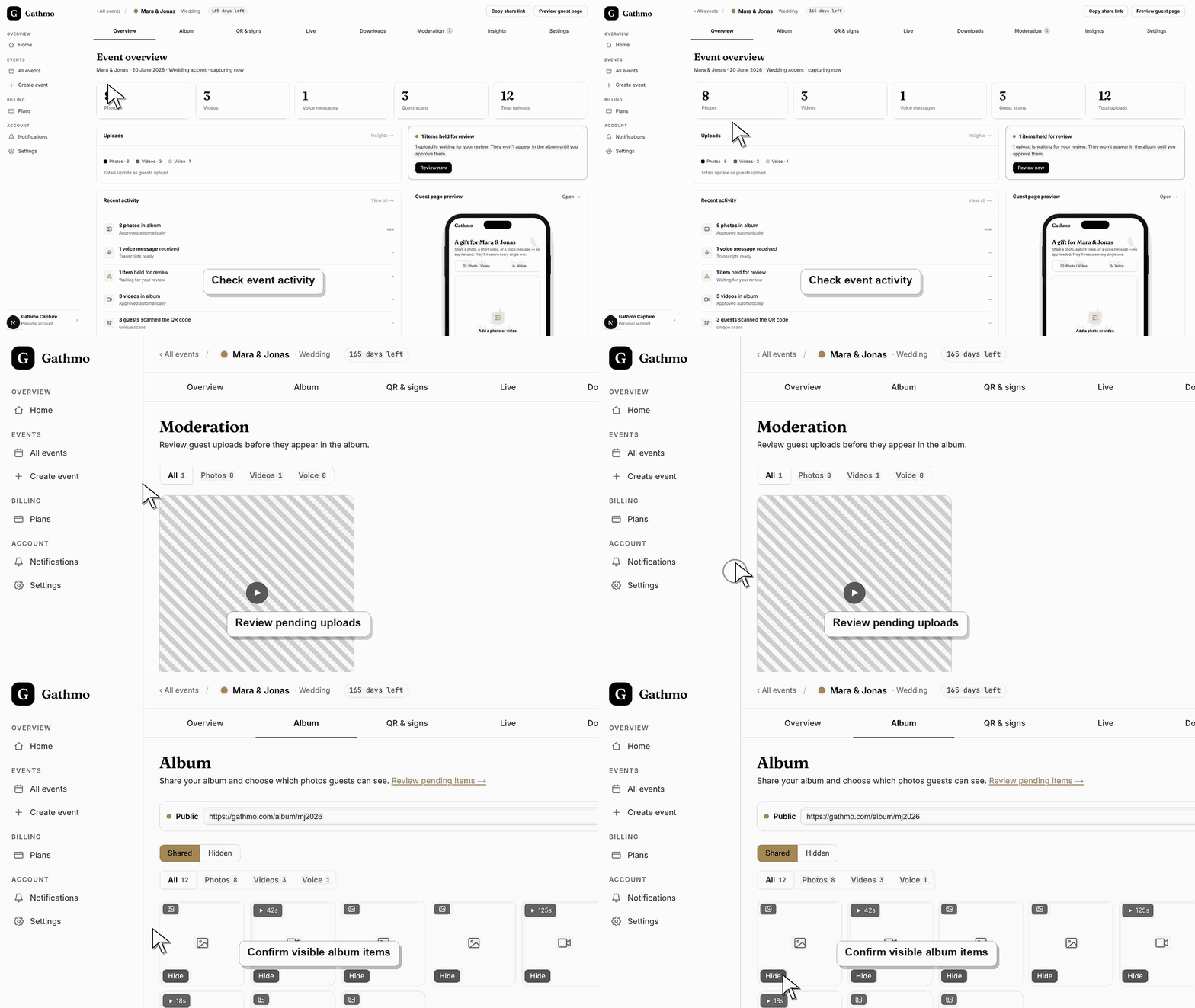
2. Check whether the upload completed
If the guest closed the browser before the upload finished, the file may never have reached Gathmo. Ask them to retry on a stable connection.
3. Open the moderation queue
If the event uses review mode, uploads wait in Moderation until approved. Approve the upload before checking the album or live wall.
4. Check hidden and rejected views
If the upload was approved earlier, it may have been hidden from the shared album. If it was rejected in moderation, it will not appear publicly.
5. Allow processing time for large files
Videos and large files can take longer to process than photos. Check the dashboard again after processing has had time to finish.
6. Check file limits
If the upload never appears, compare the file type, file size, duration, and plan limits. Unsupported or over-limit files can fail before they become visible.
What to do next
- After you identify the state, either approve, show, retry, or replace the upload. If the guest used the wrong event link, send the correct link and ask them to upload again.
- Re-test the fixed flow from a guest phone, not only from the signed-in host dashboard.
- Capture the event name, browser, device, screenshot, and time if the issue needs support review.
- Send the related article to the event team so the same fix is used consistently during the event.
Frequently asked questions
Are missing uploads deleted automatically?
Not usually. First check moderation, hidden uploads, rejected uploads, processing state, and whether the guest used the correct event.
Why do photos appear faster than videos?
Videos are larger and need more processing. A video can take longer to become available.
Can a guest upload again?
Yes. Send the correct event link or ask the guest to scan the current QR code again.
Troubleshooting
Check the moderation queue, hidden uploads, and the event name on the guest page. The guest may have uploaded to a different event.
Check video upload settings, plan duration, file size, and processing status.
Approve the uploads and confirm they are not hidden. The live wall only shows media that is eligible for display.
Try the flow in a fresh browser session, switch networks, and test from another phone. If the issue remains, contact support with the event name, device, browser, and exact step that fails.
Not every interrupted upload can be recovered. If the browser closed before the file finished reaching Gathmo, the upload never completed and the guest simply needs to add it again.
Keep going