Troubleshooting
Guests cannot see the gallery
Fix cases where Gathmo guests cannot see the gallery by checking visibility, moderation, album status, event links, and access settings.

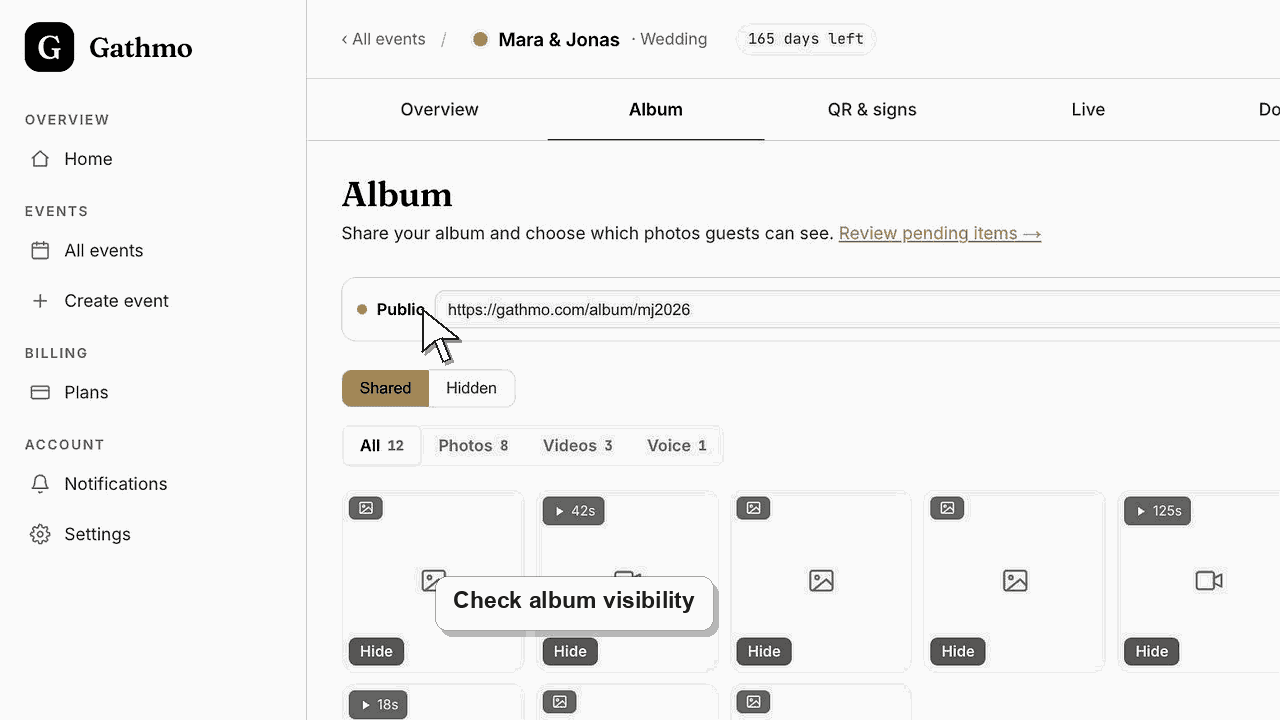
Check album visibility first. Guests may not see the gallery because the album is hidden, the event has no approved uploads, uploads are pending moderation, or guests have the wrong link.
Before you start
- Open the event dashboard.
- Test the guest album link in a private browser window or on a phone.
- Confirm whether guests cannot open the gallery or can open it but see no media.
- Open the correct Gathmo event, workspace, or account before making changes.
Steps
1. Check whether the album is published
Open the album settings and confirm that the public album link is enabled. If the album is hidden, guests cannot view it even if uploads exist.
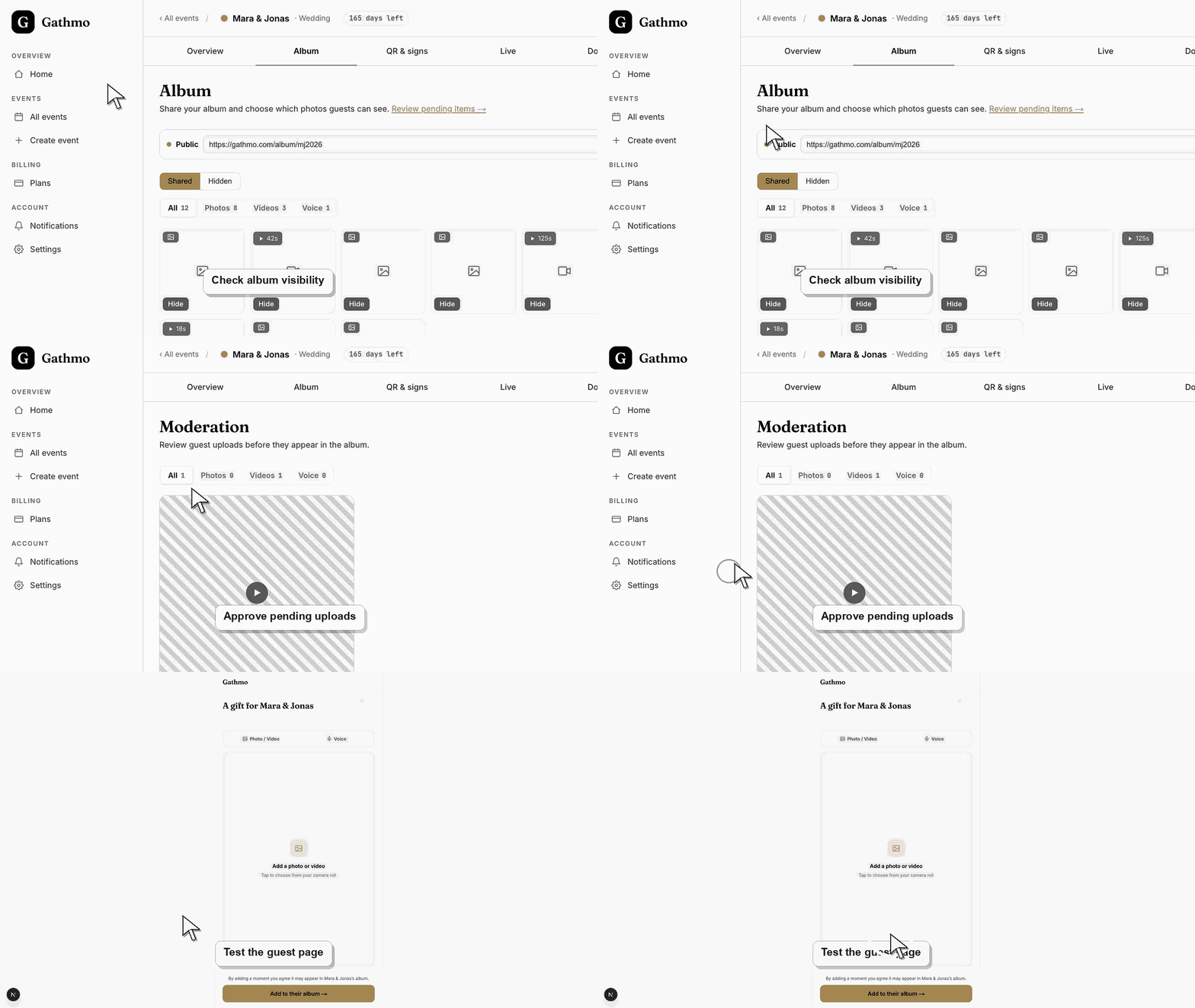
2. Check moderation
If the event requires review, guests may have uploaded media that is still pending. Approve the uploads you want guests to see.
3. Check hidden uploads
If uploads were approved but then hidden, they will not appear in the shared album. Open the hidden view and restore anything that should be public.
4. Confirm the guest has the correct link
Ask the guest how they opened the gallery. They may be using an old event link, a capture link instead of an album link, or a link for another event.
5. Test as a guest
Open the gallery link outside the signed-in dashboard session. This shows what guests actually see.
What to do next
- After you publish the album, approve uploads, or send the correct link, guests should be able to view the shared gallery.
- Re-test the fixed flow from a guest phone, not only from the signed-in host dashboard.
- Capture the event name, browser, device, screenshot, and time if the issue needs support review.
- Send the related article to the event team so the same fix is used consistently during the event.
Frequently asked questions
Can guests view the gallery before the event?
Only if the album is published and there is visible media to show.
Do pending uploads appear in the gallery?
No. Pending uploads need approval before they appear publicly.
Can I hide the gallery again?
Yes. Use album visibility controls to hide the public album when it should no longer be visible.
Troubleshooting
Approve pending uploads and check hidden uploads. An empty gallery can also mean no one has uploaded media yet.
The host dashboard can show media that is not public. Check album visibility and hidden state.
They may have the capture link. Send the album link if you want them to view the gallery.
Try the flow in a fresh browser session, switch networks, and test from another phone. If the issue remains, contact support with the event name, device, browser, and exact step that fails.
Album visibility controls who can view shared media. Re-test the guest-facing album after changing visibility or moderation settings.
Keep going