White-label and business
Complete the white-label setup wizard
Complete the Gathmo white-label setup wizard by choosing brand settings, previewing the guest page, and checking plan limits.

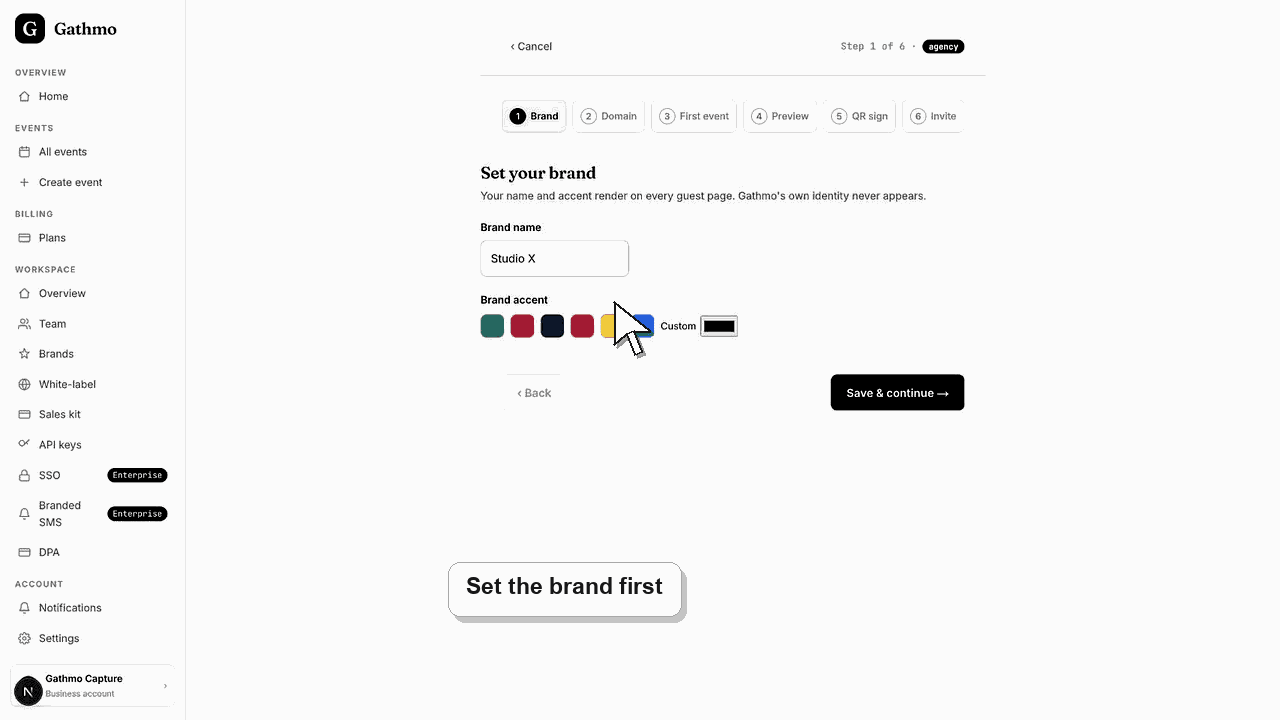
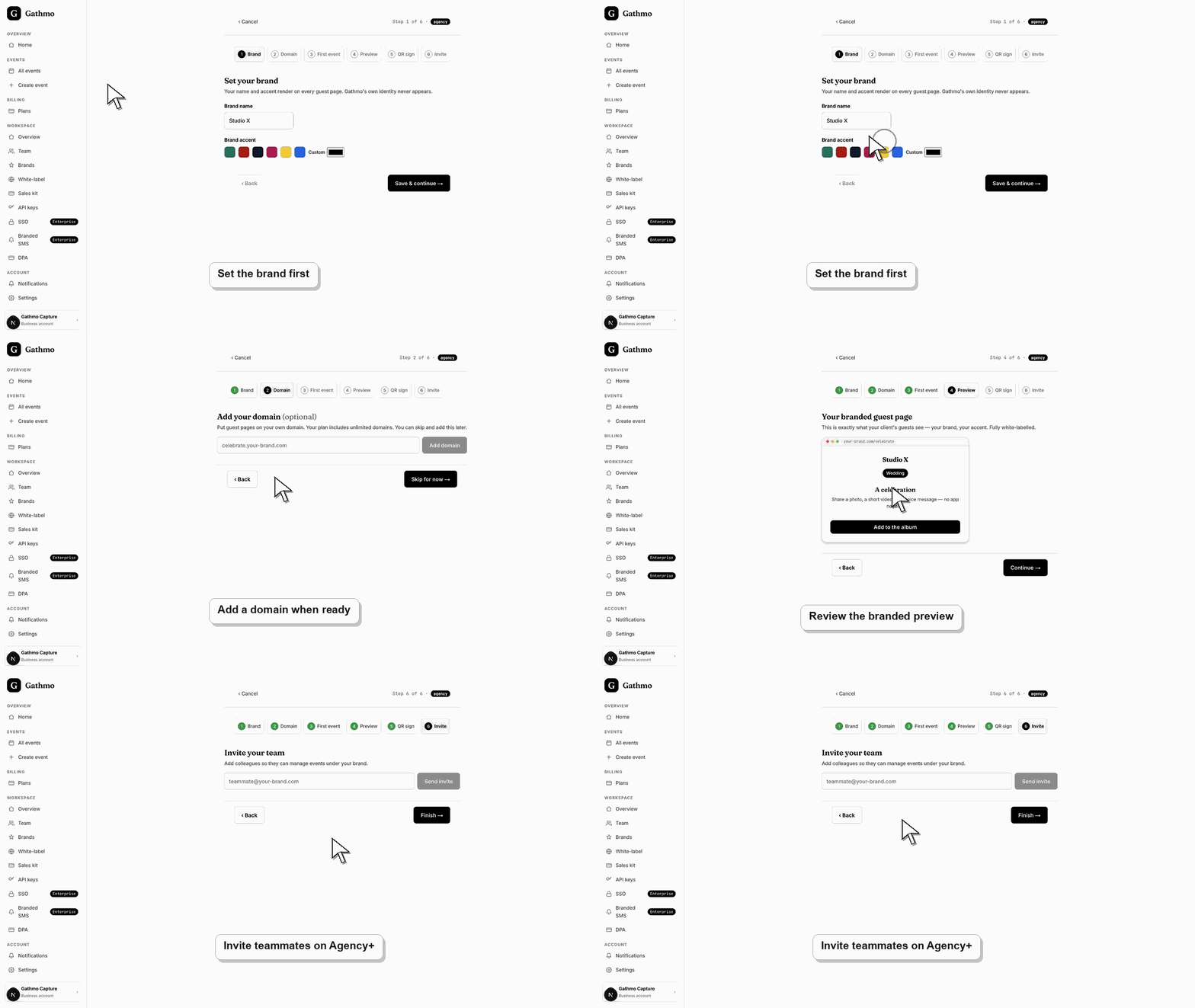
Use the setup wizard to configure your brand, optional domain, first event, branded preview, QR sign, and teammate invite from one guided workspace flow.
Before you start
- Use a business account.
- Have the brand name and accent color ready.
- Know whether you want to connect a custom domain.
- Know whether teammates need access.
Steps
1. Add brand details
Enter the brand name and choose an accent color. This controls how the branded guest experience appears.
2. Add a custom domain if needed
Enter the branded hostname only if DNS is ready. You can skip domain setup and return later.
3. Create the first event
Use the wizard to create a first branded event. Pick an event type and name that make the preview easy to evaluate.
4. Review the branded preview
Check how the guest page appears under your brand. Studio may still show residual Gathmo attribution. Agency+ hides it.
5. Prepare the QR sign
Use the wizard to prepare a branded QR sign for the first event.
6. Invite teammates if available
Agency and Enterprise can invite teammates. Studio runs as a solo workspace.
What to do next
- After the wizard, review the workspace overview, brand settings, domain status, team seats, and first event.
- Preview the client-facing page after every brand, domain, workspace, or role change so the public experience matches the business setup.
- Document which team member owns the brand, domain, client workspace, and billing relationship before client events go live.
- Use the business billing and privacy articles when white-label work affects prepaid access, DPA expectations, or client data handling.
Frequently asked questions
Do I need a custom domain to finish setup?
No. The wizard can be completed without a custom domain, then domain setup can happen later.
Can Studio invite teammates?
No. Studio is a one-seat plan in the current entitlement model.
Can I change the brand later?
Yes. Brand settings can be edited after setup.
Troubleshooting
The plan may not include multiple seats. Studio is a solo setup.
Skip the domain step and return after DNS is configured.
Check whether the plan includes end-to-end white-label branding.
Check that you changed the correct workspace or client brand, refresh the preview, and verify whether a custom domain or cache is showing an older public version.
Business setup can affect client-facing branding, domains, and data-processing expectations. Confirm the brand and domain choices before sharing a client event.
Keep going