White-label and business
Manage client brands and workspaces
Manage Gathmo client brands and workspaces for agency workflows, keeping domains, branding, events, and ownership separated.

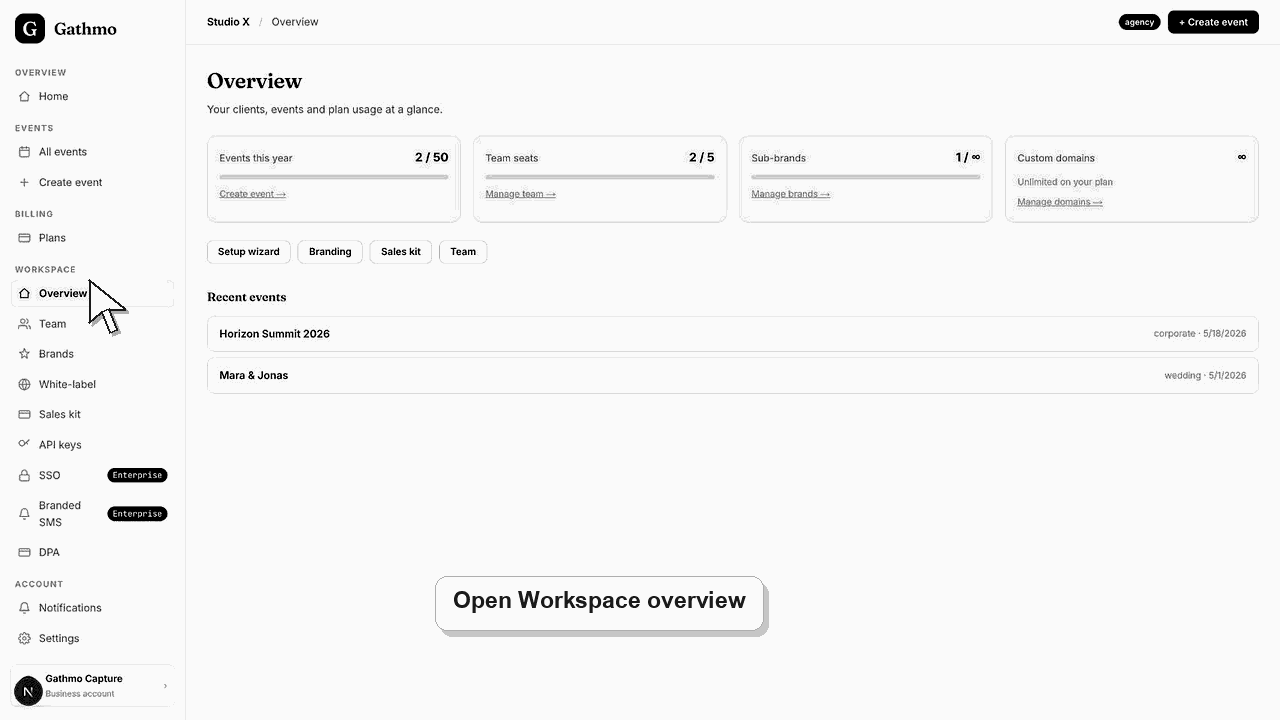
Use client brands to separate branding, domains, and client-facing event experiences. Multi-brand workflows are intended for Agency and Enterprise use.
Before you start
- Confirm the plan supports multiple brands.
- Know which client or brand each event belongs to.
- Prepare brand name, logo, colors, and optional domain.
- Open the correct Gathmo event, workspace, or account before making changes.
Steps
1. Open Brands
From the business workspace, open Brands. This page lists the brands or workspaces available to the organization.
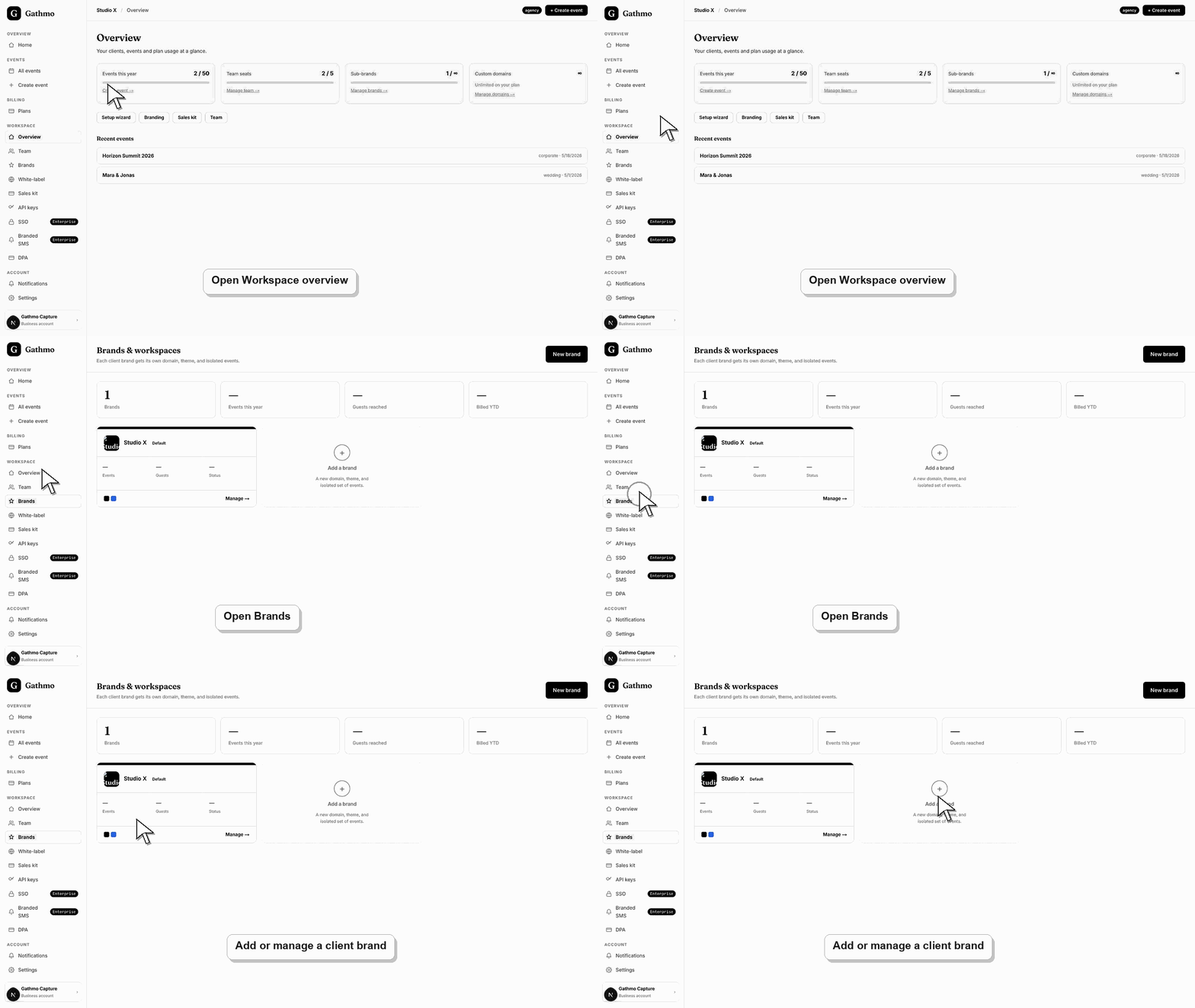
2. Add a brand
Create a brand for each client or business identity that needs separate guest-facing branding.
3. Configure brand settings
Set name, logo, colors, and domain settings for the brand.
4. Create events under the right brand
Before creating or sharing an event, confirm the brand context is correct. This prevents client branding mistakes.
5. Review usage caps
Check how many brands, domains, events, and seats your plan includes.
What to do next
- Each client brand can have its own branded event flow and QR assets, depending on plan entitlements.
- Preview the client-facing page after every brand, domain, workspace, or role change so the public experience matches the business setup.
- Document which team member owns the brand, domain, client workspace, and billing relationship before client events go live.
- Use the business billing and privacy articles when white-label work affects prepaid access, DPA expectations, or client data handling.
Frequently asked questions
Is every client a separate workspace?
Use Brands when a client or business identity needs its own guest-facing name, accent, logo, or domain.
Which plan supports multiple client brands?
Agency and Enterprise are designed for multi-client work in the current entitlement model.
Can I move an event between brands?
If an event was created under the wrong brand, contact support before sharing the QR code broadly.
Troubleshooting
The account may be on a plan with only one brand.
Check the brand or workspace selected when the event was created.
Check custom-domain entitlement and DNS status.
Check that you changed the correct workspace or client brand, refresh the preview, and verify whether a custom domain or cache is showing an older public version.
Client brands can represent separate customers. Do not mix client assets, logos, or domains without permission.
Keep going