White-label and business
Understand business usage caps
Understand Gathmo business usage caps for events, seats, domains, and client brands before selling or launching client work.

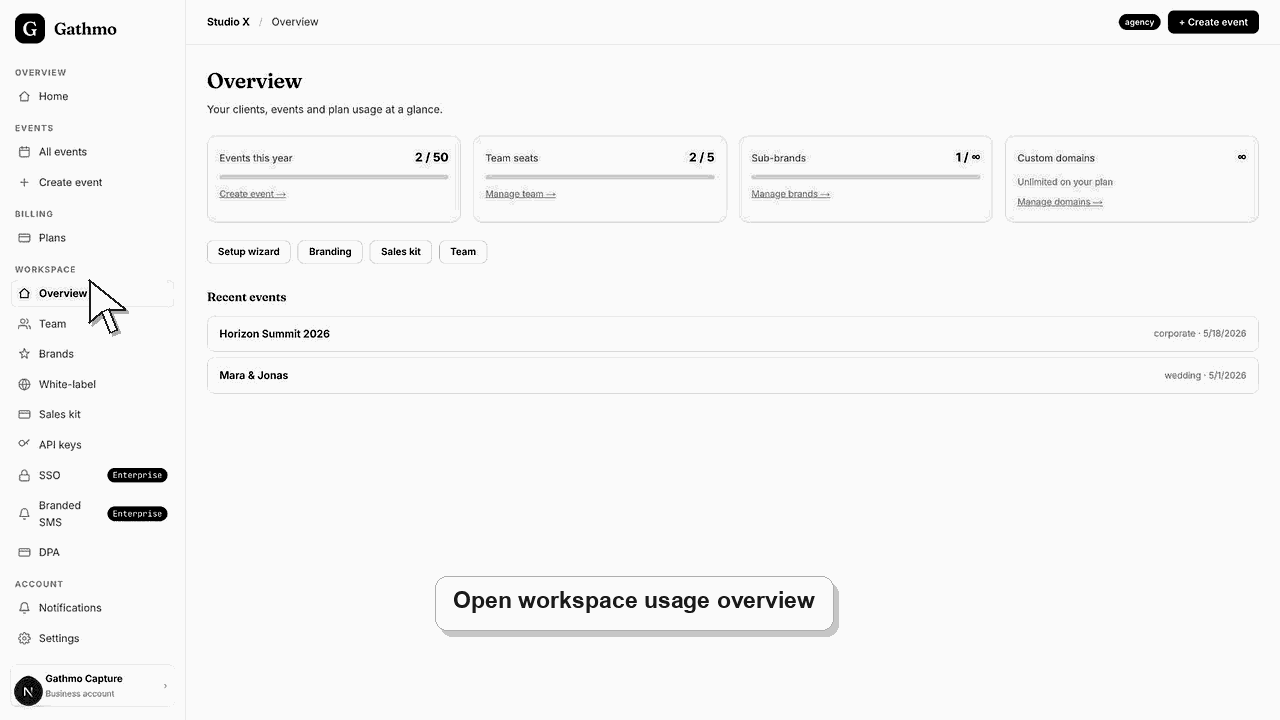
Business usage caps control how many events, seats, custom domains, and client brands the workspace can use. Check the workspace overview before selling or launching client events.
Current Baseline Entitlements
These values reflect the current baseline business entitlement model. Account-specific overrides can change what a workspace sees in billing.
| Plan | Events per year | Seats | Custom domains | Client brands |
|---|---|---|---|---|
| Studio | 10 | 1 | 1 | 1 |
| Agency | 50 | 5 | Unlimited | Unlimited |
| Enterprise | Unlimited | Unlimited | Unlimited | Unlimited |
Before you start
- Know the business plan: Studio, Agency, or Enterprise.
- Check how many events, team members, brands, and domains you already use.
- Confirm whether any account-specific overrides exist before promising capacity to clients.
- Open the correct Gathmo event, workspace, or account before making changes.
Steps
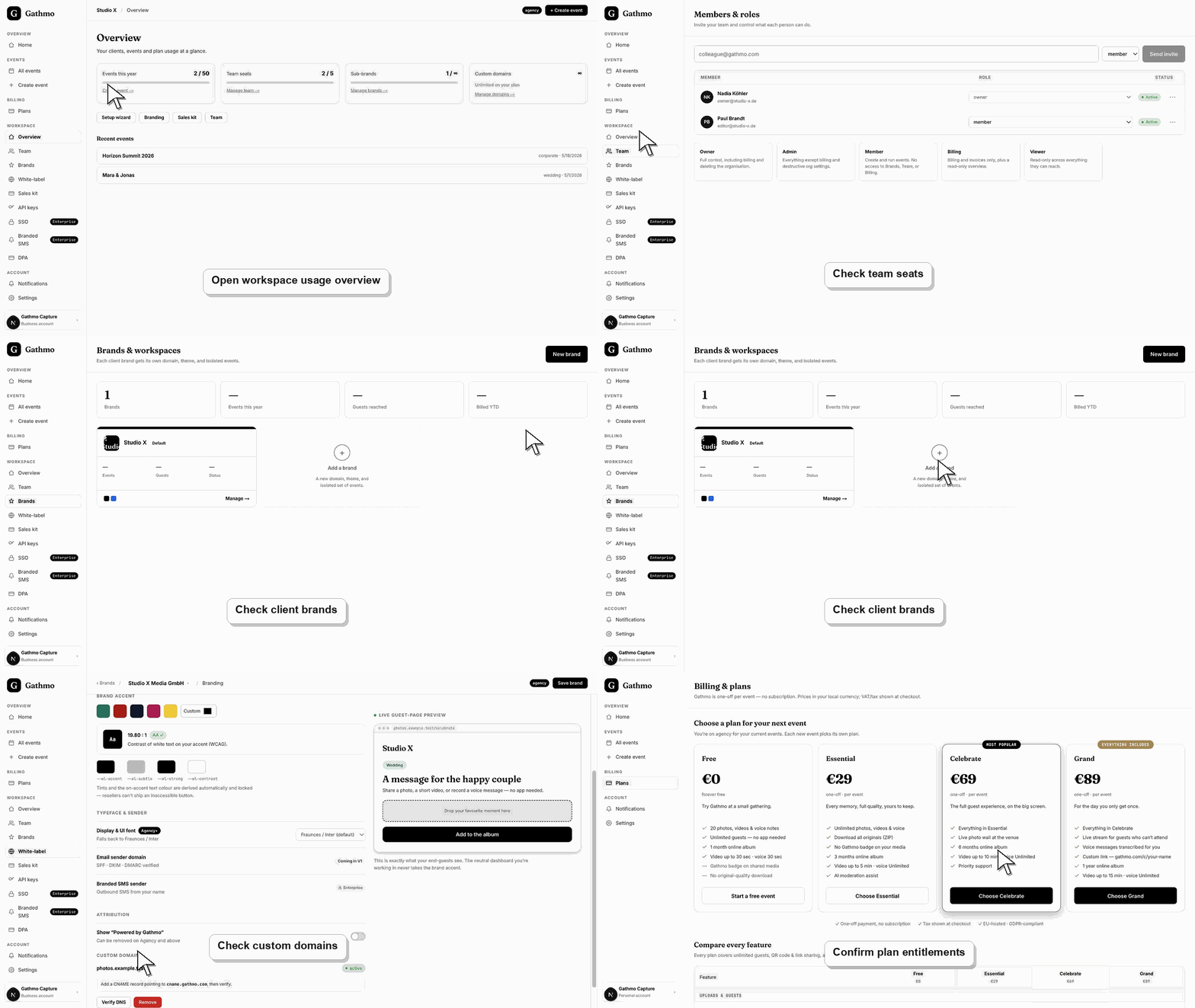
1. Open workspace overview
Use the workspace overview to see current usage against plan caps.
2. Check event usage
Compare created or active events with the yearly event cap.
3. Check team seats
Compare current members and pending invites with the seat cap.
4. Check client brands and domains
Review how many client brands and custom domains are already connected.
5. Upgrade or clean up before selling capacity
If usage is close to the cap, upgrade or remove unused configuration before promising capacity to a client.
What to do next
- If a cap is reached, the workspace may block new events, members, brands, or domains until usage changes or the plan is upgraded.
- Preview the client-facing page after every brand, domain, workspace, or role change so the public experience matches the business setup.
- Document which team member owns the brand, domain, client workspace, and billing relationship before client events go live.
- Use the business billing and privacy articles when white-label work affects prepaid access, DPA expectations, or client data handling.
Frequently asked questions
What does unlimited mean?
Unlimited means no fixed cap in the baseline entitlement model, but operational, fair-use, or contract limits may still apply if product/legal defines them.
Do caps reset each month?
Event caps are tracked against the business entitlement shown in the workspace. If the billing page or contract shows a different period, use that as the source of truth.
Can support raise a cap?
Some business accounts have custom limits above the standard caps. If you need higher limits, contact sales or support to discuss your account.
Troubleshooting
Check whether the current plan includes more than one client brand.
Check the seat cap and pending invites.
Verify the account tier, overrides, and current usage before quoting clients.
Check that you changed the correct workspace or client brand, refresh the preview, and verify whether a custom domain or cache is showing an older public version.
Pricing, caps, and entitlement claims should be checked against the live billing catalog and any account-level overrides before quoting clients.
Keep going