White-label and business
Use the reseller Sales kit
Use the Gathmo Sales kit to sell your branded experience: a rebrandable one-pager, a live demo link, and an ROI calculator. Available on Agency and Enterprise.

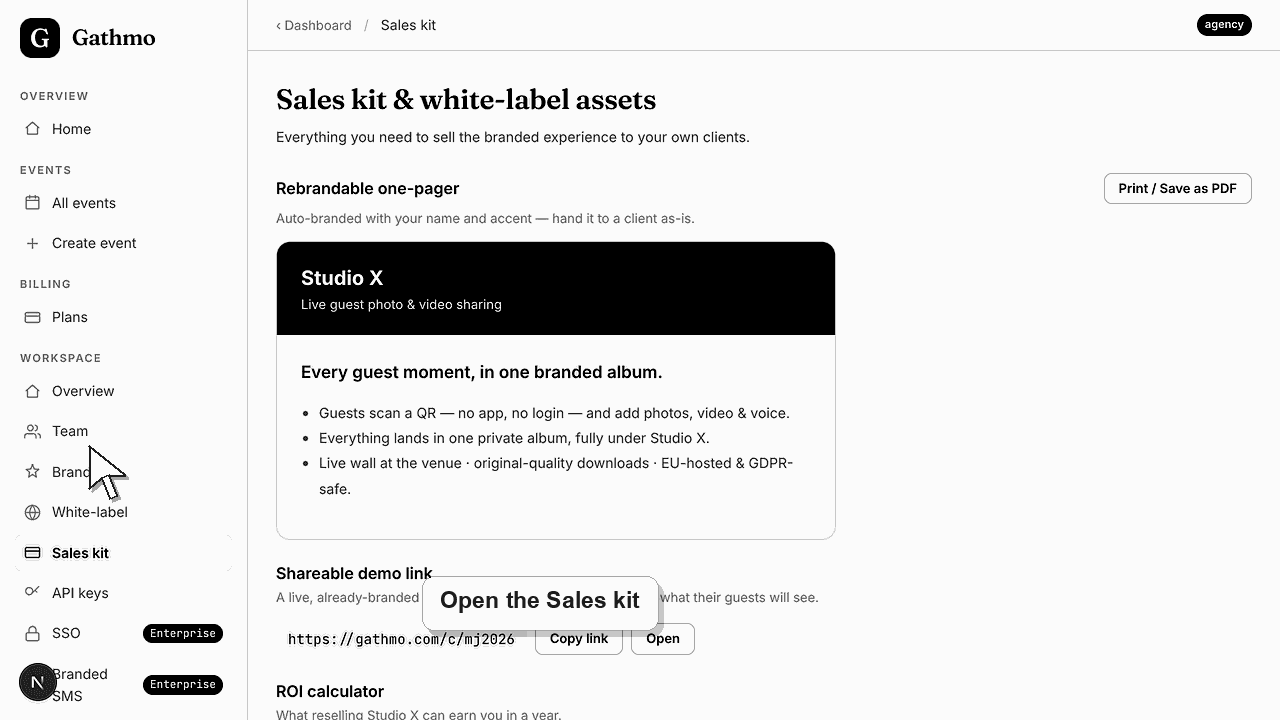
Open the Sales kit in your Gathmo workspace to get three ready-to-use selling tools: a rebrandable one-pager auto-branded with your name and accent colour, a shareable demo link that opens a live, already-branded guest page, and an ROI calculator that projects what reselling can earn you in a year. The Sales kit is an Agency feature — Studio accounts see an upgrade card in its place.
What each Sales kit asset does
| Asset | What it is | Primary action |
|---|---|---|
| Rebrandable one-pager | A branded sell sheet with your name and accent | Print / Save as PDF |
| Shareable demo link | A live, already-branded guest page (your first event) | Copy link / Open |
| ROI calculator | A yearly revenue and margin projection | Enter events and price |
Before you start
- Confirm your workspace is on the Agency or Enterprise plan.
- Set your brand name, logo, and accent colour so every asset carries your branding.
- Create at least one event, because the demo link uses your first event's short URL.
- Open the correct Gathmo event, workspace, or account before making changes.
Steps
1. Open the Sales kit
In the workspace sidebar, select Sales kit. The page opens on "Sales kit & white-label assets" with the line "Everything you need to sell the branded experience to your own clients." On Studio you see an upgrade card instead.
2. Rebrand and export the one-pager
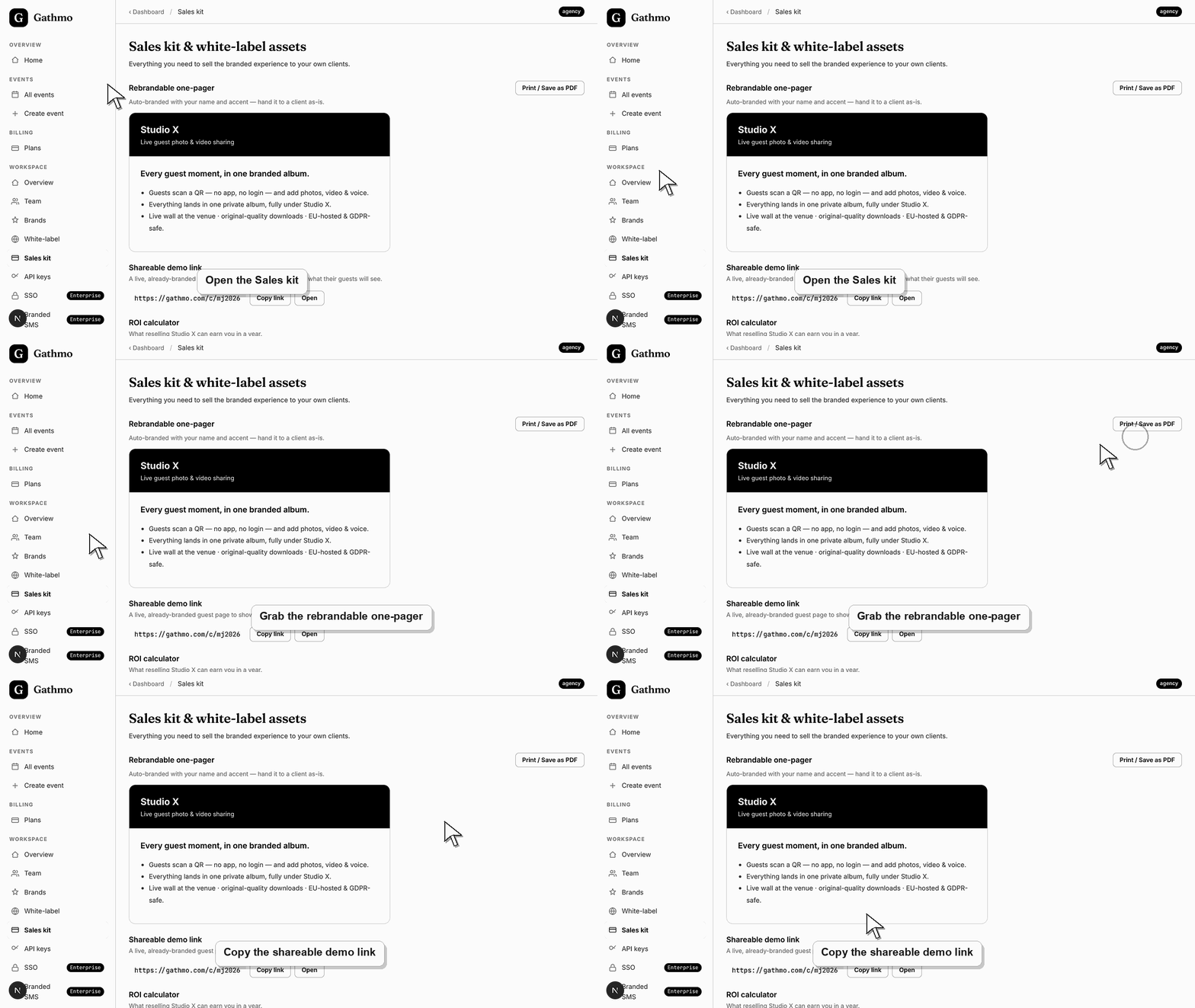
The Rebrandable one-pager is auto-branded with your name and accent, so you can hand it to a client as-is. It carries your studio name, a headline, and guest-experience bullet points. Select Print / Save as PDF to export it.
3. Copy or open the shareable demo link
Scroll to Shareable demo link — a live, already-branded guest page that shows prospects exactly what their guests will see. It is the short URL of your first event, such as gathmo.com/c/<code>. Select Copy link or Open.
4. Run the ROI calculator
The ROI calculator estimates what reselling can earn you in a year. Enter Events / year and what you charge per event, and Gathmo shows Annual revenue, your plan cost per year, and Net margin. Defaults start at 24 events and €300 each.
5. Preview every asset before you present
Open the demo link in a new tab and print the one-pager to confirm your brand name, logo, and accent appear correctly. A polished, consistent set of assets makes your first impression unmistakably yours, not a generic template.
6. Take the kit to your client
Send the one-pager and demo link in your outreach, and walk a prospect through the ROI numbers. Together they show what the branded guest experience looks like and what reselling it is worth, all under your own brand.
What to do next
- Your client reviews a branded one-pager, opens a real guest page under your name, and sees the reselling maths laid out. Nothing they do touches your live event data. When they are convinced, you create their event and hand over branded QR signs for the day.
- Preview the client-facing page after every brand, domain, workspace, or role change so the public experience matches the business setup.
- Document which team member owns the brand, domain, client workspace, and billing relationship before client events go live.
- Use the business billing and privacy articles when white-label work affects prepaid access, DPA expectations, or client data handling.
Frequently asked questions
Which plans include the Sales kit?
The Sales kit is available on Agency and Enterprise. Studio accounts see an upgrade card in its place, because the one-pager, demo link, and ROI calculator are built for reselling under your own brand.
Does the client ever see the Gathmo name?
No. The one-pager and the demo guest page carry your studio's name, logo, and accent colour. Keeping Gathmo invisible to your clients is the point of the white-label Sales kit.
Can I edit the one-pager copy?
The one-pager auto-fills from your brand name and accent, and you export it with Print / Save as PDF. Adjust the wording after export in your PDF or print tool if you want to tailor it further for a specific client.
Is the demo link safe to send to many prospects?
Yes. It is a stable short URL for your first event, so you can reuse it across prospects. Point it at an event that contains only sample or consented media before sharing it widely.
Troubleshooting
Your workspace is on Studio, where the Sales kit is locked. Rebrandable one-pagers, shareable demo links, and the ROI calculator unlock on Agency and Enterprise. Upgrade from Billing to reveal the full kit.
The shareable demo link is drawn from your first event, so an empty workspace has nothing to share. Open the setup wizard, create one event, and the Shareable demo link section will generate a live URL.
The one-pager inherits your active brand name and accent colour. If it shows a default name or colour, save your brand in the workspace first, then reopen the Sales kit so the asset picks up your branding.
The calculator multiplies your events per year by your price per event, then subtracts your plan's annual cost to show net margin. Adjust the two inputs to match your real pricing; the plan cost reflects your current Agency or Enterprise subscription.
The demo link opens a real event in your workspace, so use one with only sample or consented media when sharing broadly. The Sales kit is a plan feature: it is available on Agency and Enterprise, and Studio accounts must upgrade to access it.
Keep going