Getting started
Supported devices, browsers, countries, and cloud photos
Gathmo works in modern phone and desktop browsers without a guest app. Learn about iPhone, Android, Mac, Windows, countries, currencies, and cloud photo…

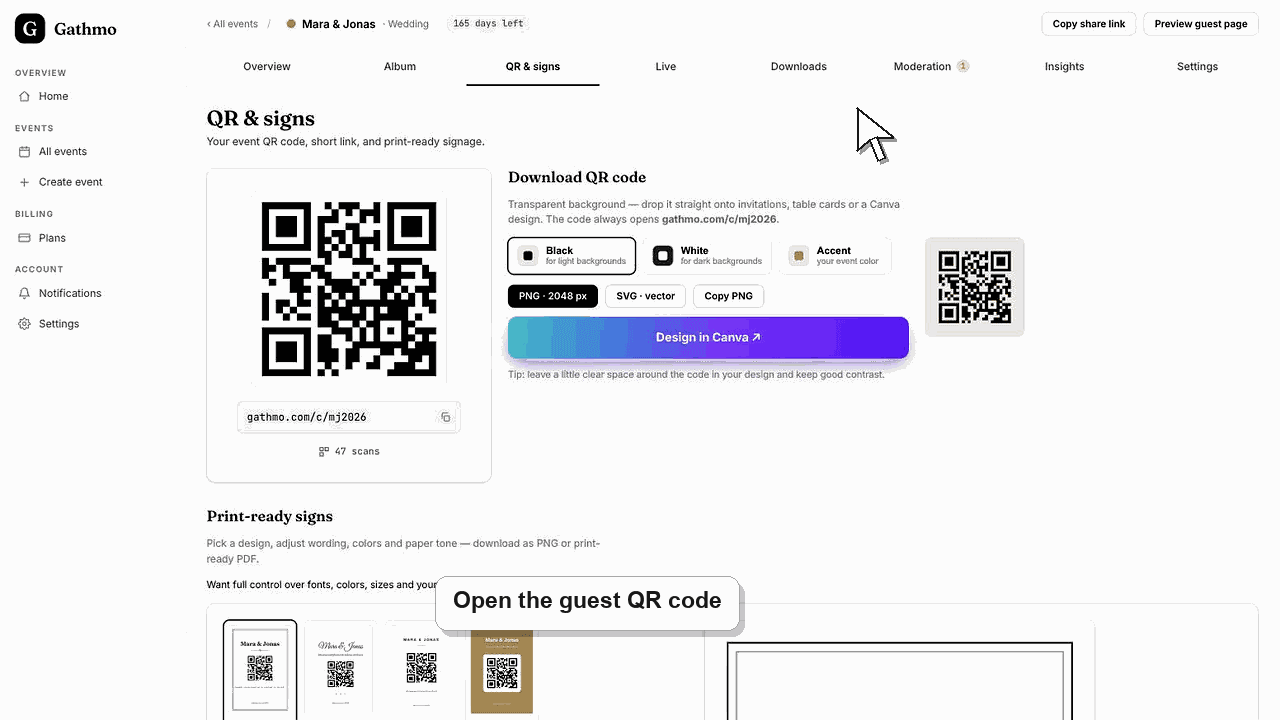
Gathmo is browser-based and works on current iPhone, iPad, Android, macOS, and Windows devices without a guest app. It can be used internationally; checkout supports EUR, USD, GBP, PLN, CHF, and NGN, with the account's country determining the offered currency and payment flow.
Compatibility summary
| Question | Answer |
|---|---|
| iPhone or iPad | Use a current Safari or other supported modern browser and allow photo, camera, or microphone access when asked. |
| Android phone or tablet | Use current Chrome or another modern browser and allow the required permissions. |
| macOS or Windows | Use a current desktop browser for the host dashboard, uploads, moderation, or downloads. |
| App required | No guest app and no guest account are required. |
| iCloud Photos or Google Photos | Select accessible items through the device's file or photo picker; Gathmo has no separate server-to-server cloud import. |
| Country availability | The web service is not limited to the six billing-currency countries; other countries generally use the USD checkout path. |
Before you start
- Update the browser and operating system on test devices.
- Make the needed photos or videos available in the device's photo or file picker.
- Use a stable connection for large videos and batch uploads.
- Open the correct Gathmo event, workspace, or account before making changes.
Steps
1. Open the QR code or event link
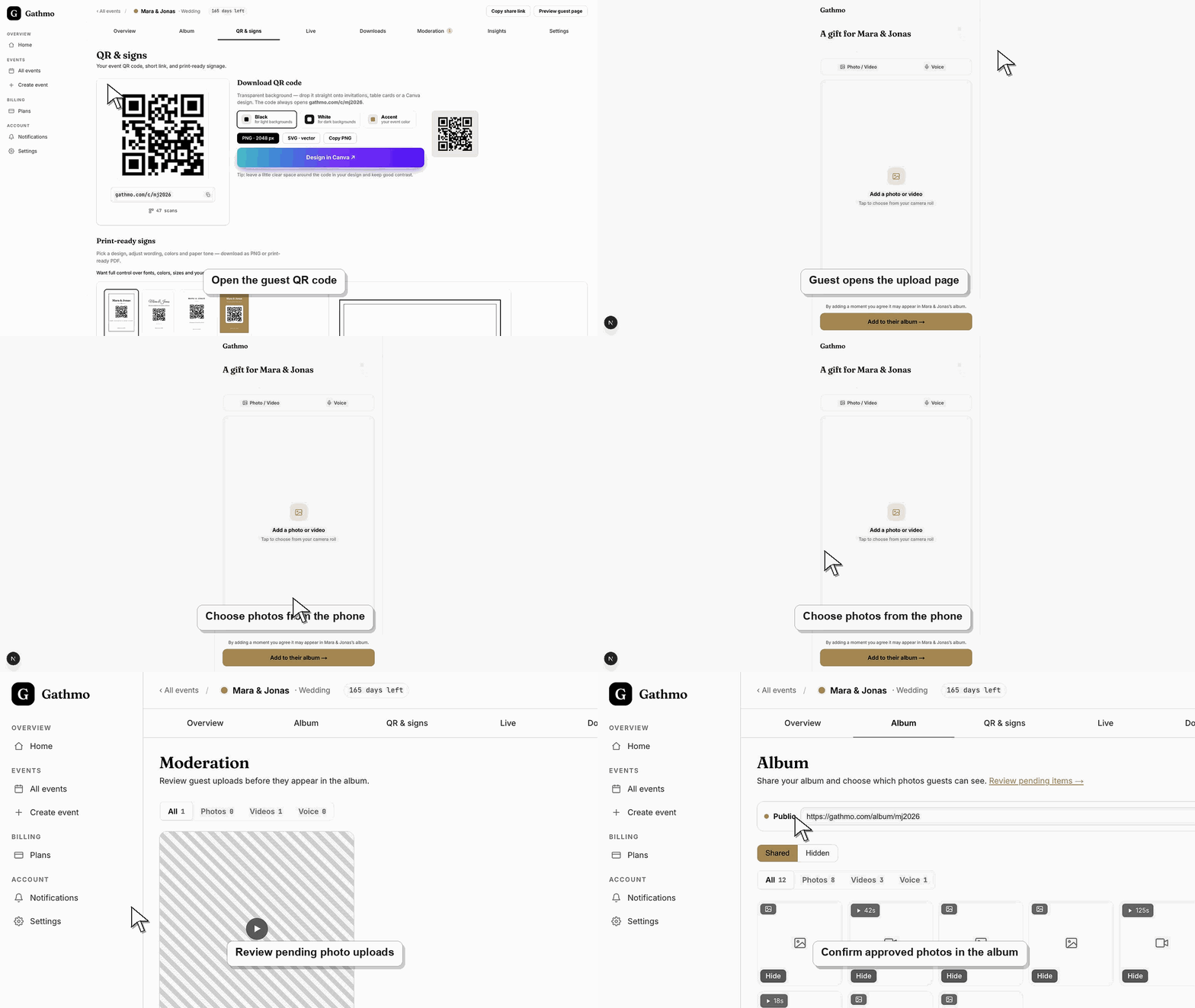
Scan the event QR code with the phone camera or open the shared link in a modern browser. Guests should not install an app or create a Gathmo account.
2. Allow only the permissions needed
Approve photo-library or file access when selecting existing media. Approve camera or microphone access only when taking a new photo, recording a video, or leaving a voice message.
3. Select cloud-backed photos through the device
On Apple devices, choose items available through the Photos or Files picker, including iCloud items the device can download. On Android, use the system picker for locally available or Google Photos-backed items when that provider appears.
4. Wait for remote originals to download
A thumbnail in iCloud or Google Photos may not mean the original file is stored locally. Open the item first or wait for the operating system to download it, then return to Gathmo and select it again.
5. Test the actual event environment
Try one iPhone, one Android phone, and the venue network or mobile connection where possible. Test a photo, video, and voice recording because each uses different browser permissions.
6. Check currency and payment options at checkout
The account country selects the billing currency: euro-area countries use EUR; the US uses USD, the UK GBP, Poland PLN, Switzerland and Liechtenstein CHF, and Nigeria NGN. Other countries generally fall back to USD.
What to do next
- Guests can upload directly from their browser.
- Hosts can manage the event from desktop or mobile browser views.
- The live checkout shows the methods available for the account's country and currency.
- Run the same flow once from a phone, because the host dashboard and guest page solve different parts of the setup.
Frequently asked questions
Does Gathmo work on both Android and iPhone?
Yes. Guests use a modern mobile browser on either platform. Browser version, device permissions, file size, and connection quality can affect individual uploads.
Does Gathmo work on Mac and Windows?
Yes. Hosts can use current desktop browsers for setup, moderation, and downloads, and guests can upload files from a desktop when they have the event link.
Can I import an iCloud or Google shared album directly?
There is no direct server-to-server album import. Select files through the device picker, download originals locally when necessary, or upload a supported batch from a computer.
Which countries can use Gathmo?
Gathmo is a web service that can be accessed internationally where the site and payment provider are available. Supported billing currencies are EUR, USD, GBP, PLN, CHF, and NGN.
Is Japanese yen supported?
No. JPY is not a checkout currency; accounts outside an explicitly mapped market generally use USD.
Troubleshooting
Open the photo in the device's Photos or Google Photos app and wait for the full-resolution item to download. Then retry from Gathmo with a stable connection.
Open browser settings for Gathmo, restore the relevant permission, close private browsing if it blocks permissions, and reload the guest page. Another current browser can help isolate a device-specific issue.
Review the account country and billing profile. A currency is pinned at the first checkout so existing orders remain consistent; contact support before paying if the country is wrong.
Refresh the page, confirm you are signed in to the correct Gathmo account, and open the exact event from the dashboard. If the event was created by another team member, ask them to confirm your role before changing settings.
The operating system controls which local or cloud-backed files Gathmo can access. Gathmo receives only items the guest selects and submits; it does not browse an entire iCloud or Google Photos library.
Keep going