What to Do With Birthday Party Photos After the Party

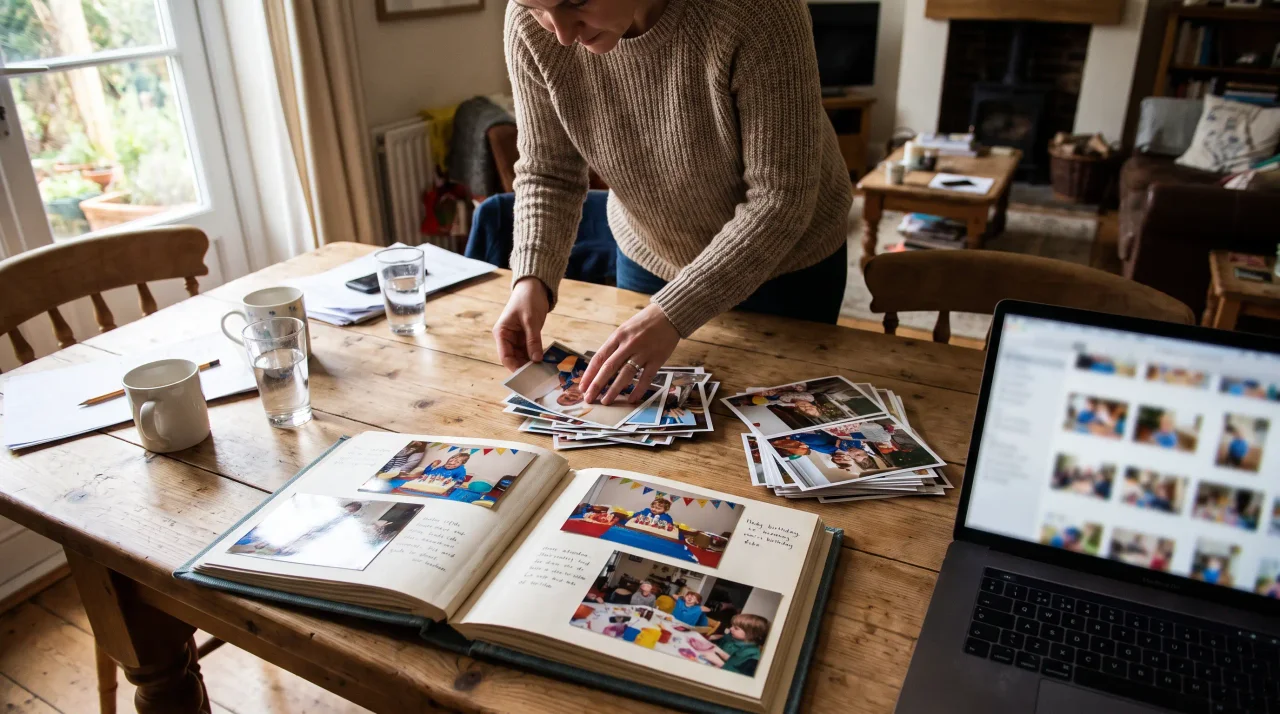
After the party, do four things with the photos before they vanish into the camera roll: gather everyone's shots into one album while the day is still fresh, download the whole album as a single archive, share the link back to the guests, and turn a handful of the best into something printed. The window is short — most photos are never looked at again.
- Gather first, in the days afterwards — one album link collects what fifteen camera rolls are holding.week 1
- Download the album as one archive and put it somewhere that is not a phone.back it up
- Share the link back so guests see the day from everyone else's angle, not only their own.share back
- Turn the best few into something printed — a photo, a book, a card — so at least part of the day escapes the screen.print a few
The party's over. The cake's gone. The balloons are deflating in the corner.
And somewhere on your phone are 80 photos you'll mean to do something with — and probably never will.
It's the quiet anticlimax of every birthday. The day was wonderful. The photos are right there. And then life moves on, the camera roll keeps filling up, and 90 days later you couldn't find the candle blow-out if you tried.
This guide is about the bit nobody plans for: what to actually do with birthday party photos once the party ends. How to gather them, save them, share them, and turn them into something the birthday person can keep — before they slip away.
- Disclosure: the author builds Gathmo, named in this article as the shared guest album.
First, the hard truth about birthday photos
Here's why this matters more than it feels like it should.
Most photos people take are never looked at again. Research suggests around 70% of camera-phone photos are never revisited, with only about 28% ever meaningfully looked at a second time (Popsa Memory Economy Report, 2026). And there are a lot of them — roughly 1.9 trillion photos were taken worldwide in 2024 (PetaPixel photo-volume estimate summary, 2025). Your birthday shots are competing with all of that for a slice of your attention.
Now multiply the problem. The photos on your phone are only a fraction of what got captured. Twelve guests took photos too — the ones from angles you never saw, the candid laugh you missed, the kids' table chaos. Those live on twelve other camera rolls, and unless someone gathers them, they're gone for good.
So the real task isn't just "what do I do with my photos." It's "how do I pull everyone's photos together before they scatter forever."
Let's fix both.
Step 1: Get everyone's photos into one place
This is the move that makes everything else possible. One album. Every guest's photos. In one spot.
If you didn't set this up before the party, don't panic — you can still do it now. The old way is to chase people in the group chat: "Could everyone send me their photos?" It works about as well as you'd expect. A few people reply, most forget, and the best shot of the night stays buried on someone's phone.
The better way is to give everyone one place to drop their photos. With Gathmo, you create a birthday album and get a single link and QR code. Guests open it, upload their best shots straight from their phone, and everything lands in one shared album. No app to download. No account to make. You can send the link round the group chat after the party — "drop your photos here" — and watch the album fill up with all the angles you never had.
This isn't a fiddly trick anymore, either. 68% of consumers say they've used a QR code in the past year (QRKit summary of TEAM LEWIS consumer QR research, 2024), so even the less tech-confident guests can manage a scan and an upload.
Doing this for the next party? Put the QR code out during the event and the album fills itself in real time — no after-the-fact chasing at all. See our guide to collecting every guest's birthday photos for how that works.
One thing worth saying: gathering photos into a shared album beats the group-chat scramble for a reason beyond convenience. Group-chat fatigue is real — News.com.au reports on group-chat anxiety and notification fatigue. A dedicated album keeps the photos out of the noise.
Step 2: Back them up so you never lose them
Phones get dropped in toilets. They get lost, stolen, and upgraded. When that happens, the photos that only ever lived in your camera roll go with them.
Once everyone's photos are in a shared album, you've already solved most of this — they're no longer trapped on a single device. But for the keepers, do one more thing: download the whole lot in one go.
With Gathmo, every paid plan includes a one-click batch download that hands you everything in original quality as a single ZIP. No saving photos one by one. No quality loss from screenshotting the group chat. Drop that ZIP into your cloud storage or an external drive and the memories are genuinely safe — in two places, not one.
It takes about a minute, and it's the single most valuable thing you can do with birthday party photos. Future-you will be grateful.
Step 3: Turn the photos into a gift the birthday person keeps
Here's where it gets fun. Gathered photos aren't just an archive — they're raw material for a present.
Share the album as the gift itself
The simplest move: hand the birthday person the album link. Suddenly they have the whole day from everyone's eyes — not just the handful they happened to take themselves. With Gathmo, they open it in one click. No app, no account. Grandma can see it as easily as your most online cousin.
Make a "best of" highlight set
You don't need all 300 photos in front of someone. Pull the 20 best — the cake carry-in, the blow-out, the group shot, the one candid that says everything — and send those as the headline reel. The full album stays available underneath for anyone who wants to dig in.
Build a photo book or print a few favourites
A printed book or a small set of framed prints turns a digital pile into something physical. Because you downloaded everything in original quality (Step 2), you've got the resolution to print properly rather than working from a blurry chat forward.
Add the voices, not just the faces
This is the part most people never think of — and it's the one that lands hardest.
Photos show the day. They don't capture what people said. With Gathmo, the same album link that collects photos also collects voice messages and video birthday wishes. Voice messages are available on every tier (30 seconds on Free; unlimited on paid tiers). Video runs from 3 minutes on Free up to 15 minutes on Grand. On the Grand tier, voice messages even come back with an automatic transcript, so the words get saved in writing — not just the audio.
After the party, that means you can hand the birthday person more than an album. You can hand them a string of spoken messages from everyone who was there — and from people who couldn't be. A digital birthday card that plays on repeat, recorded in real voices.
Step 4: Share with the people who weren't there
Plenty of the people who love the birthday person couldn't make it. The grandparent in another country. The friend who moved away. The family member who'd have come if work hadn't got in the way.
The album is the easiest way to let them in. Send the link, and they get the full story of the day — photos, videos, the speeches, all of it — without you forwarding fifty images one at a time.
And it works both directions. If you set the album up in advance, those same far-flung people can record a video or voice birthday wish through the link before the party, to be played on the day or saved with the rest. Distance stops being the reason someone misses out.
Want to go deeper on this? See how to collect birthday wishes from people who live abroad.
A note on keeping the photos private
When you gather photos of a roomful of people — friends, family, sometimes children — it's worth caring where those photos actually live.
With Gathmo, your album is private to the people you share the link with. It isn't published to the open web or publicly indexed. Media is stored in the EU (Frankfurt data centres), with data-processing agreements in place with the providers involved. Every paid tier also includes AI content moderation plus a human review queue, so the album stays the album you meant to create.
If a guest ever wants a photo of themselves removed, that's their right under EU law — the GDPR gives people the right to have their personal data erased, and a controller must act on the request without undue delay and in any event within one month (GDPR Art. 17 and Art. 12(3)). In practice, that means a quick message to whoever set up the album. (This is general information, not legal advice.)
One honest note: Gathmo does not offer face-recognition photo search at launch — it's on the roadmap, not in the product today. So there's no automatic face-matching scanning your guests; the album is just your photos, kept where you put them.
How long do you have to act?
Less time than you'd think, if your photos are spread across guests' phones. People delete, upgrade, and lose phones constantly — the window to gather everyone's shots while they still exist is shorter than the warm glow of the party suggests.
If you're using Gathmo, the album itself stays live for a set window depending on your plan: retention runs from 30 days on Free up to 1 year on Grand, with 3 months on Essential and 6 months on Celebrate. The longer windows give you breathing room to gather, download, and share without racing a clock. But the simplest advice holds regardless of tool: do the gather-and-download in the first week, while the day is fresh and the photos still exist. If you are still deciding what to build, a birthday photo album next to a video guestbook sets the two side by side.
Download the full archive within the first week
Open the Gathmo host dashboard and download the ZIP archive within a week of the party, while you can still identify the people and moments in each photo. The archive includes all uploads in original quality.
Cull and curate the best shots
Move the best 30-60 photos into a keep folder. Remove near-duplicates, blurry shots, and accidental uploads. This curated set is what you share and print; the full archive stays as a backup.
Share the album link with all guests
Paste the Gathmo album link in the group chat instead of sending individual files. Guests browse the full collection, download their favourite photos in original quality, and see shots they did not take themselves. No login required.
Order prints or a photo book from the curated set
Use the curated photos to order a printed photo book or print set. One physical keepsake is more likely to be preserved for decades than a folder of digital files on a phone that changes every two years.
Frequently asked
Three things, in order. First, gather everyone's photos into one shared album so they're not scattered across guests' phones. Second, download the whole album in original quality and back it up. Third, share it — as a gift to the birthday person and with anyone who couldn't be there. With Gathmo, one link handles the gathering, and a one-click batch download handles the backup.
Send everyone one link or QR code that opens a shared album, and ask them to upload their best shots. With Gathmo, guests upload straight from their phone browser — no app, no account, no signup — so even the less tech-confident ones can take part. It beats chasing individual photos in the group chat.
Share one album link rather than forwarding images one by one. Everyone you send it to sees the full set, and with Gathmo they open it in one click without downloading anything. That's far less hassle than a long WhatsApp chain of half-compressed photos.
Yes. On Gathmo, every paid plan includes a one-click batch download that gives you the entire album in original quality as a single ZIP — ideal for backing up or making a photo book.
Practically, gather and back up within the first week, while the day is fresh and guests still have the photos on their phones. On Gathmo, the album stays live from 30 days (Free) up to 1 year (Grand), depending on your plan.
Three-step workflow: (1) Download the full album ZIP from your photo sharing platform while the event is still fresh -- most platforms have a download-all button; (2) Import into a local folder named by date and event (e.g. 2026-06-20-Anna-40th), then cull (delete exact duplicates and blurry shots -- roughly 20% of uploads usually qualify); (3) Create a private shared album or printed book from the best 20 to 40 shots. The downloaded original-quality files are your permanent archive; the shared album is for distribution. Keep both.
Both, for different purposes. A printed photo book from a milestone birthday (30 to 50 pages, from a service like Printful or Artifact Uprising) is the physical keepsake -- these outlast any digital platform. The digital album is the distribution mechanism: guests access and download at their own pace. After downloading from Gathmo, original-quality files are yours permanently. Printed books cost 30 to 80 EUR for a well-produced birthday photo book; the photo sharing platform fee is a separate per-event cost. One produces the permanent archive; the other produces the shareable object.
 Guide
GuideHow to Collect Birthday Wishes From People Who Live Abroad
Collect birthday wishes from people abroad by sharing a Gathmo album link before the party — they record a voice message, upload a photo, or leave a video from anywhere in the world, and it arrives in the shared album instantly.
 Guide
GuideKids Birthday Party Photo Safety: What Parents Should Know
Before sharing children's birthday party photos, keep them private, avoid names or locations, get parent consent, and use one controlled album instead of social media.
 Story
Story80th Birthday Party Ideas: Photos and Video Messages From Every Guest
An 80th birthday is not just another party. It is eighty years of stories in one room — and, very often, a few people who matter most who couldn't get on a plane to be there.