Google Drive for wedding photos: what works and what breaks


Google Drive is good at giving wedding photos out and poor at taking them in. A share link lets anyone view and download your album without an account, but every route Drive offers for collecting files from guests requires them to sign in to a Google account first. That requirement lands at the exact moment a guest decides whether to bother, which is why Drive works as an archive and struggles as a collection point.
- Sharing outward is genuinely open. Anyone with the link can view and download, with no sign-in at all.no account
- Collecting inward is not. Google states that a Forms file upload question requires responders to sign in to a Google Account.account required
- A free account carries 15 GB shared across Drive, Gmail and Photos. That is not 15 GB set aside for the wedding.15 GB shared
- Video is what fills it. Roughly 100 to 200 MB for 30 seconds of 4K, against about 4 MB for a photo.video first
Almost every couple tries Google Drive first, and the reason is sound: it is already there, it costs nothing to start, and everyone has heard of it. The folder gets made a week before the wedding, the link goes into the group chat, and then the morning after arrives and the folder holds the photos of four people. Nobody was lazy. The tool asked for something at the wrong moment.
This guide covers what Drive actually does at a wedding: whether guests can upload without an account, how much storage a real guest list consumes, the setup that still works, and the point where a different tool is the honest answer. Disclosure: Gathmo is our own product and appears in the last section. Every Google behaviour described here was checked on 6 September 2026 against Google’s own help pages, which are linked at the foot.
Can wedding guests upload photos to your Google Drive?
Only if they sign in to a Google account. Drive offers two ways to receive files from other people, and both carry the same requirement, so there is no version of this that works for a guest who does not have an account or is not signed in on their phone.
The first route is a shared folder. You set the folder’s link sharing to Editor, and anyone with the link can drop files in. It works, and it hands every guest the ability to rename, move and delete everything else in the folder, including the photos other people added. There is no version of Editor access that means "add only".
The second route is a Google Form with a file upload question, which is the setup most wedding blogs recommend because it looks tidier. Google’s own documentation for that question type states it plainly: to answer this question, responders need to sign in to a Google Account. There is no setting that turns that off, and the requirement applies to the whole form, so one upload question makes every respondent sign in.
The asymmetry is the thing to understand. Google’s sharing documentation is explicit that anyone with a view link can open your file without signing in to their Google Account. Giving photos out is frictionless. Taking them in is gated. For a wedding, where the people holding the photos are guests rather than colleagues, that gate sits on the wrong side of the exchange. Our Gathmo and Google Photos comparison works through the same trade-off on the Photos side.
How much storage does a wedding actually need?
More than the free tier, once video is involved. A Google account includes up to 15 GB of storage, and Google is clear that this allowance is shared across Google Photos, Drive and Gmail. It is not 15 GB reserved for the wedding folder. Whatever is already in the inbox and the phone backup comes out of the same pool.
The arithmetic is worth doing before the day rather than after it. A photo from a current phone is about 4 MB. If 100 guests each contribute 20 photos, that is 2,000 files and roughly 8 GB, which already occupies more than half the free allowance on its own. Those are assumptions, not a measured participation rate, and your own numbers will differ. The point is the order of magnitude.
Video is where it stops being close. Thirty seconds of 4K from a phone runs to roughly 100 to 200 MB depending on frame rate, so 50 short clips can weigh as much as those 2,000 photos. A speech recorded in one take is a gigabyte by itself. Between the ceremony, the first dance and the speeches, video is the majority of the storage and the minority of the files.
There is a second trap underneath the first. When guests upload from a phone, the file that arrives is often the compressed version, not the original, unless quality settings are set deliberately on their device. You can be short of storage and still not have the full-resolution files, which is the worst of both outcomes. Paid Google One plans start at 100 GB and go up from there; prices vary by country, so check the current figure for yours rather than trusting a number in an article.
How to set up Google Drive for wedding photos, step by step
If Drive is the right tool for your wedding, the setup below is the version that survives contact with a real guest list. It takes about 20 minutes and it front-loads the decisions that are painful to change afterwards.
- Make one folder with a plain name that reads well in a share sheet, such as "Anna and Sam, 12 September 2026". Guests see this name and nothing else.
- Create three subfolders inside it: Photos, Video, Speeches. Guests will ignore them, but you will use them the following week when you are sorting 2,000 files.
- Decide between Editor link sharing and a Google Form. Editor sharing is one tap for the guest and hands them delete rights. A Form protects the folder and adds a sign-in step. There is no option that avoids both.
- Check your remaining storage before the day, not after. Empty the Gmail bin and the Drive bin first, because deleted files still count against the 15 GB until the bin is emptied.
- Shorten the link and put it on a printed card at each table rather than only in a group chat. A link that is visible on the table gets used during the evening; a link in a chat gets scrolled past.
- Download the originals within the first fortnight and keep a second copy somewhere that is not Google. A shared folder is a working space, not an archive.
One detail is worth repeating because it causes the most regret. Editor access is not "upload only". A guest who taps the wrong thing can delete the folder’s contents, and Drive will not warn you. If you use Editor sharing, download everything early and often, and treat the shared folder as a collection tray rather than the place your wedding photos live.
Where Google Drive falls short on the night
Drive is a file system, and a wedding is an event. The gap between those two things shows up in five specific ways, none of which are bugs. They are simply things a storage product was never built to do.
- No moderation. Whatever lands in the folder is in the folder, visible to everyone with the link, immediately. There is no queue to review before other guests see it.
- No live wall. Nothing can be projected during the reception, because a Drive folder is a list of file names until each one is opened.
- No voice or video messages as a first-class thing. A guest can record a clip and upload it, but nothing prompts them to, and a message to the couple looks identical to a shaky clip of the dance floor.
- Deletion by anyone with Editor access, as above.
- Uploads that happen later, or not at all. The guest has to leave the party, open Drive, find the folder, select the files and wait for them to transfer, which is a task for the sofa the next day rather than the table that evening.
The last one is the one that costs the most, and it is not a Google failing. Any tool that asks people to upload afterwards is competing with the rest of their week. What changes the result is collecting while the moment is still happening, which means the request has to be in the room and the upload has to take seconds. Our guide to collecting event photos with Google Photos and Drive covers the same ground for events that are not weddings.
When Drive is the right choice, and when it is not
Drive is the right answer for a small, technical guest list and for anything that arrives from a professional. If you are 30 people who all use Gmail on Android, a shared folder is genuinely fine and costs nothing. It is also the correct place for the photographer’s delivery, which arrives as one large transfer from one person who does have an account, and for the long-term archive after the wedding is over.
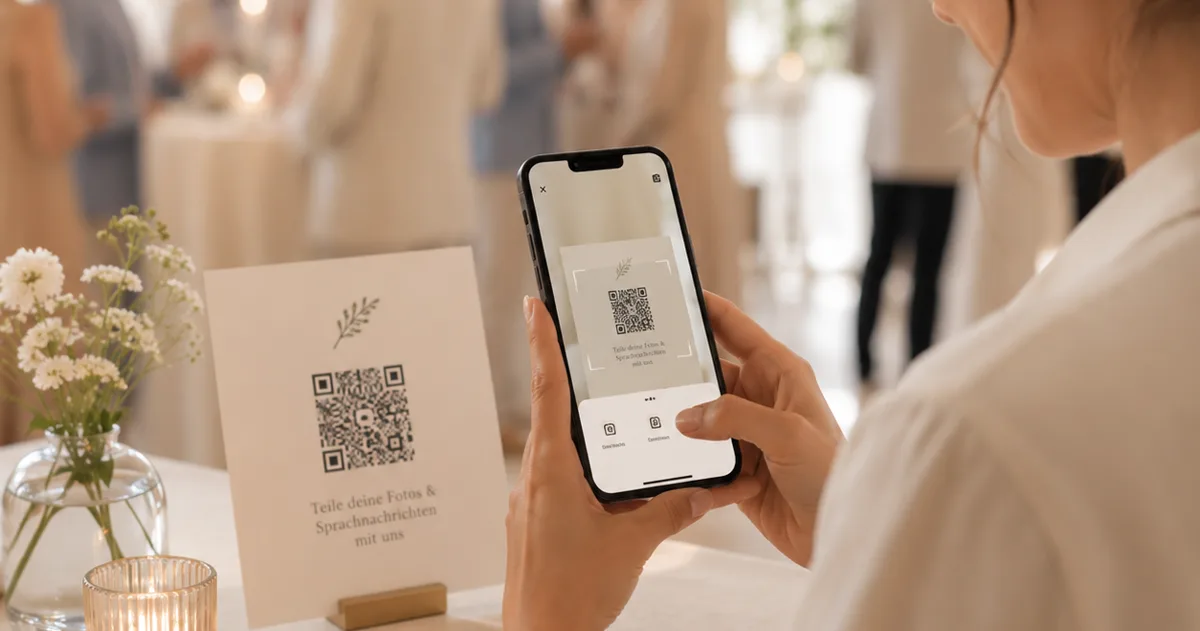
It is the wrong answer when the guest list is broad. At 80, 150 or 300 people you have a mix of phones, a mix of accounts, and a substantial group who will not sign in to anything at a party. Every account prompt between the guest and the upload is a place where the photo stops. That is the case a QR album is built for: a code on the table, the camera app opens a web page, the guest picks their photos and they are in the album, with no app and no account.
Disclosure: Gathmo is our product, so read the next sentence with that in mind. It collects photos, video and voice messages from one printed QR code into one private album, with moderation before anything appears and originals you can download in full resolution. If that is the shape of the problem you have, wedding QR code photos explains the setup and pricing lists what each plan includes. If your problem is a photographer’s delivery and 30 guests on Gmail, keep the Drive folder and spend the money elsewhere.
Google behaviours in this article were checked against Google’s own documentation on 6 September 2026.
- Google Docs Editors Help, question types: a file upload question requires responders to sign in to a Google Account.support.google.com
- Google Drive Help, sharing: anyone with the link can use the file without signing in to their Google Account.support.google.com
- Google One plans: up to 15 GB of free storage, shared across Google Photos, Drive and Gmail.one.google.com
Frequently asked
No. Both routes for receiving files require the guest to sign in. A shared folder needs Editor access, which requires an account, and Google states that a Forms file upload question requires responders to sign in to a Google Account. Viewing and downloading from a share link, by contrast, needs no account at all.
Photos are about 4 MB each, so 2,000 of them come to roughly 8 GB. Video dominates: 30 seconds of 4K is roughly 100 to 200 MB, and a full speech can be a gigabyte. The free 15 GB is shared with Gmail and Google Photos, so the wedding never has all of it.
Google Photos handles a shared album more gracefully than a Drive folder, and contributors still need a Google account. It also draws on the same 15 GB allowance. It is a better viewing experience and the same collection problem.
Nothing automatic, which is the risk. The link keeps working for everyone who has it, anyone with Editor access can still delete files, and the storage keeps counting against your 15 GB. Download the originals within the first fortnight and keep a copy outside Google.
 Guide
GuideMake your own wedding audio guestbook: three honest routes
Build a wedding audio guestbook yourself: a spare phone, a converted handset, or a QR code. What each route costs, allows and survives on the night.
 Guide
GuideHow to share wedding photos with guests: one link, two sends
Getting your wedding photos to every guest: one link with no app, two sends, and an expiry date you name up front so people actually open it.
 Guide
GuideDifferent wedding reception ideas: 40 ways to break the template
Forty different wedding reception ideas sorted by what they change: the format, the running order, the food, the traditions and the record you keep.