How to Use QR Codes at a Conference: Beyond the Name Badge

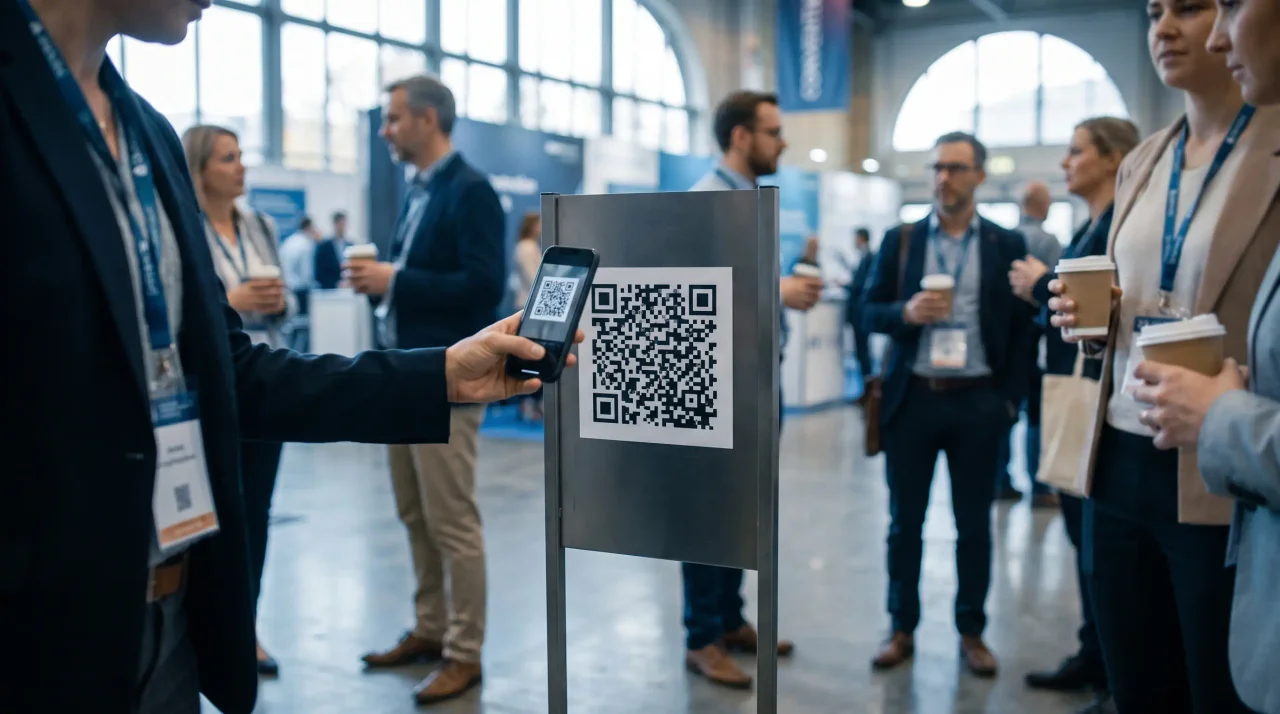
Most conferences use a QR code for lead capture and stop there. The one they leave on the table is attendee photo sharing: one code, opened in the browser, that turns every delegate into a contributor instead of hiring another photographer. Size it for the room, put it where people already stop, and decide moderation before the doors open.
- Lead capture is one use. Photo sharing is the one most conferences never set up.the missed use
- No app is the whole point — a delegate will scan a code, but will not install anything for a two-day event.no app
- Size for the room: the 10:1 rule, and a code read across a hall needs to be big.10:1
- Decide moderation before doors open, especially if the wall goes on a screen.approve first
For most of the last decade, the QR code on a conference badge did exactly one job: a sponsor or exhibitor scanned it to capture a lead. Useful, but narrow — and it put the code on the one surface attendees never look at, the back of their own lanyard. The square has quietly become the most flexible piece of infrastructure at a professional event, and lead capture is now the least interesting thing it does.
The reason is simply that the audience finally has the hardware and the habit. the U.S. International Trade Administration reported Germany smartphone penetration at 90.1% in 2023, most people now treat scanning as routine — 68% of consumers reported using a QR code at least once in the prior year (QRKit summary of TEAM LEWIS consumer QR research, 2024), and in the UK and Europe 84% of respondents had scanned a QR code before, with 32% most recently scanning one in the previous week.40% scanning at least one every week (NFCW QR survey summary, 2020). A QR code at a conference no longer needs explaining. It needs a good destination.
This guide is a practical tour of what those destinations can be — agenda, feedback, networking, resources, and the one that turns a passive audience into contributors, attendee photo sharing — plus how to place the codes so they actually scan, and the data-protection basics a corporate event has to get right that a consumer event can ignore. It is written for event managers, marketing and comms teams, and the agencies that run these events for clients.
- Disclosure: the author builds Gathmo, named in this article as the shared guest album.
Beyond lead capture: what a conference QR code can actually do
Think of the code as a doorway you control. Because a dynamic code's destination can be changed without reprinting (more on that below), one printed square can point anywhere you need it to over a multi-day event. The high-value destinations at a typical B2B conference or trade show:
- The live agenda and session map. A code on signage, table cards, or the badge itself opens the current schedule, room map, and any last-minute changes — no printed programme to reprint when a speaker drops out, and no app to install for a two-day event.
- Session check-in and capacity counts. A code at the door of a breakout records who attended which session, giving you real attendance numbers per track instead of a guess.
- Speaker slides and resources. A code on the closing slide sends the room to the deck, the whitepaper, or the demo signup — capturing intent at the exact moment of interest rather than via a "we'll email you" promise nobody opens.
- Live feedback and polls. A code on the stage screen or the exit door opens a one-tap rating or a live poll, so you collect reactions while the session is fresh, not in a survey three days later that almost nobody answers.
- Networking and contact exchange. A code on the badge can share a digital contact card, replacing the stack of paper business cards that ends up in a bin at the airport.
- Sponsor and booth actions. Beyond lead scanning, a booth code can open a product demo, a prize-draw entry, or a downloadable spec sheet — a softer, opt-in alternative to a hard pitch.
- Attendee photo, video, and voice sharing. A code on lanyards, table tents, and stage-flanking signage lets every attendee upload what they captured — the keynote moment, the booth, the team at dinner — into one organised, branded album the comms team owns afterwards. This is the use most events under-use, and the rest of this guide focuses on it.
You do not need all seven. The point is that the badge is no longer the only place a code lives, and lead capture is no longer the only thing it does.
Why photo sharing is the QR use most conferences leave on the table
Every other use on that list gets information out of the attendee or to them. Photo sharing does something different: it turns the audience into your content team for two days, at no extra production cost.
The problem it solves is real and measurable. People take an enormous number of photos at an event and then never do anything with them — around 70% of camera-phone photos are never revisited). At a conference, that means dozens of good candid shots of your keynote, your sponsors' backdrops, and your team in action are sitting on attendees' phones, invisible to you. The default fix — a shared drive link, a WhatsApp group, a "please send me your photos" email — fails predictably, partly because group-chat fatigue is genuine: News.com.au reports on group-chat anxiety and notification fatigue. Nobody wants another thread.
A QR code routes around all of it. Attendees scan, upload from their own phone, and you get everything in one place. Done well, that single album becomes the recap email, next year's sales deck, the sponsor "proof of presence" set, and the internal-newsletter photos — material you would otherwise pay a photographer to approximate or reconstruct weeks later from scattered devices.
One honest caution before anyone quotes you a number: be wary of any vendor or blog promising a single magic "participation rate." Real numbers depend entirely on your audience, your signage, and whether you announce it from the stage. Treat the code as a tool that makes contributing easy and visible, and measure your own rate rather than trusting an invented benchmark.
How attendee photo sharing works (and why "no app" is the whole game)
The mechanic is deliberately boring, which is the point at a professional event:
- You create the event and apply your brand — upload your logo, set your accent colour, and (on the plans that support it) connect a custom domain so the upload page and album read as your event, not the vendor's.
- Attendees scan the code and upload in the browser. No app to download, no account to create. They land on the upload page, add their photos, short videos, or a voice message, and they are done.
- You review before anything goes public, then export the whole album in one download afterwards.
The single biggest predictor of whether this works is step 2. An audience that will happily scan a code will not install an app for a two-day event they attend once — and every required download, login, or account is a point where most people quietly drop off. A no-app, no-signup browser flow is the difference between a full album and a dead one.
This is where it pays to know what you are buying. Plenty of tools get attendees uploading from a browser; the corporate-grade differences sit around it — moderation, data residency, and the option to make the whole thing carry your brand instead of the vendor's. With Gathmo, attendees scan a QR code or open a short link and upload straight from the phone browser with no app and no signup; the album is moderated, then shown under your branding. Per-event pricing runs Free / €29 / €69 / €89, and voice messages (an audio guestbook in the browser) are available on every tier, with automatic transcripts on the top tier. (Gathmo product and tier facts: Gathmo pricing.)
Where to put the code (and how big it needs to be)
This is where most corporate setups quietly fail: the code is technically correct but too small for the distance people stand from it, so it never scans and the wall stays empty. The governing rule is the 10:1 distance-to-size ratio — the minimum size of the code is roughly the maximum scan distance divided by ten. A code read from 2 metres needs to be about 20 cm; from 5 metres, about 50 cm. (QR sizing and print facts throughout this section: Uniqode QR size guide.)
For the placements a conference or trade show actually uses:
- Badge lanyards and business-card inserts — at least 2 x 2 cm, ideally 2.5 x 2.5 cm, for a comfortable arm's-length scan (~20–30 cm). Below 2 cm, reliability drops.
- Table cards and table tents in a seated session or at lunch — about 3–5 cm, for a seated scan at ~30–50 cm.
- A5 stands and flyers in the foyer or on the registration desk — about 4–7 cm, for ~40–70 cm.
- A-frame and standing posters by the booth or in a walkway — about 10–25 cm, for viewing at ~1–2.5 m.
- Stage-flanking banners and large-format signage — an 8–12 inch (~20–30 cm) code for an audience 8–10 feet back; bigger again if the seats run further. Give people a static, always-visible code they can scan whenever they look up — do not bury the only code inside a moving slideshow.
A few rules prevent the most common failures, on any of those surfaces:
- Keep the quiet zone clear. A code needs a blank margin of at least four modules on all four sides; a busy, branded banner needs more breathing room than that minimum, not less.
- Use a dark code on a light background, and avoid inverting it (light modules on a dark background) — many scanners struggle with inverted codes, which is a real risk on a dark-themed stage banner.
- If you overlay a logo in the centre, raise the error correction to Level H (~30% recovery) so the artwork does not break the code; for plain codes, the common default is Level M (~15%).
- Use a dynamic code for event signage so the destination can be managed — and the same printed square reused — across a multi-day or recurring event.
- Test-print at the final size and scan it under the actual venue lighting before a full print run. A code that scans perfectly on your monitor can fail on glossy stock or under stage lights.
Get the sizing and contrast right and participation takes care of itself; get them wrong and no amount of stage announcements will rescue a code people physically cannot scan.
Make the wall worth looking at: a live screen
If you are already collecting photos, putting them on a screen closes the loop. A live photo wall fills a display with attendee uploads in near-real time: the room sees itself, sponsors see their banner in dozens of candid shots, and people scan precisely because they can watch their photo appear.
There is a useful distinction when you specify this. A live slideshow rotates uploaded photos on a refreshing loop — for a single keynote room or a booth, it is usually all you need. A true live-stream broadcast sends the same feed to attendees who are not in the room — a second stage, an overflow space, a large exhibition floor — which is the version for multi-room events.
With Gathmo, the live slideshow is included from the Celebrate tier (€69 per event) up, and a genuine live stream is available on the Grand tier (€89 per event). (Gathmo pricing.) Worth knowing as you compare options: a live slideshow is common, but a real live-stream broadcast is not something the mainstream competitors offer as of June 2026 — so if your event spans multiple rooms, that is the deciding feature. We cover the full setup separately in How to Run a Live Photo Wall at a Conference or Trade Show.
The part procurement cares about: keeping it on-brand and compliant
Here is where a corporate event diverges sharply from a party, and where a consumer-grade QR tool becomes a liability. Two things separate something you can put on a company stage from something you cannot.
Moderation. On a public-facing screen carrying your logo and your sponsors' logos, you cannot afford an unreviewed image going live. The control is two layers: automated pre-screening that flags inappropriate or off-brand content, and a host approval queue where nothing reaches the screen or the public album until your team approves it. Gathmo runs visual moderation (Hive AI) plus a human review queue, so you publish what you choose. (Gathmo pricing.) This is not universal — several competitors offer no content moderation at all as of June 2026, which is fine for a private party and a genuine liability on a corporate stage. If the wall carries your brand, treat a real moderation queue as a hard requirement.
Data protection. The moment your organisation collects, stores, or projects photos of identifiable attendees or employees, the GDPR applies — "it was just the trade-show badge" is not a defence your data protection officer will accept. A full compliance walkthrough is its own article (see How to Collect Photos at a Corporate Conference Without a Photography Contract and our GDPR and Employee Event Photos guide), but four points belong on every event manager's checklist:
Not legal advice. This section explains the relevant GDPR provisions for general guidance and cites the regulation directly so you can verify each point. It is not a substitute for advice from your own data protection officer or counsel.
- Show a clear notice at the point of upload stating who the controller is, the purposes, and the legal basis (GDPR Art. 13(1)) — a visible privacy notice on the upload page, not a buried policy.
- Know your lawful basis. A controller can often rely on legitimate interest (Art. 6(1)(f)) for ordinary photos after a documented balancing test, but consent (Art. 6(1)(a)) is the safer basis and is required where that balance fails (GDPR Art. 6). Where attendees are your own employees, regulators doubt consent is ever truly "freely given" — Germany's BDSG § 26 addresses employee data directly, and promotional photos usually call for explicit, opt-in consent with a real right to refuse.
- Avoid sliding into biometric processing. Ordinary photos are not special-category data — Recital 51 confirms images become biometric data only "when processed through a specific technical means allowing the unique identification or authentication of a natural person." A plain album or wall stays out of Article 9; a tool that runs facial recognition to "find" attendees by face does not (Art. 9(1)). Gathmo does not offer facial recognition at launch (a Phase 2 roadmap item), which here keeps your collection out of Article 9 by default.
- Get a DPA, check where the data lives, and set a retention window. When a SaaS processes personal data for you, a written Data Processing Agreement must cover the subject-matter, nature, and purpose of processing and the processor's obligations (Art. 28(3)); keeping data in the EU avoids third-country transfer mechanics; and data must be minimised and kept only as long as necessary (Art. 5(1)(c), (e)), with erasure requests actioned within one month, extendable to three (Arts. 17, 12(3)). Gathmo offers a DPA on request, hosts in the EU (Frankfurt) with processor DPAs, applies tier-based retention windows, and supports deletion on request. (GDPR points: GDPR official text. Gathmo facts: Gathmo pricing.)
Among competitors, EU data residency is the exception, not the rule — several tools are US-based or host outside the EU, and for others residency is not clearly confirmed. If your attendees include employees, that distinction is the decision.
Running it for clients: the agency angle
If you run conferences and trade shows for clients rather than for your own company, the photo-sharing code is something you can resell under your own brand. The requirement is end-to-end white-label: a custom domain per client, your branding on the upload page and album, and the platform invisible as the vendor underneath. With Gathmo, that is the Agency tier (€199/mo, end-to-end white-label, unlimited custom domains) and Enterprise (from €699/mo, full white-label plus SSO and API); the Studio tier (€79/mo) covers logo-and-accent branding for smaller operations. (Gathmo pricing.) A true full-reseller white-label is genuinely rare — offered by only a handful of providers as of June 2026, and generally not EU-hosted — so an EU-resident, DPA-backed, fully white-label option is the combination that lets an agency offer this to GDPR-sensitive corporate clients without exposing the tooling. See Gathmo for agencies.
Map all QR code use cases before the event
Beyond the name badge, plan where QR codes add value: photo album, session feedback, resource downloads, live poll, networking profile. Each should have a distinct QR code pointing to a distinct destination -- never reuse the same code for two purposes.
Size each code for its intended scan distance
For table cards or programme inserts (20-30 cm scan distance), use 3-5 cm. For poster-size displays or session screens (1-2 metres), use 15-20 cm. For full-room displays or outdoor banners, use 30 cm or larger. Size for the distance, not the design.
Label each QR code with its specific action
'Scan to add your photos' removes ambiguity and increases scan rate. A labelled code consistently outperforms an unlabelled one. Use a different label for each use case so attendees know what to expect before they scan.
Test every code on multiple devices before the event
Scan each printed code on an iPhone, an Android phone, and a tablet. Confirm the destination URL loads and the action is immediately clear. A broken or unexpected redirect damages trust for all future QR codes at the event.
Frequently asked
A single dynamic code can point to the live agenda and room map, session check-in, speaker slides and resources, live feedback or polls, digital contact-card exchange, sponsor and booth actions, and attendee photo, video, and voice sharing. Because a dynamic code's destination is changeable without reprinting, one printed code can serve different purposes across a multi-day event. Photo sharing is the use most events under-use and the one that turns the audience into your content team.
Create the event and apply your branding, place correctly-sized QR codes on lanyards, table tents, and signage, turn on moderation, and announce it from the stage. With Gathmo, attendees scan the code or open a short link and upload straight from the phone browser — no app, no account — and you download the whole archive in one file afterwards. The no-app flow is the single biggest factor in participation: an audience that will scan a code will not install an app for a one-off event.
The right tool for a corporate event combines a browser-based upload (no app) with what a party app skips: a moderation queue so nothing off-brand reaches a public screen, EU data residency with a DPA available (GDPR Art. 28) so procurement and legal can sign off, a clear notice at upload (Art. 13), defined retention with a deletion workflow (Arts. 5, 17), and — for client work — end-to-end white-label. Gathmo is built around that combination; many competitors are US-based or host outside the EU. Our hub keeps a data-verified comparison: Best Event Photo Sharing Apps in 2026.
Use the 10:1 rule — minimum code size is about the maximum scan distance divided by ten. In practice: at least 2–2.5 cm on a badge or business card, 3–5 cm on a table tent, 4–7 cm on an A5 stand, 10–25 cm on an A-frame poster, and roughly 8–12 inches on a stage-flanking banner viewed from across the room. Keep a clear margin around the code, use dark-on-light, and always test-print at the final size under the real venue lighting before a full run.
Seven high-impact uses beyond the name badge: (1) live photo wall — attendees scan and see their photos on the stage screen within seconds; (2) session feedback — a QR on the seat card routes to a 30-second post-session pulse; (3) speaker Q&A — anonymous question submission via QR reduces the barrier for quieter attendees; (4) networking profile exchange — a QR linking to a LinkedIn or custom profile card; (5) digital programme — replaces printed materials; (6) audio guestbook at the networking dinner — attendees record a 30-second takeaway; (7) sponsor activation — QR on the booth directs to a branded landing page. Each use works best with a no-account browser flow; anything requiring a login loses roughly half the audience before they start.
Three things drive scanning: placement at eye-level while seated (a card on each table outperforms a single poster), a specific and immediate payoff (See your photo on the screen now is more compelling than Visit our website), and a brief verbal prompt from the MC or speaker. QR scanning is mainstream — about 68% of consumers have scanned one in the past year (QRKit summary of TEAM LEWIS consumer QR research, 2024) — so the barrier is not capability but motivation. Friction after the scan matters more than persuading the scan: a page that loads slowly or requires a login will lose attendees even after they have scanned.
Five placements that drive action beyond the standard name badge: (1) Lanyard insert card — every attendee carries it all day; (2) Session table tent — placed before each session, visible throughout; (3) Speaker intro slide — one QR code slide at the start of each session (Scan to add photos); (4) Coffee station or networking zone — attendees check phones during breaks; (5) Exit sign near registration — the last thing attendees see leaving. For a conference photo album, the lanyard card and session table are the two highest-participation placements: they are with the attendee from arrival and visible at all key moments. QR codes on digital screens work only if the code is static, large, and displayed long enough to scan.
 Comparison
EventPics Free Photo Sharing Alternatives: What Hosts Should Compare
If you're comparing EventPics with other event photo-sharing tools, the useful question is not simply "which one is cheapest?" It is whether the tool matches the event you are...
 Guide
GuideCorporate Christmas party ideas: the three questions that pick one for you
Most Christmas party ideas for work are written for a ballroom. Here is how to choose one for the room you actually have, without making anyone buy a costume.
 Guide
GuideChristmas team building activities that work when half the team is on a call
Fourteen Christmas team building activities sorted by whether everyone has to be there at once — with cost, length and video notes on each.