Best event photo sharing apps of 2026



| App | Best for | Price | Rating |
|---|---|---|---|
| 1Gathmo | Photos + video + voice, any event | Free -- EUR 89 | ★★★★★ |
| 2GuestCam | Pay-once + AI face-search | USD 49 / 97 | ★★★★★ |
| 3Fotify | All-in-one: photos + RSVPs | Free + paid | ★★★★★ |
| 4Guestpix | Template customisation, scale | from USD 49 | ★★★★★ |
| 5EventShare | Corporate crossover | from USD 47 | ★★★★★ |
| 6Kululu | Simplicity, generous free tier | Free -- USD 99 | ★★★★★ |
An event photo sharing app collects the photos and videos your guests take into one private album, usually through a QR code they scan at the event. In 2026 every serious tool works without an app for guests, so the real differences are what each one collects — photos only, or video and voice too — and what one event costs. Figures are from each vendor’s own page as of June 2026.
- Gathmo — photos, video and voice messages from one QR code, unlimited guests, a live wall from Celebrate. The best all-rounder for any event.Free / €29 / €69 / €89
- GuestCam — pay once, unlimited photos and video, audio guestbook on every plan, face search as an add-on. No free tier.$49 / $97
- Fotify — photos plus invitations and RSVPs in one dashboard, with a live carousel. No voice.Free + paid
- Guestpix — the polished gallery for a big wedding, 180+ templates. No audio guestbook.$49 / $89 / $119
- EventShare — the organised option for a company party, with a written, audio or video guestbook.Free / $47 / $97
- Kululu — the simplest, for photos and video on a screen at a small gathering.Free / $39 / $99
What an event photo sharing app does
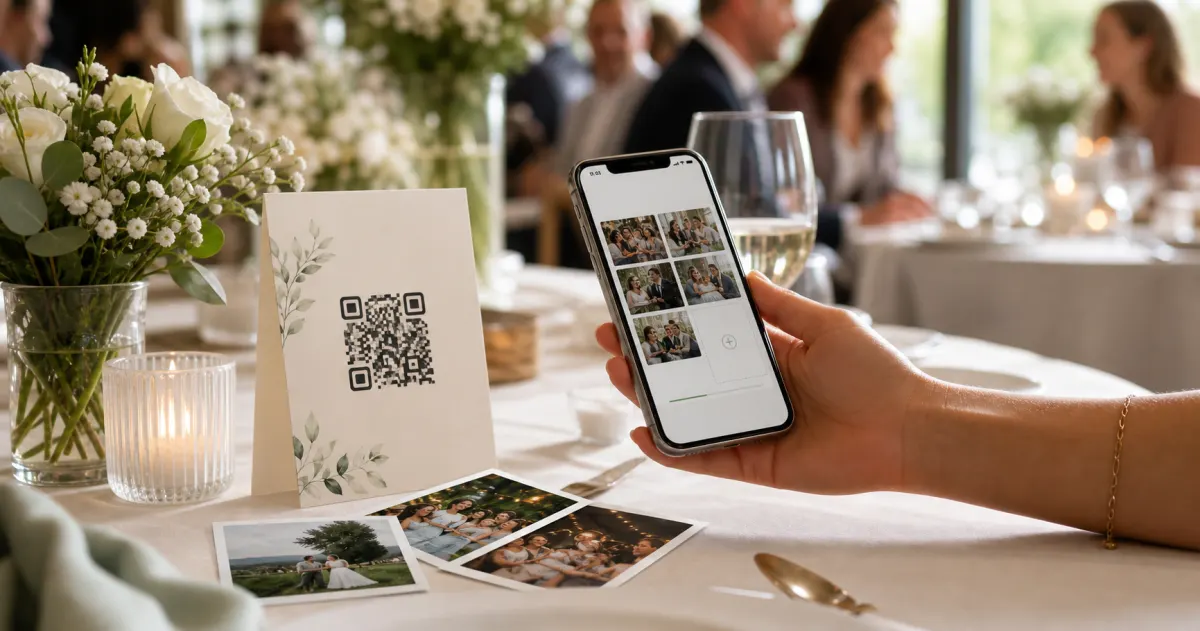
An event photo sharing app is a private album that guests fill from their own phones. You print a QR code, guests scan it, and their photos and videos land in one place instead of staying on 80 camera rolls — at a wedding, a birthday, a party or a company event. The better ones also take voice messages and put the photos on a screen in the room as they arrive.
The good news for 2026 is that the worst barrier has fallen: no-app, browser-based QR upload is now standard, offered by nearly every serious tool. That used to be the whole differentiator, and it is not anymore. If you want the mechanics rather than the ranking, the step-by-step guide to collecting event photos without an app covers the setup end to end.
So the comparison below is on what actually separates the tools now: how much friction is left for guests, what each one captures (photos only, or also video and — the real divider — voice messages), and what one event costs. Guest friction is where most of these tools quietly lose photos; 7 reasons guests hate event photo apps is the longer version of that first criterion.
How we compared them
Scores are our editorial judgement against 3 equally weighted criteria: guest friction (app, signup or any pre-event action?), capture scope (photos only, or video and a voice or video guestbook too), and price for a typical 100-guest event. The comparison is based on each tool’s publicly available features, pricing and trial experience as of June 2026. Gathmo is our product, so read the criteria, check the details yourself, and weigh our verdicts accordingly.
The 6 best event photo sharing apps in 2026
1. Gathmo — photos, video and voice in one album
Gathmo is the only tool in this comparison that collects photos, video and a voice and video guestbook together, with no app and no account for guests and unlimited guests on every tier. A live wall puts moments on the screen during the event from the Celebrate tier, and paid plans download every original in a single full-resolution ZIP. The free tier lets you set up and test before paying.
Per-event pricing: Free (60 items, 30-second clips, 30 days), Essential €29 (unlimited uploads, 5-minute video, 90 days, ZIP), Celebrate €69 (10-minute video, 6 months, live wall), Grand €89 (15-minute video, 1 year, live stream, voice transcripts, custom link). Prices localize by country at checkout.
The honest limitation is that the highest-value extras — the live stream, transcription and a custom link — sit on the top tier, and there is no face search or RSVP. For a wedding specifically, the wedding photo sharing apps ranking compares a wedding-shaped shortlist; for a night out, the party photo sharing apps ranking does.
2. GuestCam — pay once, with AI photo discovery
GuestCam is the closest rival on features: no-app QR upload, unlimited photos and video at original quality, an audio guestbook on every plan, a live slideshow and one-off pricing at $49 or $97. Its MagicFind face search is a useful add-on for big galleries, and its track record is real.
Two things hold it short of the top: the guestbook is audio only, with no video messages and no transcripts, and the real phone dial-in works in the US and Canada only. There is also no free tier. GuestCam pricing next to ours works through what a typical event costs on each.
3. Fotify — photos plus invitations and RSVPs
Fotify casts the widest net: it bundles guest photo sharing with digital invitations and RSVP tracking, plus AI moderation and a live carousel to venue screens, so hosts who want one dashboard for several jobs get real convenience. Guests upload via QR with no app, and there is a free tier.
The trade-off is depth: there is no voice guestbook at all, and video is capped at 30 seconds on the paid tier. Strong if you want invitations, RSVPs and photos together; thinner if the keepsake itself — the voices, the longer videos — is the priority.
4. Guestpix — template customisation and large galleries
Guestpix is mature and built for scale, with 180+ customisable templates, reliable uploads for big guest counts, and a written and video guestbook. If you want a heavily branded gallery for a large wedding, it is a solid pick with one-off, no-subscription pricing: Classic $49, Signature $89, Bundle $119, differing mainly in the 3-, 12- or 24-month upload window.
But it has no confirmed audio guestbook, no free tier, and the interface feels dated next to newer tools. If the voices matter, look at the 2 above.
5. EventShare — the crossover for corporate events
EventShare leans organised and professional, which suits company parties and conferences. To its credit it offers a guestbook with written, audio or video messages, photo and video collection, a live slideshow and a 1-year gallery — a fuller feature set than its low profile suggests. Tiers were Free, $47 and $97 when checked.
The gaps are the familiar ones: a more corporate-than-celebratory feel and limited customisation. For what it charges for that feature set, its plans next to ours go through it in detail.
6. Kululu — sheer simplicity
Kululu’s whole pitch is simplicity — "so easy even grandma can use it" — and it delivers: no-app QR upload, photo and video on every tier, a live slideshow that casts to Chromecast or Apple TV, and a free tier of 50 uploads to try. Plus is $39 and Pro $99, both promotional prices with $79 and $199 as the regular ones.
For a small, low-fuss gathering it is a friendly option with one-off pricing. What it does not have is a voice guestbook, and the upload cap on lower tiers is real at a big event. The Kululu comparison covers what the two cost once the free tier runs out.
Which event photo sharing app should you choose?
Choose by the event, not by the longest feature list. All 6 clear the first bar — no app for guests — so the decision is about what you want to have afterwards.
- A wedding, and you want the voices. Gathmo (voice on every tier) or GuestCam (audio on every plan). The wedding ranking goes deeper.
- A company event with a screen in the room. Gathmo Celebrate or Grand for the live wall and stream, or EventShare for the organised feel.
- A party, cheaply. Kululu or Fotify for photos on a screen; the party ranking compares 7 no-install options.
- Invitations and RSVPs from the same tool. Fotify.
- Face search in a huge gallery. GuestCam with the MagicFind add-on.
- A birthday, on a budget. Gathmo Free if 60 items cover it; the birthday video guestbook apps ranking covers the keepsake side.
If price is the deciding factor, event photo sharing pricing compared puts every tier of every tool on one page.
- Vendor features and prices were read from each tool’s own public pages as of June 2026 (Guestpix, Kululu and GuestCam re-read on 2026-08-30). Where a vendor does not state something, it is recorded as "not stated", not as a finding of fact.
- Gathmo tiers and limits are the euro price book in packages/config; the free tier rose from 20 to 60 items on 2026-09-01.
- Disclosure: the author builds Gathmo, which this comparison ranks first.
Gathmo
Best overall: photos, video and voice in one album- No app or signup for guests
- Photos, video AND a voice + video guestbook in one album
- Unlimited guests on every tier
- Live wall, moderation, full-resolution ZIP export
- Free tier to set up and test
- Live streaming, transcription and custom link are top-tier only
- Per-event pricing rather than one flat lifetime fee

GuestCam
Best pay-once option with AI photo discovery- No app for guests; unlimited photos and video at original quality
- Audio guestbook on every plan
- MagicFind AI face-search (add-on)
- Simple one-off pricing
- Guestbook is audio only; no transcripts
- Dial-in number is US/Canada-only
- No free tier; key features are paid add-ons

Fotify
Best all-in-one: photos plus invitations and RSVPs- No app for guests (QR upload)
- All-in-one: photos, invitations and RSVPs
- AI moderation and live carousel
- Has a free tier
- No voice guestbook; video capped at 30s
- Photo collection is one feature among many

Guestpix
Best for template customisation and large galleries- 180+ customisable templates
- Reliable at large guest counts
- One-off pricing, upload windows up to 24 months
- No confirmed audio/voice guestbook
- No free tier
- Dated interface

EventShare
Best crossover for corporate events- Photo, video AND written/audio/video guestbook
- Reliable, professional feel for corporate use
- 1-year gallery access
- Tone leans corporate over celebratory
- Limited customisation
Kululu
Best for sheer simplicity- Extremely simple for all ages
- Generous free tier; casts to TV
- One-off pricing
- No voice guestbook
- Upload caps on lower tiers
- Promotional prices may end
How we ranked these
Scores out of 10 are composites of three equally weighted categories: guest friction (does it require an app, signup, or any pre-event action?), capture scope (photos only, or also video and a true voice/video guestbook?), and price (per-event cost for a typical 100-guest event). The comparison draws on each tool's publicly available feature lists, pricing pages and trial experience as of June 2026, with Guestpix, Kululu and GuestCam prices re-read on 2026-08-30; where a vendor did not publish a figure we record that as 'not stated'. Scores are our editorial judgement against those criteria. Full disclosure: Gathmo is our product -- check the details yourself before you choose.
Frequently asked
For most events the best option is a no-app QR photo album, because the lowest-friction tool collects the most photos. Among these, the strongest all-rounders in 2026 are Gathmo (photos, video and a voice/video guestbook, unlimited guests, free tier) and GuestCam (unlimited photos/video and an audio guestbook, pay-once). Fotify is best if you also want invitations and RSVPs, and Kululu if you want the simplest possible setup. The right pick depends on whether you need voice messages, a screen in the room, or an all-in-one planning tool. If RSVPs are already handled elsewhere, where a photo album fits next to RSVPify covers that split.
Nearly all the leading 2026 tools are now no-app: Gathmo, GuestCam, Fotify, Guestpix, Kululu, EventShare, Wedibox and Guestlense all let guests upload from the phone browser by scanning a QR code. The main exception is Waldo Photos, which still requires an app, and Google Photos, which needs a Google account to contribute. Because app-free is now standard, the real differences are capture scope (voice guestbook?) and price. Wedibox overlaps most closely with what we do; when a no-install album works better goes through that one in detail.
Three of the six tools compared here include one: Gathmo (voice and recorded video messages, on every tier), GuestCam (browser voice on every plan, audio only) and EventShare (written, audio or video). Fotify, Kululu and Guestlense do not. Gathmo captures both voice and video guestbook messages in the same no-app flow and adds automatic transcription on its top tier. Outside this set, voice is more common than it looks -- Wedibox, photasky and Wedding Studio all offer it. For what EventShare charges for that feature set, its plans next to ours go through it in detail.
Yes. Gathmo, Fotify and Kululu all have free tiers to start with. Gathmo’s free tier takes 60 photos, videos or voice messages with no app or signup for guests, so you can set up and test before paying, then upgrade per event (EUR 29/69/89) for unlimited uploads, the live wall and longer retention. GuestCam and Guestlense have no free tier and charge a one-off fee per event. Whichever you choose, download your full-resolution originals soon after the event. What the paid options actually cost is worked through in GuestCam pricing next to ours and the Kululu comparison.
For a wedding, the shortlist changes: Guestpix and Wedibox join it and EventShare drops off. Gathmo stays first for the voices next to the photos, GuestCam for face search, Guestpix for a designed gallery at a large wedding, and Wedibox for the album inside a bundle with the website and RSVP. The wedding photo sharing apps ranking compares those 5 with prices for one wedding.
Yes. With a QR album the guest scans the code, a page opens in the browser, and the photo is in the host’s album within seconds — on Gathmo, GuestCam, Fotify, Guestpix, Kululu and EventShare alike. Put the code on every table and on the screen if there is one; a single sign at the entrance is scanned by a fraction of the room.
 Guide
GuideWhy Google Photos and Google Drive aren't the best way to collect event photos
Google Photos and Drive are great for storing your own photos. For collecting them from guests at a live event, the account walls, silent compression and missing moderation cost you. Here is what to use instead.
 Guide
GuideHow to collect photos from your event guests (the easy way)
A printed QR code on the table collects more photos than any link in a group chat -- here is why, and how to set one up in two minutes.
 Guide
GuideCollecting guest photos in the EU without the GDPR headache
Consent, data residency, and erasure -- the three things that make event-media GDPR-compliant, and how to get them right by default.